






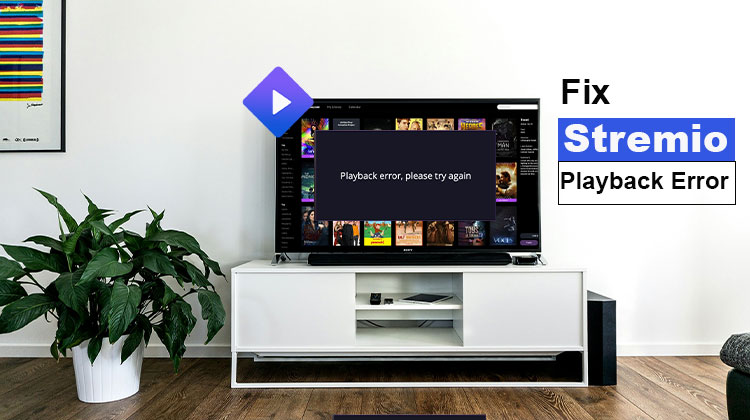
Are you getting a Stremio Playback error? If so, don’t be concerned, it’s not the only person having this issue with Stremio while watching their favourite video.
There are many users worldwide who have encountered playback issues on Stremio for over three years.
The most frustrating aspect of the Stremio streaming error is that Stremio’s developers have not offered a viable solution to fix it.
Since the makers of Stremio haven’t started any discussion regarding the Playback issue, a large number of users resorted to social media sites like Reddit, Twitter, and others raise the issue in hopes of finding solutions.
If you are also experiencing the Stremio playback issue when you watch web series, TV shows, and other programming, do not worry, we’ve prepared for you.
Some Stremio users are experiencing the Stremio Playback error have risen dramatically recently. We decided to create an article that explains all possible solutions.
To understand what the options are and to know how they operate for you, keep reading this blog until the end.
What is a Stremio Playback Error?
A Stremio playback error happens when the app fails to load or play content correctly. Common issues include:
- Video buffering endlessly
- Blank or black screens
- Error messages like “cannot play content.”
- Sudden crashes during playback
These errors can be caused by network issues or outdated applications, add-on conflicts, or device compatibility issues.
Common Causes of Stremio Playback Errors
Understanding the cause is the first step to fixing playback errors. Some common reasons include:
- Internet Connection Issues: Slow or unstable connections cause buffering or errors.
- Outdated Stremio App Version: Older versions may have bugs affecting playback.
- Add-on Problems: Some third-party Addons may not work properly.
- Cache and Data Corruption: Old cache can interfere with app performance.
- Device Compatibility Issues: Older devices or unsupported systems may have playback problems.
Without further ado Let’s begin:
Also read: Why Plex Playback Error Occurs and How to Fix It
How to Fix Stremio Playback Errors
We explore some simple methods to get rid of this Stremio Playback error:
1. Check Your Internet Connection
Sometimes, Stremio playback issues are usually caused by a weak internet connection. The internet may be too slow or unresponsive to stream video on Stremio. Therefore, before trying any advanced solutions, make sure your internet connection works properly.
- Test your internet speed; streaming requires at least 5 Mbps for HD content.
- Restart your router and reconnect your device.
- If using Wi-Fi, try switching to a wired connection for stability.
2. Use a Different Stream
If you continue to get a playback error when using Stremio, I would suggest trying a different stream.
This could be a basic fix, but some Reddit users claim they can fix the issue by simply trying an entirely new Stream.
If you have not tried this method before, make sure you give it a go and then check whether the error persists.
If this method doesn’t work for you, try the following techniques:
3 . Update the Stremio app
Another thing to check is whether you’re running the most recent version of the Stremio application. Even though the desktop application auto-updates itself, it may not work in certain cases. Therefore, you should check for the latest version on the Stremio website and then download it on your personal computer. If this is the case, you can fix the issue.
4. Switch To Tunneled Playback Option
The other method everyone has found to be successful is switching to the tunnelled playback option you’ve selected.
Have you attempted this method? If not, make sure you try it today and see if the issue is fixed or not.
5. Free Up Disk Space
In addition, you’re most likely to experience playback errors during streaming videos on Stremio if you don’t have enough disk space.
If you experience a playback error on Stremio, the first thing to do is determine how much space you have left on the disc.
If the disc space is extremely low, make sure free up space by deleting unnecessary files. After that, run the program and verify whether the issue has been resolved.
6. Clear Cache and Data
The second method to resolve the Stremio Playback error is to clear the cache. If you’ve got Cache cache on the app, and then run the program to determine if the error persists.
Many users claim that clearing the cache helped to resolve the issue with playback errors on Stremio.
If you’ve been unable to use it, then you should check if it is compatible with your device. It is possible that your device may not be equipped to play streaming using Stremio.
Also read: 10 Fixes for YouTube TV Playback Error (Updated 2025 Guide)
7. Disable Antivirus Temporarily
The presence of antivirus software in the background protects against viruses and malware. However, it can sometimes interfere with Stremio by mistakenly identifying genuine content as a potential threat, causing Stremio playback errors. If you’re running antivirus software, disable it to determine if the issue is resolved.
Preventing Playback Errors in Stremio
- Keep Stremio updated regularly.
- Only install verified add-ons.
- Maintain a stable internet connection.
- Clear the cache periodically to prevent data corruption.
Conclusion
Experiencing Stremio playback errors can be frustrating, but most issues are fixable with a few simple steps. Always keep your app updated, use verified add-ons, and maintain a stable connection. Follow this guide to enjoy uninterrupted streaming on Stremio.
If you’ve found another solution to playback errors, share it in the comments below to help fellow Stremio users!
FAQs: Stremio Playback Error
Why am I getting a Stremio Playback Error?
You may get a Stremio Playback Error due to a slow internet connection, outdated app version, corrupted cache, faulty add-ons, or device compatibility issues. Checking your network and updating the app usually fixes the problem.
Why is Stremio stuck on loading?
If Stremio is stuck on loading, it could be due to a broken stream link, server issues, or corrupted cache files. Switching streams or clearing cache usually fixes the problem.
Is Stremio Playback Error a server issue?
Sometimes, yes. If multiple users report the same issue, the problem may be server-related. In such cases, waiting or trying a different stream is recommended.
Why does Stremio say “Cannot Play Content”?
The “Cannot Play Content” message usually appears due to a broken stream link, outdated add-ons, slow internet, or corrupted cache files. Switching to another stream or clearing cache often resolves this issue quickly.







Leave a comment