






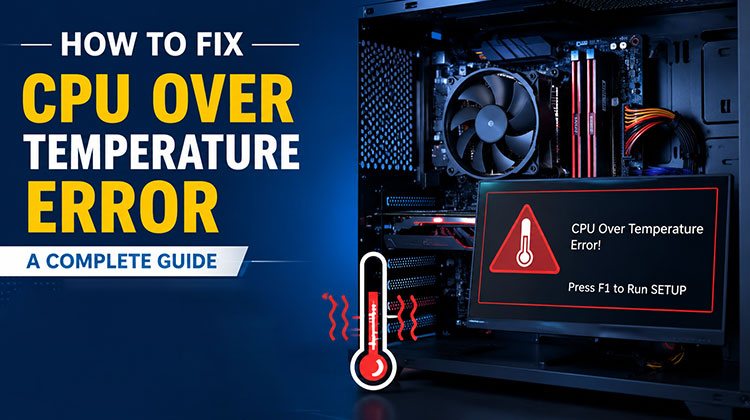
This post introduces what triggers the CPU over temperature error and explains when it is serious or when it is not. This article explains how to fix this issue. If you’re interested in this topic, you can read more on this site.
Processors are getting more powerful. It is important to upgrade to the latest processors, as newer technology becomes increasingly demanding of performance. Cooling the components in a computer system is crucial. If you don’t cool them properly, they may stop functioning due to overheating.
Understanding the CPU Over Temperature Error
This CPU over temperature error falls into the same category of overheating issues. This error may occur when you’re trying to boot the system. At some point, due to a heating issue, this error can happen frequently. Not that significant and usually occurs a few times. But there are many circumstances where you need to pay attention to how the message appears.
What Causes a CPU Over Temperature Error?
Error messages appear when your CPU overheats and the cooler fails to eliminate the heat from the CPU. This occurs when the heat sink isn’t correctly connected to your CPU. In this case, remove the screws from your system and ensure the heat sink is fully fitted and not loose.
If the cooler malfunctions and the fan does not deliver reqierd air flow, this issue may also arise. In this case, all you have to do is swap the cooler.
The next part will explain what happens when the CPU over temperature error is not to be overlooked and when it can be dangerous.
Also read: Why Is My Phone Hot? 5 Tips to Cool It Fast
When Is a CPU Over Temperature Error Not Serious?
If you get a CPU temperature error, don’t worry about it. In some cases, the issue is not risky.
If you’ve been playing games on your computer for a long time and your system is getting very hot. Some reasons prevent heat dispersion, such as dust on the CPU fan, which prevents the fan from spinning. On summer days, the high temperatures make the system get hot even on a normal day.
In this case, you’ll likely get the error code. So there’s no reason to worry.
When Is a CPU Over Temperature Error Dangerous?
If the error message shows up commonly in normal situations, pay attention, even if you are not playing demanding games or performing other activities that put a heavy load on the system. If you receive an error message, you need to identify the problem.
Suppose you’re on YouTube or watching a movie in your browser, and your system reboots and displays a CPU over temperature error message. You need to find a solution and check the temperature.
If the error message becomes problematic, you can follow the steps below to fix the CPU over temperature error.
How to Fix CPU Over Temperature Error?
Shut Down the Computer
If the CPU temperature is extremely high, don’t continue using the computer normally. Shut it down and allow it to cool.
Avoid repeatedly restarting a system that is overheating.
Check the Heat Sink
If you, examine the heat sink attached to the CPU first. This problem usually occurs when your heat sink is loose and not functioning correctly. Many of you have experienced this issue due to improper heat sink placement.
Open the computer system before moving the processor on your motherboard. Examine the heat sink to ensure it is in the right place. If your heat sink appears fitted, skip to the next option.
Also read: Computer Overheating? 15 Easy Ways to Solve the Overheating Issues
Stop Overclocking
Overclocking a processor is common, but it can lead to a CPU over temperature error. If you notice your CPU is overclocked, you may want to stop it since overclocking uses more energy and produces more heat. After you stop overclocking the CPU, examine the temperature and determine whether the issue persists.
Clean Your System
If the issue persists, then you must clean the system. Over time, the system will become coated with dust particles, which can also hinder airflow. In this scenario, poor airflow can cause the system to get hot. Therefore, you must remove the RAM, SSD, and GPU, and then clean your system. After cleaning the system, you won’t get an error.
Wrap up
This post explains what triggers the CPU over temperature error and also when the issue isn’t dangerous or serious. It provides three solutions to fix this issue easily.
FAQs: CPU Over Temperature Error
Why does the CPU over temperature error appear during startup?
If the error appears during startup, the system may be detecting unusually high CPU temperatures or a problem with the CPU cooling system, such as a fan or heat sink issue.
How can I check my CPU temperature?
You can check the CPU temperature through your computer's BIOS/UEFI or with a trusted CPU temperature monitoring tool. Checking the temperature can help determine whether the processor is overheating.
Can overclocking cause CPU overheating?
Yes. Overclocking can increase the CPU's power consumption and heat output, which may lead to higher temperatures and an over temperature error.
What should I do when the CPU temperature is too high?
Shut down the computer and let it cool. Then check the CPU cooler and heat sink, clean dust from the system, and disable overclocking if it is enabled.









Leave a comment