






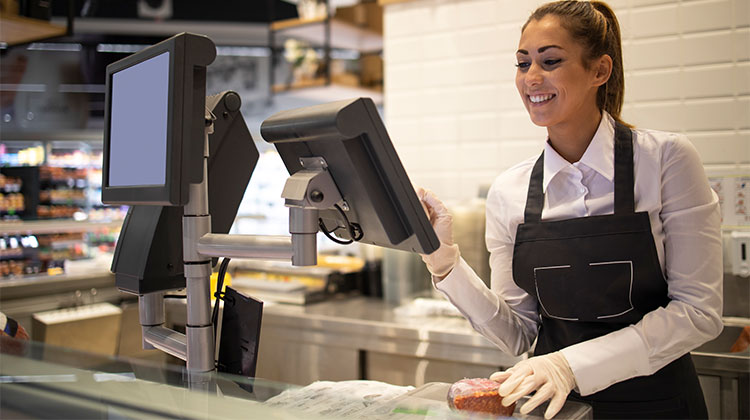
For starting a business or operating on a budget, free point-of-sale (POS) software can reduce costs. Most free POS software has basic inventory management and checkout features, but the top ones come with payment processing, e-commerce, business management, and budget-friendly hardware.
In this guide, I compared the best free POS systems currently available, scoring them based on:
- Quality of free features
- Ease of use
- Performance and reliability
- Scalability for growing businesses
Below are my top 5 free POS systems for small businesses.
Top 5 Free POS Systems for Small Businesses
1. Square
Square offers a free POS system for unlimited users and locations. It has the highest level of features and the broadest range of free (basic and industry-specific ) features among the vendors on this list. Through your free Square POS account, you can sell online, in-store, and through mobile apps, addinationaly it also offers special POS systems designed specifically for retail stores, restaurants, and salons. Also, you get a free magstripe reader for your new business.
When your business expands, Square’s tools can scale using add-ons or third-party integrations. However, you cannot change to a different processor while using this free POS system.
Key Features of this free POS system
- Built-in payment processing
- Mobile POS app
- E-commerce tools with a website builder
- Basic invoicing features
- Basic team management
- Basic inventory management
- Some customized reports
- CRM tools
- Magstripe reader
Pros
- Built-in payment processing
- Free magstripe reader
- Supports sale of CBD products
- Highly rated POS software
Cons
- Reports of frozen funds
- Lacks free industry-specific features
- Account stability issues
- Limited customer support hours
Also read: What is POS Experience? 10 Ways to Improve POS Experience
2. Helcim
Helcim operates as a conventional merchant account service provider, but has since come up with its own POS software. It does not come with the full range of specific industry features, like Square and Toast. However, it comes with a sophisticated matrix inventory and customized checkout tools.
Helcim also comes with a built-in website builder that integrates with the mobile POS application. What distinguishes Helcim, however, is its interchange plus transaction fee pricing that offers the lowest rates we have seen. Additionally, with its built-in automated volume discount, retailers are guaranteed the lower fees without asking Helcim to review their rates.
Key Features of this free POS system
- Free POS software
- Advanced inventory management
- Online catalog and customer portal builder
- Payment processing
- Free credit card processing program
- HIPAA compliance for healthcare services
- Invoicing and billing features
- Dispute management
- SDK and API documentation
Pros
- Free e-commerce/website builder
- Built-in free credit card processing program
- Full access to all Helcim features
- Automated volume discounts
Cons
- Add-on cost for Amex payments
- Swipe transactions only for healthcare systems
- Lacks native POS add-on features
- Limited hardware choices
3. Loyverse
Loyverse is a popular free POS system because it offers many free features, such as analytics displays, customer information, ticket management, and even customer management. The free KDS is just one of the reasons I would recommend it to quick-service restaurants.
Loyverse is the only option that has an integrated loyalty program for free. If you own an eatery and don’t want to use Square for your payments, Loyverse is also worth looking into because it lets you select your preferred merchant service.
Key Features of this free POS system
- Basic POS software
- Choice of payment processor: SumUp and PayPal
- Loyalty program
- Multilocation management
- Basic sales analytics and inventory reports
- Kitchen display system
- Customer display system
Pros
- Choice of third-party payment processor
- Free kitchen display system (KDS)
- Loyalty program in baseline POS
- Free multilocation management
Cons
- No free hardware option
- 24/7 customer support only for paying customers
- Access to integration is an add-on
- Limited payment processor options
4. PayPal POS
PayPal Zettle, which was recently changed to PayPal POS, is a fully-featured, free POS system (replacing PayPal Here) that can provide both in-person and web-based solutions for sales. It is widely regarded as one of the most effective alternatives to Square for POS and mobile payments, thanks to its lowest transaction costs in person and various payment options.
Companies with a PayPal merchant account can accept payments via credit cards, gift cards, digital wallets, and P2P payment options, including Venmo andPayPal rapid response (QR) code. This means that PayPal POS is a great option for freelancers, hobbyists, and other micro-businesses.
Key Features of this free POS system
- Mobile POS app (Android and iOS)
- Mobile payment processing
- Built-in invoicing features
- Discounted first mobile card reader
- Inventory management
- Basic team management
- Bulk inventory transfers
- Multichannel sales management
- Basic reporting features
- Accounting and online sales integrations
Pros
- Works for international sales
- Accepts PayPal, Venmo, QR codes, and digital wallets
- Competitive payment processing fees
- No long-term contracts
Cons
- No free hardware
- Only basic employee management tools
- No offline processing
- Limited POS integrations
5. eHopper
eHopper is a POS system that offers several useful features, even as a free membership. You can obtain more sophisticated plans for POS systems for retailers, restaurants, service companies, and quick-service eateries (QSRs) free of charge when you utilize eHopper’s built-in payment processing, and you make at least $5,000 per month in credit card transactions.
I appreciate how eHopper’s complimentary program helps small businesses reduce their costs over time. It has an inbuilt surcharging system and cash discounting software, which allows you to eliminate processing charges. When you combine it with the free POS plan, you can stand to save lots of capital by choosing this free POS system.
Key Features of this free POS system
- Payment processing
- Inventory management
- Basic reporting
Pros
- Advanced inventory and loyalty tools
- Cash discounting and surcharging built in
- Free POS with qualifying transaction volume
- Supports third-party processors
Cons
- Free plan requires eHopper payment processing
- $5,000 monthly minimum + $20 transaction fees
- Not compatible with iOS devices
Also read: 8 Best Recurring Billing Software
How Do You Choose a Free POS Software?
Choosing the right free POS software depends on your business type, size, and growth plans. Start by evaluating your core needs:
- Payment Processing: Check if the POS supports your preferred payment methods, including credit/debit cards, mobile wallets, and online payments.
- Inventory Management: Even basic inventory tracking is important—look for features like product categorization, dead stock alerts, and barcode support.
- Industry-Specific Features: Restaurants, retail stores, and service businesses have different requirements. Free POS systems like Toast or Square may offer tailored solutions.
- Ease of Use: A simple, intuitive interface reduces training time and errors for your team.
- Scalability: Ensure the POS allows you to upgrade features, integrate third-party tools, or expand to multiple locations as your business grows.
- Hardware Compatibility: Check if the POS is compatible with your devices or free hardware like credit card readers.
- Support & Security: Even free systems should offer reliable customer support and secure, PCI-compliant transactions.
By weighing these factors, you can select a free POS that meets your immediate needs while supporting future growth.
Final Remarks
If you only require the basics of a POS system, there are free POS systems that can accomplish the task. The ones listed above are my top choices for free POS systems. They’re excellent for starting. They might be just what you require. If not, many provide more advanced features through upgrade options or add-ons for reasonable costs.
I highly recommend Square as the top free POS software for small businesses because it has an unrestricted version that allows unlimited use, low processing fees, and an extensive register and inventory feature set for all types of businesses. The software also has a free online store, which means you don’t have to make physical sales. Join a Square account to try the whole thing for yourself.
FAQs: Free POS System
Are free POS systems really free?
Yes, free POS systems do not charge monthly software fees. However, most providers earn money through payment processing fees or optional paid add-ons such as advanced reporting, payroll, or marketing tools.
Can I accept online and in-store payments with a free POS?
Yes, several free POS systems like Square, Helcim, and PayPal POS allow businesses to accept both online and in-person payments using the same account.
Do free POS systems include inventory management?
Most free POS systems include basic inventory tracking. Square and eHopper offer more advanced inventory tools, while others may limit inventory features on free plans.
Can free POS software work without internet?
Some POS systems offer limited offline modes, but most free POS software requires an internet connection to process payments and sync data. PayPal POS does not support offline processing.
Can I upgrade from a free POS plan later?
Yes, most free POS providers offer paid upgrades or add-ons that unlock advanced features such as employee management, analytics, marketing, and integrations as your business grows.







Leave a comment