






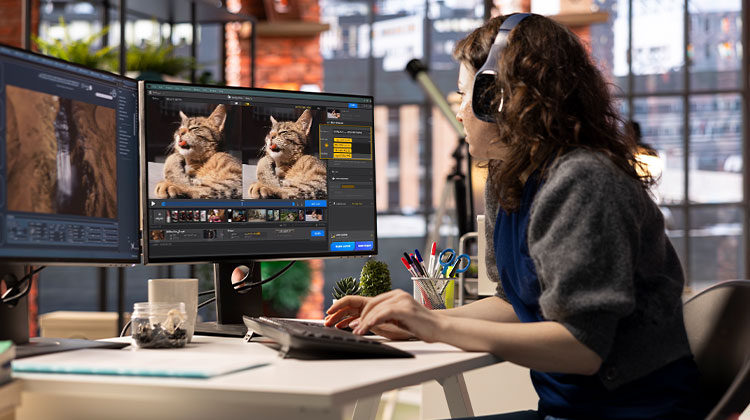
From 480p to 720p all the way to 4K and even 8K, we will never slow our pursuit of more video resolution and improved image quality. We have 4K TVs and Macs equipped with Retina Display, allowing us to enjoy high-quality videos; however, we’re limited to 8K or 4K video sources for use. Additionally, we lack sufficient funds to buy equipment that can record high-definition videos. To help you achieve higher-resolution videos similar to 4K videos, here are the top AI video upscalers to help you eliminate the hassle.
The video upscaling technology is in its early stages. There are several reputable options to improve and enhance your videos. Based on our experience and evaluation, we’ve selected the top 6 AI video upscalers software that can aid you in upscaling or enhancing video quality, from low-resolution to high. Scroll down, read reviews, then select one that meets your requirements.
Best AI Video Upscaling Software
With the power of AI, it’s now possible to upgrade video files to 4K and higher resolutions with a couple of clicks. At the same time, after you have enhanced the video, the quality will be significantly improved, adding new life to old media videos. Additionally, the AI video upscaler software can automatically adjust the video quality, brightness, contrast, hue, gamma, and more to make the video appear more stunning.
1. Topaz Video AI
Topaz Video AI is a powerful AI-powered video enhancer and upscaler that can instantly improve the quality of your low-resolution videos. It was developed in conjunction with Topaz Labs. It utilizes advanced machine learning algorithms and artificial intelligence to enhance the clarity and overall video quality up to 16K, which makes them clearer, sharper, and more precise.
Machine learning, also referred to as temporal and spatial neural networks (TSNN) technology, analyzes multiple frames of an audio-video sequence to discern the details and motion, which is then used to enhance each frame separately. After training many videos, the test results are superior to those of other software for video upscaling.
Suppose you’re a professional filmmaker or someone just starting. You can utilize this AI video upscaling program to boost the visual quality of your videos and enhance their aesthetic impact.
Key Features:
- Upscales videos up to 16K resolution
- Uses Temporal & Spatial Neural Networks (TSNN) for frame-by-frame enhancement
- Denoising, deinterlacing, and artifact removal
- Optimizes motion, detail, and clarity
- Supports multiple formats
Pros:
- Industry-leading resolution support
- Excellent clarity and sharpness
- Suitable for professional filmmakers
- Handles complex video content well
Cons:
- Expensive
- Requires a powerful GPU
- Slightly steep learning curve for beginners
Also read: Remove Watermark from Video: 5 Best Video Watermark Remover
2. VideoProc Converter AI
VideoProc Converter AI stands out as the most effective AI video upscaler program for low-resolution videos. It utilizes Super Resolution technology to enhance video and images by up to 400 percent. It can transform 360p videos to HD as well as 4K while preserving fine details without creating frame loss or color shift, and flickering or shaky effects. Regardless of whether the source is outdated VHS tapes or mini DVs, DVDs, or video streaming sites, this enhances their quality and makes them compatible with modern screens.
Beyond simple upscaling, the VideoProc Converter AI features powerful tools such as stabilized AI and Artificial Frame Interpolation, specifically designed to handle fast-moving and high-motion video content like video games or sports. These tools ensure smooth video playback even in complicated details and fast-moving scenes. Even with its high-end capabilities, the program remains light and compact, reducing the burden on your system. It provides super-resolution in real-time and dynamically adjusts GPU memory use to maximize performance. It also ensures smooth AI video scaling with minimal resource demand.
Key Features:
- Super Resolution technology for upscaling up to 400%
- AI stabilization and frame interpolation for motion-heavy scenes
- Preserves fine details without flicker or color shifts
- Real-time GPU optimization
- Compatible with VHS, DVDs, and online streaming videos
Pros:
- Lightweight and efficient
- Smooth playback for fast-moving videos
- Ideal for both old media and modern sources
Cons:
- Less suited for ultra-high resolutions
- Limited advanced customization
3. AVCLabs video enhancer
The AVCLabs video enhancer AI is an AI video upscaler software that allows users to increase video resolution and enhance video quality. It can upscale videos up to 400 percent. It gives your footage a new appearance, with the same details and coherence. It’s a great alternative for providing new life to old homemade videos, music videos, animation episodes, or movies, for example.
How does AVCLabs Video Enhancer AI work for upscale videos? It employs advanced algorithmic and AI technology to process hundreds of videos. It then allows itself the capability to improve an existing video. To make a low-resolution video appear sharp and professional, this AI video upscaler enhances an existing video by enlarging the resolution, reducing blurring, denoising, deinterlacing, and minimizing flickers. It also reduces shaking, enhances and improves the color of frames, interpolating them, eliminating scratches, sharpening detail, and more.
Key Features:
- Upscales videos up to 400%
- Reduces noise, flickers, and shaking
- Color enhancement and detail sharpening
- Deinterlacing and scratch removal
- Great for home videos, animations, and music videos
Pros:
- Easy to use
- Significant improvement for old or low-quality footage
- Supports multiple video types
Cons:
- Slower processing for large files
- Some features behind a premium version
4. DVDFab Video EnhancerAI
Are you struggling with low-resolution or video files taken from older cameras or phones? DVDFab Video EnhancerAI is an effective AI video upscaler that enhances video quality from your old video clips. It utilizes Super Resolution technology to upscale videos to 4K resolution. Because of AI, it is no longer necessary to set the parameters and settings to enhance videos to a higher quality.
By anticipating the missing pixels using neural networks, videos with low resolution can be enhanced to restore clarity and sharpness, ensuring the video quality is clearer and better than the original. Additionally, its noise reduction ability will effectively eliminate various types of noise in video, like distortion artifacts, grain, and random pixel fluctuations.
Key Features:
- Upscales videos to 4K resolution
- AI restores missing pixels and details
- Reduces noise, grain, and distortion
- Automatic enhancement with minimal manual input
- User-friendly interface
Pros:
- Simple and efficient
- Good for restoring older footage
- High-quality results with minimal effort
Cons:
- Limited to 4K upscaling
- Slower for very long videos
- Subscription pricing
5. Video2x
Video2x can be described as an open-source video scaling software tool that utilizes sophisticated algorithms and AI technologies to upscale videos to 2x the original resolution. This free AI video upscaler enhances video quality by increasing resolution, improving clarity, and increasing the details. Video2x is commonly used to convert low-resolution videos, like older footage or videos taken on older devices, to higher resolutions while maintaining the highest quality.
Video2X also offers various options and settings that allow you to personalize the video upscaling process to your personal preferences. Users can select the preferred output resolution and adjust parameters that affect the sharpness, noise reduction, and other visual aspects to achieve the desired outcome.
Key Features:
- Free and open-source
- Upscales videos to 2x original resolution
- Customizable sharpness, noise reduction, and output resolution
- Ideal for old or low-resolution videos
- Multi-format support
Pros:
- Completely free
- Flexible customization
- Maintains high video quality
Cons:
- Less user-friendly interface
- Lacks advanced AI features
- Requires manual adjustments for higher upscaling
Also read: 5 Best Video Compressor for Discord Without Quality Loss
6. HitPaw Video Enhancer
HitPaw Video Enhancer is a modern AI video upscaler software that utilizes AI technology to enhance the video quality by improving different aspects, including clarity, resolution, brightness, and color. It provides users with an easy-to-use interface and several features to enhance and optimize their video.
This video upscaler software utilizes sophisticated algorithms to upscale videos with low resolution to make them appear sharper and more precise. It uses machine learning and artificial intelligence methods to analyze and enhance the video’s content, improving the overall quality of the video. Additionally, it allows the downscaling of high-resolution 4K videos to reduce their size and to make the video compatible with specific display specifications.
Key Features:
- AI enhancement for clarity, resolution, brightness, and color
- Simple interface for beginners
- Can downscale high-resolution videos for storage or compatibility
- Quick and easy video enhancement
- Supports multiple formats
Pros:
- Beginner-friendly
- Fast and straightforward
- Useful for casual upscaling or small projects
Cons:
- Upscaling quality is lower compared to other tools
- Limited advanced features
- Premium subscription required for full functionality
How We Test the Best Video Upscaler Software
To select the most effective AI video upscaler software, we followed these guidelines to ensure an impartial and accurate review and rating of AI video upscaling software.
- Quality Upscaling: We rigorously examine the new resolution, with a particular focus on the quality of details that are preserved and clarity improved, and the sharpness remains in the upscaled video.
- Compatible Resolutions and Formats: We evaluate the performance of each AI video upscaler across a range of resolutions and formats, spanning from the standard definition format to high-resolution formats. This ensures flexibility for a variety of video formats.
- Process Speed and Efficiency: We evaluate the speed of processing and resource management, and highlight its ability to scale efficiently while maintaining high quality, even when processing large or high-resolution files.
- User Experience and User Interface: The software’s interface is reviewed for its ease of use and user-friendliness, ensuring it can be used by both professionals and beginners with easy navigation and user-friendly features.
- Cross-Platform Compatibility: We test the software’s capabilities across a variety of operating systems, including Windows, macOS, and Linux, ensuring seamless access for users regardless of their preferred platform.
- Editors’ and users’ opinions: We appreciate user feedback and rely on information from trusted media outlets to collect expert opinions about the performance of an AI Video upscaler.
In a rigorous evaluation of every AI video upscaler application in these key factors, we make sure that our top choices adhere to the highest standards. If you’re looking to enhance personal projects or direct professional video production, our recommendations are built to produce outstanding results for every need and level of expertise.
Summary Up
The AI video upscalers have revolutionized the way we view and interact with videos. With their advanced algorithms and machine learning capabilities, these software tools reduce noise in video, enhance stability, and improve the overall visual quality. When it comes to restoring old photos or creating breathtaking animations, these AI video-upscaling programs transform images in amazing ways.
FAQs: AI Video Upscaler
What is AI video upscaling?
AI video upscaling is a process that uses machine learning to increase a video's resolution, improve clarity, reduce noise, and enhance overall visual quality. It turns low-resolution videos into HD, 4K, or even 8K.
Which is the best AI video upscaler for 2026?
Topaz Video AI and VideoProc Converter AI are considered the best in 2026 for upscaling videos to 4K or higher with the best balance of speed, quality, and performance.
Can AI upscale old or low-quality videos?
Yes. AI video upscalers can restore old, blurry, or low-resolution videos by reducing noise, correcting color, stabilizing motion, and enhancing overall sharpness.
Are there free AI video upscalers?
Yes. Video2x is a popular free and open-source AI video upscaler. However, paid tools like Topaz and VideoProc generally deliver better results.







Leave a comment