






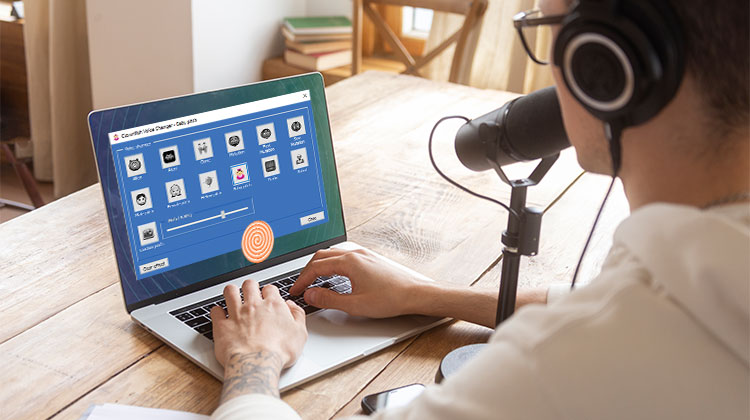
While it is true that the Clownfish Voice Changer is a free voice changer tool for Windows users, some require alternatives for other devices. If you’re one of those, read on for information on the best 5 options!
While voice-changing apps were popular earlier, including Talking Angela & Talking Tom, they’ve become much more fun and highly beneficial with the most modern technology. Today, gamers can remain anonymous, while call center workers can hide their voices on Skype, Discord, and other platforms.
The Voice Changer Clownfish app is an incredibly popular way to change your voice in real-time. Let’s go into the top 5 Clownfish voice Changer alternatives for various platforms. You will also learn how to make use of the Clownfish voice changer in Discord!
What Is Clownfish Voice Changer?
Clownfish Voice Changer is a free voice-changing software. It’s compatible with multiple applications, including Skype, Discord, and TeamSpeak.
It’s installed at the system level. Therefore, every program that utilizes an audio recording device will also be affected.
You can select from a variety of voice effects like robot, male, and female pitch, and alien, and alter your voice at any time. Additionally, you can utilize the text-to-speech feature, a sound player, a music player, and other features.
Key Features
- Voice Effects: 12+ presets (male/female, baby, alien, echo) + pitch/timbre tweaks.
- Music/Sound Player: Background tracks, playlists, hotkeys.
- Advanced Tools: Text-to-speech, VST plugins, profiles for quick switches.
Top 5 Clownfish Voice Changer Alternatives
All these apps offer a variety of voice types (alien, robotic, cartoon) and allow adjustment of frequency, pitch, and tone. Looking for the best Clownfish Voice Changer alternative? Here are five excellent options.
1. Voxal Voice Changer
Voxal Voice Changer lets you alter, modify, or even disguise your voice for gaming, podcasting, or even use it to give your voice an additional dimension of imagination. It gives you unlimited possibilities to transform your voice from alien to baby girl.
Additionally, it allows you to add effects such as distortion, modulation, chorus, or pitch change to an online input or recording. Additionally, you can get the program for free when you use Voxal at home for non-commercial use.
Key Features
- Multiple voice effects like girl, boy, robot, alien, echo, etc.
- Real-time playback through speakers.
- Low CPU usage ensures smooth performance.
- Compatible with all games and chat apps.
Pros
- Beginner-friendly interface
- Real-time effects
- Lightweight software
Cons
- Some advanced features are limited to premium
- The effects library is smaller than Voicemod
Also read: Best Voice Changer for Roblox for Gamers & Streamers
2. VoiceMeeter
VoiceMeeter can be described as a virtual audio mixer that allows you to adjust the volume of your voice. With its help, you can adjust the microphone sound in real-time and apply filters and effects to get your desired tone. For mixing and managing audio sources either from or to any other application, such as Skype, Discord, or streaming software, it includes the virtual audio device, which is used as a virtual input/output.
It allows you to combine your voice and music via Google Voice and Skype, and helps to record your podcast or radio programs. Additionally, you can use the MIC to talk with your group when playing video games.
Key Features
- Audio enhancement with compression, equalization, and noise gating.
- Built-in effects: pitch shift, echo, and reverb.
- Manage multiple sound sources for online or local applications.
Pros
- Professional-grade audio control
- Works with Skype, Discord, OBS, and more
- Real-time audio mixing
Cons
- Slight learning curve for beginners
- The interface is not very modern
3. UnicTool MagicVox
UnicTool MagicVox is one of the most effective voice changers, making real-time gaming more fun. With its vast library of over 200 sound effects, you can imitate your voice and use them to entertain others.
With its user-friendly interface, you can effortlessly apply various effects to your voice. It can be used for live calls and is compatible with multiple platforms, including Discord, Viber, Skype, and many more.
Key Features
- Real-time voice customization with keybinding.
- Effects include pitch shift, echo, and robotic tones.
- Background noise filters and sound layering.
Pros
- Huge effect library
- Easy to use for gaming and live calls
- Fast real-time processing
Cons
- The free version is limited in features
- Advanced settings may take time to master
4. VoiceMod
VoiceMod can play various online games like Minecraft, PUBG, and Fortnite by altering the voice online. This makes it an excellent choice for chat or streaming live. It lets you choose from a good selection of voice effects ranging from chipmunk, baby, police, and android to alien. There’s a vast collection of effects.
Key Features
- Real-time voice adjustments
- Background noise suppression
- Works with Skype, Twitch, Discord, VRChat, and more
Pros
- Intuitive interface
- Fast real-time performance
- Wide range of effects
Cons
- Premium subscription needed for full access
- Can use more CPU on low-end PCs
Also read: Is Voicemod Safe to Use in 2025? A Quick Guide
5. Morph Vox
MorphVox is a renowned software for voice modification that can be utilized as an alternative to the Clownfish voice changer. It comes with three different versions: one free called MorphVox Junior (with limitations on options), in addition to MorphVox Pro, which is priced at a premium. The junior version is somewhat limited, as it offers only three voice choices, including a child, a female, and a male.
It’s perfect for online gaming and communications since it can change the voice in real-time. MorphVox offers two operating modes that allow you to customize the voice for quick editing of your desired voice from the available options, with some effects. Another option is Studio mode, which allows you to go deeper into your recording and helps you modify the voice’s pitch and tone.
Key Features
- Background noise filter for clear audio
- Realistic background soundscapes
- Real-time voice modification
- Edit and alter WAV recordings
Pros
- High-quality sound output
- Works well with chat platforms
- Studio mode allows detailed voice tuning
Cons
- The free version is minimal
- Learning curve for advanced features
Comparison of Top 5 Clownfish Voice Changer Alternatives
| Alternative | Platforms | Free Tier | Best For | Key Effects |
|---|---|---|---|---|
| Voxal | Windows | Yes (basic) | Gaming/Podcasts | Alien, Baby, Echo |
| VoiceMeeter | Windows | Yes | Audio Mixing | Pitch, Reverb, EQ |
| UnicTool MagicVox | Windows/Mac | Limited | Live Streaming | 200+ Sounds |
| MorphVOX | Windows | Junior Free | Gaming | Male/Female, Studio Mode |
| Voicemod | Windows | Trial | Discord/Twitch | Chipmunk, Police, 100+ |
Final Thought
Clownfish Voice Changer is an excellent tool, but alternatives like Voxal, VoiceMeeter, MagicVox, MorphVox, and Voicemod provide more features, cross-platform support, and advanced voice effects. Select the one for your gaming, streaming, or communication needs.
FAQs: Clownfish Voice Changer
How do I download and install Clownfish Voice Changer?
Visit the official Clownfish website, download the installer, run it, and follow on-screen instructions. Ensure you grant microphone access and set Clownfish as your default input device.
Can Clownfish Voice Changer work on Discord and Fortnite?
Yes, Clownfish works system-wide and can change your voice in Discord, Fortnite, Skype, and other applications that use a microphone.
Is Clownfish Voice Changer free and safe to use?
Yes, Clownfish is completely free to download and use. It is safe, but always download it from the official website to avoid harmful copies.
Can I customize or add my own voice effects in Clownfish?
Yes, you can add VST plugins to Clownfish for advanced voice effects and customize pitch and tone manually.
Are there alternatives to Clownfish Voice Changer?
Yes, popular alternatives include Voicemod and MorphVOX, which offer more advanced features and effects but may require payment.









Leave a comment