






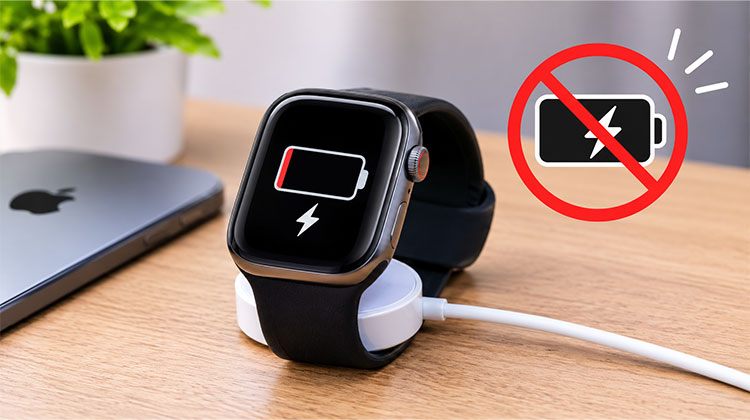
Although the Apple Watch is one of the best smartwatches available, you may occasionally encounter issues, such as your Apple Watch not charging. This could be due to a different charger or an update. Sometimes it could be a faulty device, though. Hopefully you don’t have this problem, but getting your Apple Watch repaired can be frustrating, especially if it’s out of warranty.
Here are 7 steps for troubleshooting to fix your Apple Watch not charging issue.
Why Is Your Apple Watch Not Charging?
Before trying different solutions, it’s helpful to understand what might be preventing your Apple Watch from charging.
Here are some common reasons:
- Faulty charging cable or power adapter.
- Dirt or debris on the charging surface.
- Incorrect alignment with the magnetic charger.
- Outdated watchOS or software bugs.
- Damaged or aging battery.
- Incompatible third-party charging accessories.
- Faulty electrical outlet.
- Internal hardware damage.
Identifying the possible cause can make troubleshooting easier when facing Apple Watch charging issues.
Also read: iPhone Not Charging? 7 Tips to Solve Charging Problem
How to fix the Apple Watch Not Charging issue
1. Update watchOS
In most cases, your Apple Watch not charging due to a software issue. To fix this, update your watchOS. Open up your Watch app on your iPhone and click on My Watch at the bottom. Navigate to General > Software Update.
If an update is available, click on Download and Install. Once this has finished, you can charge your Apple Watch. If there is no update available, you will see “Your Apple Watch is up-to-date with all the latest bug fixes and security enhancements.”
This is one way to fix Apple Watch not charging problems caused by software bugs.
2. Try a Different Charger
Sometimes your Apple Watch charging may not be the issue by itself, and you may need to try a different power source to charge your device. Plug your charger into a different USB port or socket.
You can also try a different charger. If you don’t have one, bring your friend’s Apple Watch charger. This can help determine whether your Apple Watch charger not working is the actual problem.
3. Clean the Apple Watch and Charger
Wireless charging is complicated technology to begin with. Sometimes dirt on either the Apple Watch or the charger can be the reason the Apple Watch not charging. Make sure you clean both your devices.
Turn off your Apple Watch and take it off the charger. Remove the band from your watch and, using a soft, lint-free cloth slightly dampened with fresh water, wipe the back of your device. Unplug your cable from your power adapter and wipe it down. Dry both your Apple Watch and cable with a clean cloth. Plug everything back in and see if it charges.
If your Apple Watch not charging after cleaning, move on to the next step.
4. Look Online to See If the Issue Is Widespread
If you noticed the issues started shortly after an update, search online to see if anyone is having the same problem. If they are, Apple will likely release another patch very soon.
In rare cases where a software update bricks your smartwatch, Apple may acknowledge the issue and replace your device—even if it’s out of warranty.
5. Unpair your Apple Watch
If you’re still having issues, you can unpair and repair your Apple Watch from your iPhone. This will reset your Apple Watch back to factory settings. However, your iPhone will create a backup. To do this:
- Open the Watch app on your iPhone.
- Click on My Watch at the bottom.
- Click on All Watches at the top left.
- Click on the information icon next to your Watch.
- Click on Unpair Apple Watch.
Now you can pair your Apple Watch with your iPhone by placing them close together. See if your issues are fixed. This may help if your Apple Watch won’t charge because of a software problem.
Also read: AirPods Case Not Charging? 6 Quick Fixes for Apple Users
6. Factory Reset
If you still can’t charge your Apple Watch, try factory resetting your device. This will clear all your data and set it back to default. However, it is worth doing this separately:
- Open your Watch app on your iPhone.
- Click on My Watch at the bottom.
- Navigate to General > Reset.
- Click on Erase Apple Watch Content and Settings.
- Enter your passcode.
Wait until your Apple Watch says ‘Ready to Pair’. Before doing this, try to charge your device. If it works, you can pair with your iPhone.
If your Apple Watch will not charge even after trying these steps, you may need professional assistance.
7. Book an Appointment at the Genius Bar
The specialists at the Apple Store have advanced tools to help find out exactly what is wrong with your Apple Watch. To book an appointment with the Genius Bar, visit the Apple website and click Get hardware help. Bring your charger along in case the issue is with it.
If your Apple Watch is still under warranty and shows no signs of damage, you may be eligible for service or replacement. However, if it’s not under Apple’s warranty or shows signs of damage and you don’t have an AppleCare+ contract, you will have to pay to get it fixed. Depending on your model, it may be cheaper to purchase a new device.
Wrap up
You can try to update your watchOS, inspect the charger, clean the charging points, and reset your Apple Watch. These steps can help fix Apple Watch not charging problems. If this does not resolve the issue, then contact Apple Support for help.
These simple solutions can often help fix the issue, and you won’t have to replace your watch.
FAQs: Apple Watch Not Charging
Why is my Apple Watch not charging after an update?
Sometimes a watchOS update can introduce software bugs that affect charging. Try restarting your Apple Watch and checking for another available software update.
Can a software update fix Apple Watch charging issues?
Yes. Sometimes software bugs can affect charging. Updating to the latest compatible watchOS version may help resolve the problem.
Can I charge my Apple Watch with any wireless charger?
No. Apple Watch models require a compatible magnetic charging cable or charging accessory. Most standard Qi wireless chargers are not compatible with Apple Watch.
How do I force restart my Apple Watch?
Press and hold the side button and Digital Crown simultaneously for at least 10 seconds until the Apple logo appears. Avoid force restarting while installing a watchOS update.








Leave a comment