






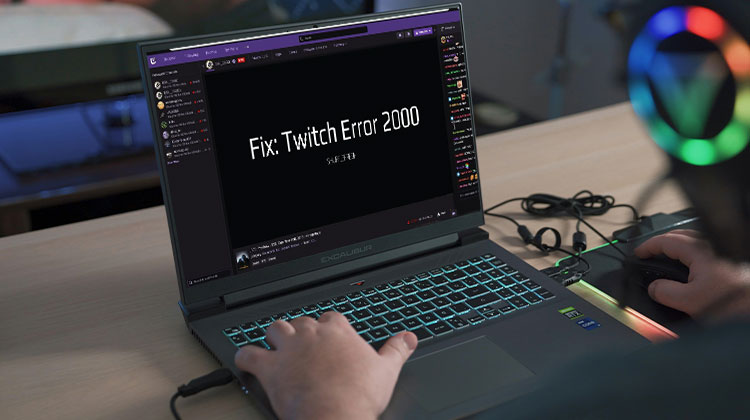
Twitch has made live streaming an entirely new level. Many things are happening at any given time, and an ever-growing audience is hooked. Sometimes, Twitch Error 2000 strikes you without warning and displays “There was a network error.
Currently, Twitch is home to more than 2 million viewers and more than 80k streamers, according to TwitchTracker. It’s a lot of fun and working towards earning the things they love the most.
However, error code Twitch 2000 occasionally becomes the villain, and is mostly a user-side issue that blocks them from the live stream feature, but other features, like chat option, are working. However, it has also occurred to creators (live-streamers), too.
Although there are many ways to view your Twitch Error 2000 issue, the main and frequent reason is a browser extension.
We all use ad blockers, and Twitch does not seem to be a fan of it, which is logical because ads are one of their main sources of income, even if you’re not connected to Twitch Turbo.
Sometimes, it’s also the DNS servers (explained later) that are causing the trouble of Twitch Error 2000.
What Causes Twitch Error 2000?
Twitch Error 2000 is a network or browser-related playback error. It usually means your browser is unable to create a secure connection to Twitch’s servers.
This can happen because of:
- Bad internet connection
- Browser cache or cookies
- Ad-blockers or extensions
- VPN or proxy conflicts
- Antivirus or firewall blocking Twitch
- Twitch server issues
Instead of loading the stream normally, your browser shows “Error 2000: Network Error.”
Also read: Twitch Error 3000: 5 Easy Methods to Restore Smooth Streaming
How to Fix Twitch Error 2000 (Top Working Solutions)
However, we’ve compiled all Twitch Network Error fixes, which should help get you back on the right track using Twitch.
Check Service Status
There’s a possibility that Twitch servers may be under maintenance or experiencing some problems related to their own.
It is suggested to check the Twitch Status and wait to see if there are any server-side issues. But you can follow the suggested solutions if all Twitch systems appear to be operational.
Reload & Restart
A simple reload can fix issues, such as Twitch Network Error 2000.
Depending on the type of browser you use, the refresh process may vary when refreshing a website page. However, generally speaking, you can hit F5 in a browser for desktops and then swipe the screen down on your smartphone.
You can still shut down the browser or tab and then reopen it to see what’s happening. Additionally, you could try restarting your computer to see if it streams live again.
Turn off Extensions
Numerous Twitch users reported no issues after removing browser extensions, specifically those that blocked ads and anti-trackers.
For confirmation, try switching to a different web browser or Incognito mode if you’re not permitted to install extensions. In either case, you must remove the installed extensions and try again to stream.
If you can solve it, you can disable the add-ons, one at a time, to identify the cause.
You can also create an exception for Twitch, which is usually an easy task, but it is dependent on the extension in question. You can also remove this extension entirely.
Disable VPN
In this instance, there are people from each side of this fence. Most of the time, VPNs spoof your geographical location by changing your IP address. For some, it gave these VPNs access to Twitch.
However, it could reverse the situation, particularly when you’re working with the business VPN network, which could have blocked some domains completely.
Try a VPN such as NordVPN or ProtonVPN. If you’re on your own personal network. Also, use a different device from your laptop in the office when you’re working.
Change DNS Settings
Think of DNS servers as intermediaries between your browser and the websites you browse. They serve as matchmakers and allow you to browse a website by using the URL without entering your server’s IP address (ex., 51.78.23.202).
Therefore, you could face network issues if your DNS server isn’t up-to-date with the latest information. Thus, all it will require is to tweak your DNS settings to direct the DNS queries to an alternative server.
This is simple. However, the process varies depending on the operating system. We’ve got you covered for switching DNS servers for Windows, Mac, and Linux.
Clear Cache
Cache improves network connectivity. However, it can also cause issues if information is changed at the source before the cache refresh.
The next steps involve clearing the cache using your browser. I’ve provided a few links that might help you avoid the need to clear cookies and cache for Google Chrome and Firefox.
Also read: Download Twitch Clips Easily: Best Tools & Methods in 2025
Router Reboot
This is a common solution to many internet-related issues. All you need to do is switch off your wifi router and then wait a certain period of time (15-30 minutes), then restart it.
This will refresh your network settings and will most likely assign you a new IP address. That you see, fix your Twitch Error 2000 issue.
Prevention Tips for Error-Free Streaming
- Ethernet > Wi-Fi for stability.
- Whitelist Twitch in ad blockers/antivirus.
- Update everything weekly; avoid peak hours/public networks.
- Mobile backup: Use the Twitch app as a workaround.
Final word
Network Error 2000, as its name implies, is a network error that affects the live stream, leaving other features such as chat unaffected.
The primary cause of Twitch Error 2000 is usually the browser extension. However, we have provided alternative solutions. We understand the need to block ads. So here’s our guide to blocking ads on Twitch.
FAQs: Twitch Error 2000
Why Twitch Error 2000 only on one stream?
Browser cookies or stream-specific bitrate overload. Clear site data for twitch.tv, lower quality to 720p, or test another channel. Reinstall browser if isolated.
Is Twitch Error 2000 a server issue?
Rarely—check DownDetector first. If green, it's user-side (90% extensions/network). Wait 24hrs max for ISP propagation.
Twitch Error 2000 after Windows update?
Reset Winsock: Admin CMD netsh winsock reset, reboot. Disable Hardware Acceleration in browser, update GPU drivers.
Does VPN cause Twitch Error 2000?
Yes—VPNs spoof IP and trigger blocks. Disconnect fully, or switch to NordVPN/ProtonVPN on clean Wi-Fi. Corporate VPNs worsen it; use mobile hotspot instead.




Leave a comment