






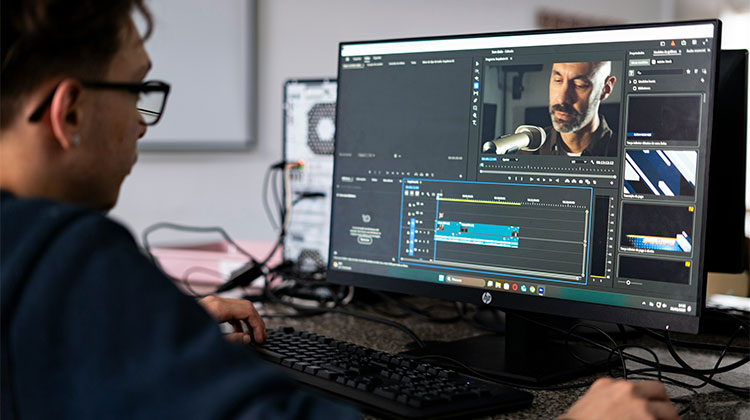
Are you a beginner, not an expert? Don’t you know how to edit your videos, or do you not have a video studio or a true video specialist to cut and edit your content? That’s alright! Today we share the best video editing software for beginners so you can churn out sleek, professional video content regardless of your experience and keep your content strategy at the forefront of technology.
Let’s get started! Here are our recommendations for the best video editing software for beginners, starting from affordable to expensive.
Quick Comparison: Best Video Editing Software for Beginners
| # | Video Editing Software | Best For | Ease of Use | Platform |
|---|---|---|---|---|
| 1 | Apple iMovie | Mac & Apple devices | ⭐⭐⭐⭐⭐ | Mac, iPhone, iPad |
| 2 | Lumen5 | Blog-to-video content | ⭐⭐⭐⭐⭐ | Web |
| 3 | Animaker | Animated videos | ⭐⭐⭐⭐⭐ | Web |
| 4 | Nero Video | Budget desktop editing | ⭐⭐⭐⭐ | Windows |
| 5 | Canva Video Editor | Templates & social media | ⭐⭐⭐⭐⭐ | Web, Desktop, Mobile |
| 6 | Filmora | Easy all-around editing | ⭐⭐⭐⭐⭐ | Windows, Mac |
| 7 | CyberLink PowerDirector | Advanced beginner editing | ⭐⭐⭐⭐ | Windows, Mac |
| 8 | InVideo | Template-based videos | ⭐⭐⭐⭐⭐ | Web |
| 9 | Adobe Premiere Elements | Guided editing | ⭐⭐⭐⭐ | Windows, Mac |
| 10 | Clipchamp | Simple browser editing | ⭐⭐⭐⭐⭐ | Web, Windows |
10 Best Video Editing Software for Beginners
Here is a list of the best video editing software for beginners to create stunning videos:
1. Apple iMovie
Apple iMovie is an easy video editing software for beginners on Mac, iPhone, or iPad. Its intuitive user interface makes trimming clips, adding transitions, titles, music tracks, and effects simple. This program also supports 4K editing and green-screen effects. Unfortunately, its Apple-only availability and limited advanced controls may not suit professional editors
Pros
- Very easy to learn
- Clean and simple interface
- Works well with Apple devices
- Supports 4K video editing
- Includes useful templates and transitions
Cons
- Only available on Apple devices
- Fewer advanced features than professional editors
- Limited customization compared with some competitors
Best for: Mac and iPhone users who want simple, polished video editing.
Also read: Best Video Frame Extractors: 7 Tools to Extract Frames From Videos
2. Lumen5
Lumen5 is practical video editing software for beginners looking to transform blog posts, articles, and written content into captivating videos. Its easy drag-and-drop workflow adds text, images, stock footage, and music without complex timelines. While templates make production speedy, users who require precise editing control may find this platform somewhat limited in its capabilities.
Pros
- Easy drag-and-drop editor
- Great for turning blog posts into videos
- Large selection of templates and media
- Useful for social media marketing
- Little editing experience required
Cons
- Less suitable for complex video projects
- Some features require a paid plan
- Template-based editing can feel limiting
Best for: Blog-to-video content and social media marketing.
3. Animaker
Animaker is a browser-based video creation platform designed for users who want to make animated content without mastering complex editing software. Its drag-and-drop interface, characters, templates, and animation tools are useful for explainers, presentations, and social videos. Although beginner-friendly, it is less suitable for traditional footage-based editing and advanced cinematic projects.
Pros
- Beginner-friendly interface
- Excellent for animated videos
- Lots of templates and characters
- Works directly in a browser
- Useful for presentations and explainer videos
Cons
- Not ideal for traditional video editing
- Some advanced features require payment
- Browser-based editing can depend on internet performance
Best for: Animated videos, explainers, and collaborative projects.
4. Nero Video
Nero Video provides a straightforward desktop editing experience for users who want affordable software for everyday projects. It includes trimming tools, transitions, effects, format support, and features for creating home videos. Its traditional workflow is relatively easy to understand, but the interface feels less modern than some newer competitors and offers fewer creative options.
Pros
- Beginner-friendly desktop editor
- Supports a variety of video formats
- Includes useful effects and transitions
- Good option for basic home video projects
- Offers a relatively affordable editing solution
Cons
- Interface can feel less modern
- Fewer creative tools than some competitors
- Not the best choice for professional editing
Best for: Budget-conscious desktop users.
5. Canva Video Editor
Canva Video Editor is useful video editing software for beginners who prioritize templates, social-media graphics, presentations, and quick visual content. Its browser-based workflow reduces the need for complicated editing software, while templates make it easy to create polished-looking videos. The main advantage is its simplicity and design ecosystem. The disadvantage is that professional timeline editing and advanced controls are limited.
Pros
- Easy drag-and-drop editing
- Large selection of templates
- Great for social media videos
- Beginner-friendly interface
Cons
- Limited advanced editing tools
- Some premium features require payment
- Less suitable for complex projects
Best for: beginners who want quick, template-based video creation.
6. Filmora
Filmora is a popular video editing software for beginners because it combines a modern interface with an extensive collection of creative tools. Users can quickly add filters, transitions, titles, overlays, motion elements, and audio effects. It works particularly well for YouTube videos, tutorials, promotional content, and social media. However, the free version has certain restrictions.
Pros
- Very easy for beginners
- Modern and intuitive interface
- Large library of effects and transitions
- Good tools for YouTube and social media videos
- Supports many creative editing features
Cons
- Free version may include a watermark
- Some features require a paid plan
- Less powerful than professional editors for complex projects
Best for: Beginners who want an easy editor with plenty of creative features.
7. CyberLink PowerDirector
CyberLink PowerDirector is a versatile video editing software for beginners who want powerful features without immediately moving to professional-level software. Beginners can start with basic cuts, transitions, titles, and add or remove audio before exploring more advanced capabilities. Fast rendering and high-resolution support are major advantages, but its large feature set can initially feel overwhelming for first-time editors.
Pros
- Fast rendering performance
- Many editing tools and effects
- Supports advanced features
- Good for beginners who want to grow their skills
- Supports high-resolution video
Cons
- Large number of features can be overwhelming
- Some features are locked behind paid plans
- Interface may take time for beginners to master
Best for: Beginners who want powerful features and room to grow.
8. InVideo
InVideo is an online video editor for beginners who need to produce content quickly using templates. Users can customize text, footage, music, transitions, and graphics without building every project from scratch. This makes it particularly useful for marketers, businesses, and social media creators. The trade-off is less creative control compared with traditional timeline-based desktop editors.
Pros
- Easy browser-based editor
- Thousands of templates
- Great for social media content
- Useful stock media library
- Makes video creation fast and simple
Cons
- Less control than traditional timeline editors
- Internet connection is required
- Some features and assets require a paid plan
Best for: Template-based social media and marketing videos.
Also read: Top 10 Video Annotation Tools
9. Adobe Premiere Elements
Adobe Premiere Elements is designed to make video editing approachable for people who do not want the complexity of professional editing applications. Guided workflows and automated tools help users complete common tasks while learning through real projects. It also provides access to Adobe’s creative ecosystem. However, advanced editors may eventually find its capabilities more limited than Premiere Pro.
Pros
- Designed with beginners in mind
- Guided editing tools make learning easier
- Clean and relatively simple interface
- Good selection of creative effects
- Comes from the Adobe ecosystem
Cons
- Not as powerful as Premiere Pro
- Some advanced editing capabilities are limited
- Can be more expensive than some beginner alternatives
Best for: Beginners who want guided editing and a familiar Adobe ecosystem.
10. Clipchamp
Clipchamp is another online video editing software for beginners, offering a simple way to create social posts, presentations, and everyday videos. Its drag-and-drop controls, templates, stock media, text tools, and transitions make editing accessible without a complicated workflow. While it is convenient for quick projects, users working on professional productions may find its advanced editing capabilities limited.
Pros
- Simple and beginner-friendly
- Easy drag-and-drop editing
- Works well for quick video projects
- Includes templates and stock media
- Convenient for social media and basic content creation
Cons
- Advanced editing features are limited
- Some premium assets require a paid plan
- Not designed for professional-level projects
Best for: Beginners who want simple, browser-friendly video creation.
How to Choose the Right Video Editing Software for Beginners
The video editing software for beginners depends on your personal goals and what you want to create. Mac users might find iMovie the simplest place to begin editing video, while those looking for templates might prefer Lumen5, InVideo, or Clipchamp as starting points. Those seeking greater editing control might prefer Filmora, PowerDirector, or Corel VideoStudio instead.
Think about your editing goals before choosing a tool:
- For Mac and Apple devices: iMovie
- For blog-to-video content: Lumen5
- For animation: Animaker
- For budget desktop editing: Nero Video
- For quick, template-based video creation: Canva Video Editor
- For an easy all-around editor: Filmora
- For powerful features: CyberLink PowerDirector
- For templates: InVideo
- For guided editing: Adobe Premiere Elements
- For simple browser-based editing: Clipchamp
Final Thoughts
Selecting the right video editing software for beginners could completely revolutionize how content creators produce videos for YouTube, social media, and podcasts in 2026. The best tools streamline workflows while stimulating creativity to produce professional results without long learning curves or excessive errors.
FAQs: Video Editing Software for Beginners
What is the easiest video editing software for beginners?
iMovie, Canva Video Editor, Clipchamp, and Filmora are among the easiest options because they offer intuitive interfaces, drag-and-drop controls, templates, and straightforward editing workflows.
Is there free video editing software for beginners?
Yes. Some tools offer free versions or free editing features. iMovie is particularly useful for Apple users, while other platforms may provide free plans with limitations such as watermarks, restricted assets, or export limitations.
Is Canva Video Editor good for beginners?
Yes. Canva is particularly useful for beginners creating social media videos, presentations, promotional content, and short-form videos. Its templates and drag-and-drop interface make video creation relatively simple.
What should beginners look for in a video editor?
Beginners should consider ease of use, templates, supported video formats, export quality, device compatibility, pricing, available effects, audio tools, and whether the software provides room to develop more advanced editing skills.








Leave a comment