






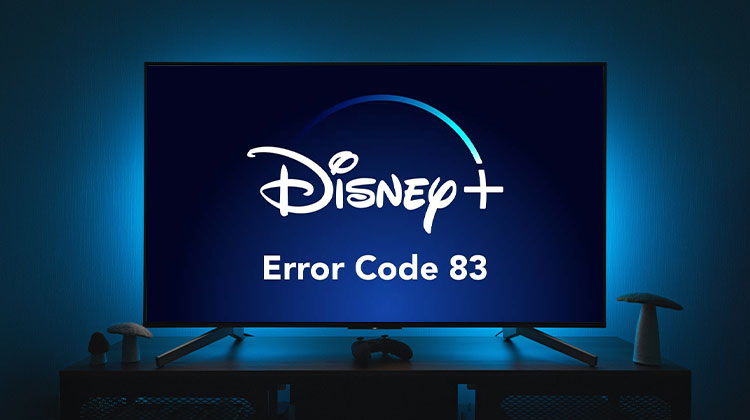
Disney Plus is the new streaming platform on the market today. And what we can tell. It could become the top leading platform in a few years at the expense of Netflix. However, despite its increasing popularity, Disney+ has its own set of issues. One of the issues, specifically, is known as Disney Plus Error Code 83, which hinders form using Disney Plus effectively.
What is Disney Plus Error Code 83?
Disney Users are not talking about this issue, unfortunately. If you go to the official support site for Disney Plus, you will find a message saying:
The information provided by Disney isn’t useful. We believe the issue could be related to your internet connection, device, or Disney Plus account.
Common Causes of Disney Plus Error Code 83
Here are the most frequent reasons you might see this error:
- Unsupported or outdated device
- Weak or unstable internet connection
- Outdated Disney+ app
- Browser compatibility issues
- VPN or proxy interference
- Temporary server problems from Disney+
Luckily, we have some details on how to bring this issue under control and solve Disney Plus Error Code 83.
Also read: Twitch Error 2000: How to Fix the Network Error
How to fix Disney Plus Error Code 83
Finding the cause of this error isn’t too difficult if you adhere to the steps below with care:
1. Using an old web browser
Disney Plus available on Windows 11/10 is dependent on the web browser to provide content to viewers. If the browser isn’t properly supported, it won’t function, and you could receive Error Code 833. Be aware that the platform is only compatible with Chrome, Edge, Firefox, and other modern browsers.
Other browsers might not function correctly, so you should consider switching to an unblocked browser to end the problem
2. Check Your Internet Connection
In certain instances, Disney Plus Error Code 83 appears because the users have an internet connection that is not up to standard. Maybe your internet is slow. Therefore, we recommend visiting the speed test website to check if your internet speed is sufficient for streaming content on the service.
The following information explains the speed specifications:
- 5.0 Mbps to stream High Definition content
- 25.0 Mbps for content in 4K UHD
For many users, these speeds are easily achievable. However, many aren’t able to stream high-definition video in any way.
3. Verify Device and Operating System Compatibility
It’s important to know that the streaming service does not currently support Linux operating systems; therefore, the choice of browser is irrelevant. To find out more about the features supported, visit the Disney Plus software and compatibility devices website.
4. Check Your Disney+ Account Status
Check your Disney+ account status. Does it appear to be active? Paid? Deactivated? Disabled?
- Confirm your subscription is paid
- Check that your account hasn’t been deactivated or locked
- Try logging out and logging back in
5. Update or Reinstall the App
You might want to know whether the Disney+ app requires an update. If so, you should do it. Additionally, you can uninstall and reinstall the app in case it’s experiencing issues or corruption. Additionally, you can completely delete the app, then reinstall it, and verify to see if Error Code 83 is still an issue.
Also read: What is TinyZone: Is it Safe To Watch Movies
When to Contact Disney+ Support
If none of the above solutions work, contact Disney+ support and provide:
- Your device model
- App version
- Internet type (Wi-Fi or mobile data)
- Screenshot of the error
Conclusion
Being aware of Disney Plus Error Code 83 and knowing how to resolve it can ensure a smoother streaming experience on Disney Plus. Additionally, here are some solutions to help resolve issues when using the Disney Plus app.
FAQs: Disney Plus Error Code 83
Can a slow internet connection cause Error Code 83?
Yes, a weak or unstable internet connection can trigger this error. Disney+ requires at least 5 Mbps for HD and 25 Mbps for 4K streaming.
Why does Disney Plus Error 83 appear on my Smart TV?
This error may appear if your TV software is outdated, the internet connection is unstable, or the Disney+ app needs to be updated or reinstalled.
Should I reinstall the Disney Plus app to fix Error 83?
Yes, uninstalling and reinstalling the app can fix issues caused by corrupted data or outdated versions.
How can I prevent Disney Plus Error Code 83 in the future?
Keep your device and app updated, use a stable internet connection, avoid VPNs, and make sure your device is supported by Disney+.




Leave a comment