






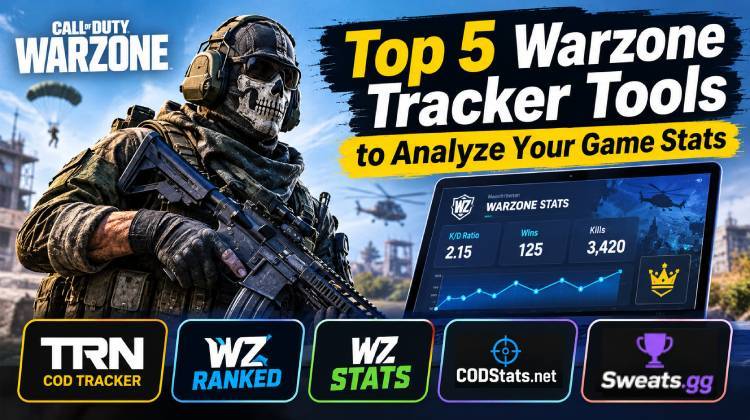
A Warzone tracker allows players to monitor their real-time Call of Duty: Warzone statistics, including their own performance and that of their friends. In this article, we introduce several reliable Warzone stat trackers to help you access detailed game statistics. Choose the one that best suits your needs and start tracking your Warzone performance.
Top 5 Warzone Tracker Tools to Check Your Stats
A reliable Warzone Tracker helps players monitor their gaming performance, review match history, compare player statistics, and explore leaderboards. Whether you want to improve your gameplay or check your friends’ Call of Duty Warzone Stats, these platforms offer different features to explore.
Here are five options worth checking out in 2026.
1. COD Tracker (Tracker Network)
COD Tracker is a popular choice for players who want to check their Call of Duty: Warzone stats in one place. You can search for player profiles, explore detailed leaderboards, and compare your performance with friends. It is also a useful Warzone Tracker for match history, allowing players to review available match information and follow their progress.
Key features:
- Check K/D ratio and win statistics.
- Review match history and performance.
- Compare your stats with friends.
- Explore global leaderboards.
- Access statistics for multiple Call of Duty titles.
Also read: 10 Best Battlefield Games for Multiplayer Action
2. WZStats
WZStats is a useful resource for Warzone players who want to explore weapon statistics and find effective loadouts. Unlike a traditional Warzone Stats Tracker, it focuses mainly on weapon meta information, recommended builds, tier lists, and camo tracking. You can use it to discover popular weapons and adjust your loadouts according to the current game meta.
Key features:
- Search player statistics.
- Check K/D ratios and match information.
- Explore popular weapon loadouts.
- Compare player performance.
- Discover Warzone gameplay trends.
3. WZ Ranked
WZ Ranked is worth checking out if you want to explore Warzone weapon information and calculate your player statistics. This Warzone Tracker offers a K/D calculator, allowing you to calculate your ratios using eliminations and deaths. It also provides weapon rankings, loadouts, and meta information to help you make better gameplay decisions.
Key features:
- Explore weapon popularity.
- Check weapon performance statistics.
- Review K/D ratios and win percentages.
- Analyze the current weapon meta.
4. CODStats.net
CODStats.net is another platform for exploring Call of Duty statistics and player performance. It provides Warzone-related information, including player profiles, weapon statistics, match data, and leaderboards. The platform also offers a Windows companion app for analyzing matches and lobby statistics. It is worth exploring if you want additional gameplay insights.
Key features:
- Search player profiles using Activision IDs.
- Check detailed Warzone statistics.
- Compare player performance.
- Explore platform-specific leaderboards.
- Discover top-performing players.
5. Sweats.gg
Sweats.gg is another platform worth exploring if you are interested in competitive Warzone tracking. This Warzone Tracker option is worth investigating for player performance and competitive rankings. Before using it as your primary tracking platform, check its current features and supported game versions to ensure they meet your requirements.
Key features:
- Player performance tracking.
- Competitive rankings and leaderboards.
- Warzone map-specific statistics.
- Match performance information.
- Streaming-related features, where supported.
Also read: 10 Best Games for iPad: Top Picks You Can’t Miss
Which Warzone Tracker Should You Choose?
Choosing the right Warzone Tracker depends on the statistics and features you want to explore.
- COD Tracker: Best for checking player statistics, match history, and leaderboards.
- WZStats: Ideal for exploring weapon statistics, loadouts, and meta information.
- WZ Ranked: Useful for calculating K/D ratios and exploring weapon performance.
- CODStats.net: Worth exploring for player statistics and match analytics.
- Sweats.gg: An option to investigate for competitive tracking features.
If your main goal is to monitor your performance, compare statistics with friends, or review previous matches, choose a platform that supports the information you need. A suitable Warzone Stat Tracker can make it easier to understand your gaming progress.
Note: Tracking features and access to player statistics may change with Call of Duty updates, API availability, and Activision account privacy settings. Some platforms may not support every current Warzone version.
Final Words
A Warzone Stats Tracker can help you understand your gameplay, monitor your progress, and identify areas where you can improve. Whether you want to check your K/D ratio, explore weapon loadouts, or compare your performance with friends, each platform offers different features.
Choose the tool that best matches your requirements and start exploring your Call of Duty Warzone Stats.
FAQs: Warzone Tracker
What is a Warzone Tracker?
A Warzone Tracker is an online tool or service that helps players view and analyze their Call of Duty: Warzone statistics, such as K/D ratio, wins, kills, and match performance.
How can I check my Warzone stats?
You can check your Warzone stats using third-party tracking websites. Depending on the tool and game version, you may need to enter your Activision ID or connect your gaming profile.
Can I check my Warzone K/D ratio online?
Yes. Some Warzone stat-tracking websites display your kill/death ratio when your player profile and game data are supported.
Are Warzone Tracker tools free
Many Warzone tracking websites offer free access to their basic features. However, some platforms may require registration or offer additional features under different access plans.










Leave a comment