






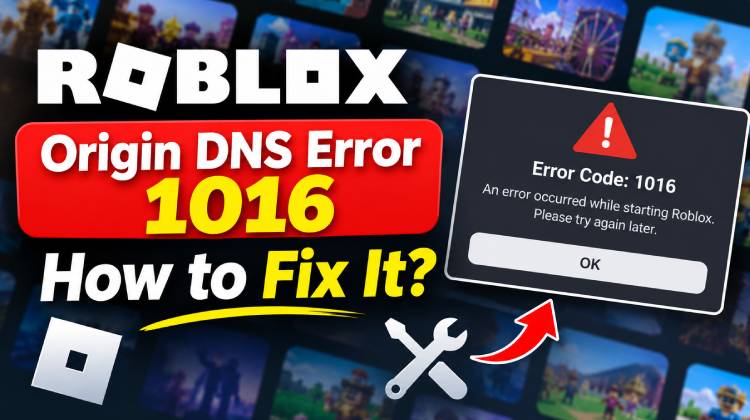
Does Roblox have an error code 1016? If you know that it’s an Origin DNS error, it might cause the Roblox webpages or services to not load correctly. The Roblox error code 1016 is usually linked to DNS or network-resolution issues, which are also common topics of conversation among Roblox users on social media and online forums. If you get the Roblox Origin DNS error 1016, please follow these steps to resolve it.
Why Does Roblox Show Origin DNS Error 1016?
It is not part of Roblox’s usual published error code system; it is a Cloudflare internal code indicating an Origin DNS Error. It typically means a hostname cannot be resolved to its origin server. A Roblox Origin DNS error 1016 means that there is a problem with your DNS settings. This may be caused by the following:
- DNS resolution problems.
- Temporary ISP or routing problems.
- Bad or stale DNS data.
- VPN or proxy interference.
- Server-side issue
This distinction is important. Changing the DNS setting will not resolve Roblox’s issue if they experience an outage.
Also read: Best Voice Changer for Roblox for Gamers & Streamers
How to Fix Roblox Origin DNS Error 1016
To resolve Origin DNS Error 1016 on Roblox, you should try the following steps:
1. Check Whether Roblox Is Down
The best way to see if Roblox is down is its official status page. If you can’t find any service degradation there but are still encountering errors, then it’s best to check Downdetector. Manual troubleshooting won’t fix it if Roblox is having issues. When there’s an outage, wait until Roblox resolves it.
2. Restart your router and device
Origin DNS error can occur due to temporary DNS or network-routing issues. Your connection re-establishes a new network session when you restart the router.
- Close Roblox completely.
- Close the computer or cell phone.
- Unplug your router from power.
- Wait around 60 seconds.
- Reconnect the power to the router.
- Wait until the connection is back up before sending or receiving files.
- Reboot and launch Roblox again.
Sometimes a network restart can fix the temporary routing issue; there’s no need to try more complicated solutions.
3. Flush your DNS cache
One of the best things to check when Roblox fails to resolve an address properly is that the DNS cache is corrupted or outdated. This is recommended if sites are working, but Roblox is not.
On Windows:
- Press Windows + R.
- Type
- cmd
- and press Enter.
- Enter
ipconfig /flushdns - Wait until you receive the confirmation message.
- Restart your computer.
- Launch Roblox again.
There is also an easy guide to flushing the DNS Cache for more details.
4. Change DNS Server:
In some cases, changing your DNS server can help if your ISP is experiencing an origin DNS error with Roblox. Some of the popular choices are Google DNS and Cloudflare DNS.
For IPv4, see:
- Google:
8.8.8.8
and
8.8.4.4 - Cloudflare:
1.1.1.1
and
1.0.0.1
Once you change the DNS, restart your connection and try Roblox once again. If the Roblox origin DNS error resolves after you change your DNS settings, it means the issue was related to DNS resolution, not a Roblox account issue.
5. Disable VPN or proxy connections
VPNs and proxy services can alter your connection to Roblox. This can cause routing or DNS conflicts in some situations.
- Disconnect your VPN.
- Turn off any proxy set in Windows.
- Close third-party network-routing software.
- Restart Roblox.
- Try to re-enter the game.
If Roblox functions without the VPN, then reconnect to the VPN later and try a different server location. This can help identify if the VPN route is the problem.
Also read: Best VPN for Roblox: 5 Top Picks for Fast & Safe Gaming
6. Check firewall and security software
Sometimes, security software prevents Roblox from making connections. If a connection prevents Roblox from working correctly, it is suggested to check firewall and security settings.
- Temporarily add an exception for Roblox if your firewall is blocking Roblox.
- Ensure Roblox is allowed in Windows Firewall.
- Review third-party antivirus or internet security software.
- Make sure Roblox is up to date.
- Restart the application.
- Don’t disable the firewall all the time. If your security software is blocking Roblox, however, add it as an exception.
Final Thoughts
We hope this guide helps you fix Roblox Origin DNS Error 1016. Try the quick solutions first, before moving on to more complex network settings changes and reinstalling Roblox. If you are getting error code 277 in Roblox, or Roblox will not open, then consider these guides.
FAQs: Roblox Origin DNS Error (Error 1016)
What is Roblox Origin DNS Error 1016?
Roblox Origin DNS Error 1016 is a Cloudflare error that occurs when the hostname of an origin server cannot be resolved correctly. It can prevent Roblox webpages or services from loading.
Why am I getting Roblox DNS Error 1016?
This error may occur because of DNS resolution problems, ISP routing issues, outdated DNS records, VPN interference, or temporary server-side problems.
Can a VPN cause Roblox Origin DNS Error 1016?
Yes. A VPN or proxy can sometimes interfere with DNS resolution or network routing. Try temporarily disabling your VPN and reconnecting to Roblox.
How long does Roblox Origin DNS Error 1016 last?
It depends on the cause. A temporary DNS or network problem may resolve quickly, while a server-side issue may take longer. If Roblox is experiencing an outage, wait until the service is restored.








Leave a comment