






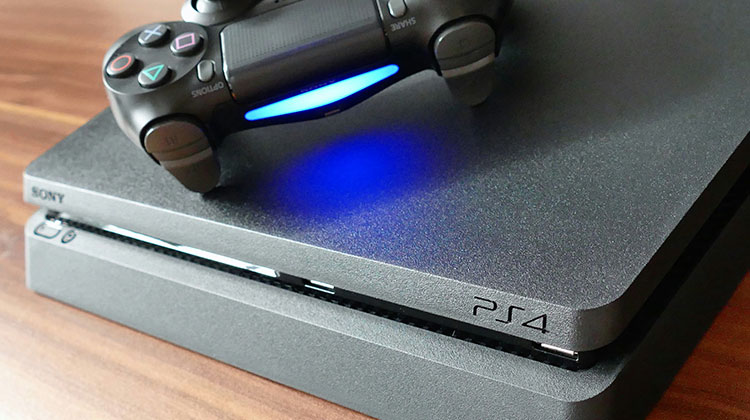
Using the PS4 Controller on your PC will enhance your gaming experience to the max. The tactile feedback and total control you have in your games are something every player would wish for. However, if you’re using a console controller on your PC, there might be issues, such as a PS4 controller flashing white. There is no need to worry about this issue while playing with the device, as it’s not common. If you’ve encountered an issue, this article will help you to fix the PS4 controller flashing white.
Why Is My PS4 Controller Flashing White Light?
Typically, the PS4 controller flashing white light indicates either one of two things:
- The PS4 controller battery is low and needs charging.
- The controller is trying to connect but cannot.
If the problem is with the batteries, you can quickly fix it by connecting the charger. If connecting the controller to the power source doesn’t cause the light to disappear, the issue may be due to the connection. If that is the case, there is no other choice but to solve the issue or get it repaired. But how do you do that?
See the recommended fixes below that could resolve the PS4 controller flashing white light issue completely.
Also read: Is Your PS5 Overheating? Here’s What You Should Do
How to Fix the PS4 Controller Flashing White Light Issue
1. Check for Basic Issues
In the first step, you must resolve the root causes of the PS4 controller blinking white error. Here are some tips you can try:
- Try a different cable to determine the problem with the cable or the device.
- For a sure connection, connect the device to another device to determine whether the problem is controller configured on the device it’s connected to.
- Try changing the controller with a different one to make sure that there’s nothing wrong with it.
- Then connect the controller to an alternative port. If you have checked the controller to verify all parameters, and the issue persists, then proceed to the next solution.
2. Update Controller Drivers on PC
Drivers are the most important components that permit external devices to communicate with the OS. They are essential for a good connection and have to be regularly updated. If your PS4 controller is constantly flashing white lights when connected to the internet, it could need a driver update.
There are many options to update your drivers on Windows. We suggest the simplest and quickest method to use the free Driver Updater software. This is a powerful tool that lets you upgrade the drivers of your computer in only a few steps
- Open software
- Click Start Scan to search for old drivers.
- Select Update All to complete the process after the scan.
The greatest benefit of this program is that it enables you to schedule the scans at your convenience, so the drivers are constantly updated. When the driver for your PS4 Controller is updated, and the PS4 controller flashing white light issue is usually resolved, the controller can connect to your PC.
3. Reset Controller Using the Physical Button
Try the quick reset option to fix the PS4 controller flashing lights issue. Here are the steps required to complete this quick reset.
- Turn on your PS4 controller and spot an opening in the shoulder, near that L2 button.
- Find the paper clip or SIM ejector tool that can access the button through the tiny hole.
- Press and hold the switch with the pin.
After the reset process is complete, you can restart the controller and attempt to reconnect it. Verify that the PS4 controller blinking white and the PS4 controller not connecting issue are still present. If yes, then go to the next step.
4. Uninstall and Reinstall the Controller Driver
If updating doesn’t fix the issue, you can try reinstalling the driver:
- Start the Device Manager and locate your PS4 Controller drivers.
- Locate the drivers and then right-click them to find the uninstall option.
- Click the uninstall option and follow the steps in the uninstall wizard.
- Once the device has been removed, reconnect it.
- After reconnecting to the computer, search for the drivers automatically.
- If the device isn’t installing. If it fails to install, visit the Device Manager again and then click the “Action” option to search for Scan for hardware changes.
Also read: Why Is My Xbox Controller Blinking? 10 Easy Fixes To Try
5. Using Safe Mode
Safe Mode is available on every console and computer to allow users to perform advanced diagnostics and help upgrade software, reset databases, etc. Since you can’t play your PlayStation because the controller isn’t functioning, you can enable Safe Mode and try the solutions listed below.
- Click the power button on the PS4 to shut it off. This indicator blinks for a couple of times.
- Press and hold the power button until you hear two beeps (for approximately 7 secs).
- Attach the PS4 controller to a USB cable and then press the PS button. Now you are in Safe Mode.
When you have entered safe mode,
- Choose the 5th option (Rebuild Database). This will scan the entire drive and then create a new database from the data. Make sure to wait until the process is completed (it can take a bit of time depending on the volume of information).
- If resetting the database does not assist, you could upgrade your system’s software. There is a chance that a software update can fix any bugs or issues you may have encountered. Select the 3rd option (Update System Software) in safe mode.
You can now play a game with your PS4 again to see whether the PS4 controller flashing white after the update is resolved.
Final Thoughts
To avoid such issues, you should always update your operating system and run the latest version of the game or emulators you want to run. If you are experiencing the PS4 controller flashing white light issue occr after you have tried all the fixes, it is recommended that you take the controller to a service center.
So, we’ve completed this article. Let us know if you know the reason for the PS4 controller flashing white light issue and the solutions mentioned above. Thank you for taking the time to read.
FAQs: PS4 Controller Flashing White Light
Why is my PS4 controller flashing white but not connecting to PC?
This usually happens due to outdated drivers, faulty cables, or Bluetooth connection issues. Updating drivers or using a different cable can help fix it.
Is the PS4 controller white light issue a hardware problem?
Not always. It’s usually a software or connection issue, but if none of the fixes work, it could be a hardware fault.
How do I fix PS4 controller white light on PC?
Update or reinstall the controller drivers from Device Manager, then reconnect the controller.
How do I prevent this issue in the future?
Keep your controller charged, update drivers regularly, and use a good-quality USB cable.




Leave a comment