






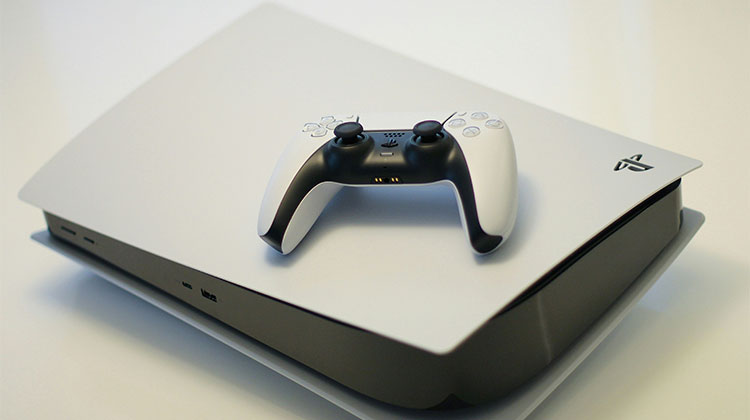
If your PS5 not turning on and you’re seeking solutions, then we’ve got all the answers right here.
There are different reasons why your PS5 not turning on. It could be because of problems with power, software, or hardware issues. If it’s just a minor issue, the basic troubleshooting procedure should can resolve the issue, and you’ll get your console working in a few minutes.
In this regard, we’ve listed a few possible reasons why your PlayStation 5 not powering on and solutions for the issue. If none of these methods work, it is best to call Sony support.
Why Is My PS5 Not Turning On?
There are several reasons why your PS5 won’t turn on:
- Faulty power source
- Rest Mode glitch
- Overheating or blocked vents
- Damaged power cable
- Software issues
- Internal hardware problems
Understanding the cause will help you fix the PS5 not turning on issue more quickly.
Also read: How to Fix PS5 Controller Drift and Restore Smooth Gameplay Easily
How to Fix PS5 Not Turning On
Check the Power Supply
The most frequent reason for the reason your PlayStation 5 won’t turn on is due to an interrupted power supply. For instance, if your power adapter is damaged or the cable is damaged, the console will not start up. To make sure that your PS5 has a continuous power supply-
- Verify that the power adapter is functioning correctly
- Check if the power outlet works
- Verify that the cables aren’t damaged or frayed.
Check for Loose Connections
If loose connections or cables are the reason for the PlayStation 5 power issue, it is possible that the PS5 not turning on due to this.
- Make sure the power adapter has been plugged in strongly
- Make sure the power cable is properly connected to the console
- Examine any frayed or damaged cables that could be malfunctioning.
- Also, make sure that your display cable, such as the HDMI cable are properly connected
Try Power Cycle the Console
If you notice the white light blinking on your console, it’s time to try powering cycling the console. Here will explain what you can do
- Press and hold your power button till the light stops blinking.
- Unplug the power cord and wait for 20 to 30 minutes or more, let the remaining power drain
- Reconnect the power cable and try to turn on the PS5.
Try to Insert a Game Disc (Disc Version Only)
Here’s one method that may be a good idea for consoles that have disc drives. Try inserting a video game disc into your console. If it is inserted without issue, your PS5 should turn on. Try using power cycles and manually restarting it.
Clean the Fans and Ensure Proper Ventilation
As we have mentioned, overheating can cause damage to delicate internal components. This is why it’s vital to ensure that your console has adequate cooling. For this, it is possible to use the following methods:
- The PS5 should be in a cool, well-ventilated location far from direct sunlight
- Clean the fan using compressed air.
- You might want to consider investing in additional cooling equipment
Perform a Manual Restart
If you’ve tried other modes on your PS5 previously, your console could be in that mode. To troubleshoot and fix the console, you need to hold and press the power button for 15 seconds before restarting it. If the reboot is successful, the console will come on and function as usual.
Also read: PS4 Controller Not Connecting to PC? Try These Easy Fixes
Try to Restart the PS5 in Safe Mode.
If your PS5 begins to boot up, but the operating system doesn’t start, you may try resetting your console.
Steps on how you can restart your PS5 in safe mode
- Hold the power button until you turn the PS5 off.
- Press and hold the button for approximately 10 seconds. Wait until you hear another beep.
- Connect your console controller with the console and then click the PS button.
- If you see the menu for safe mode is displayed, choose “Reset PS5′
- Wait for the console to restart
- Be aware that resets to your console will erase game data from it, so make this the last option.
Contact Sony support
If you’re not seeing anything functioning, then it’s time to reach out to Sony assistance. You may also seek help from the online forums.
Wrap Up: Solve PS5 Not Turning On
If your PS5 not turning on, it is the most likely reason is due to some obstructions in the power supply. It is good news that is easily fixed by switching the cables or outlets, or even replacing the power adapter. If, however, your console is still unable to start, it may be a software or hardware issue. If this is the case, we recommend you contact Sony support.
FAQs: PS5 Not Turning On
Why is my PS5 blinking white light but not turning on?
A blinking white light usually indicates a system or power issue. Power cycling or checking HDMI connections may fix the problem.
Will resetting my PS5 fix the power issue?
Resetting can fix software-related problems, but it will erase data. Use this option only if other solutions don’t work.
Can overheating cause my PS5 not turning on?
Yes, blocked vents or poor ventilation can cause overheating, preventing the console from starting.
Why does my PS5 turn on and then turn off immediately?
This may happen due to overheating, power supply problems, or internal hardware faults.






Leave a comment