




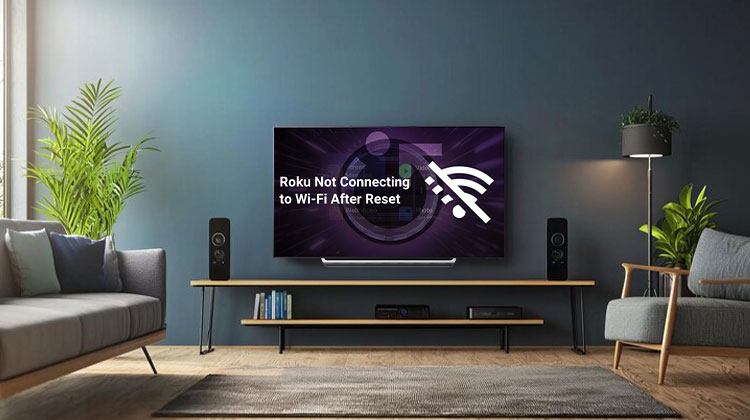
Are you having trouble with Roku not connecting to Wi-Fi? Are you looking for the cause and solution to the Roku error? In this article, we will explain the cause of this issue and provide solutions to correct it.
Roku gives you access to live streaming through online providers. Therefore, if your internet connection is unreliable, your Roku will not perform the task for you, and this may cause you to feel frustrated. In this guide, you’ll learn about the causes and solutions for this issue.
Common Reasons Roku Is Not Connecting to Wi-Fi
A variety of indicators can be identified as evidence of poor connectivity to the network or not connecting to a network. For instance, the website will not fully load because it stops during the loading process. But what is the cause behind this “Roku not connecting to Wi-Fi” issue?
In the meantime, you can identify the cause of the “Roku not connecting to Wi-Fi” issue below:
- Incorrect Login Details.
- A poor Wi-Fi signal.
- Router issues
- Outdated Roku software
Also read: How to Browse the Internet on Roku: Best Roku Web Browser in 2025
How to Fix Roku Not Connecting to Wi-Fi Issue
Check for Internet Connection
The primary reason behind Roku not connecting to Wi-Fi is that the signal is weak, which is essential to check the internet connection first. If you’re connected, you can stream the video to see if the issue has been fixed. If it indicates that you’re not connected, proceed to the next step to connect to the Wi-Fi using your Login Details.
Confirm Login Details
If you’re connected to the wrong Wi-Fi network or enter incorrect login information when trying to connect to your Wi-Fi, you may encounter the “Roku not connecting to Wi-Fi” issue. To resolve this issue, reconnect your Wi-Fi using the correct login details.
Move the Router
Sometimes, a weak Wi-Fi signal may also trigger problems with the “Roku not connecting to Wi-Fi” issue. To mitigate the impact of the weak signal, you can relocate your router to the TV’s side to resolve the problem with your network connection.
Use an HDMI Extender
As close as the Roku devices are to the router, it will improve your network reception and signal strength. Using an HDMI extender can enhance signal reception if you own a Roku streaming stick (plugged into the rear of your television).
Restart Your Router or Modem
If there’s something wrong with your modem or router, you may encounter a “Roku not connecting to Wi-Fi” error. In this instance, you can restart your modem or router to resolve this error.
Factory Reset Your Roku
Setting your Roku erases any personal settings and sets them to default settings. This operation also removes the device from the Roku account. After exhausting all possible troubleshooting methods, we recommend performing an initial factory reset as the last option.
Switch the Internet Band in Roku to 5GHz
Most Roku streaming devices support dual-band wireless connections. It can connect with ease to 2.4GHz and 5GHz frequencies.
2.4 GHz offers a greater connectivity range; however, it’s not as fast for the internet. 5GHz offers fast internet speed. But it is a bit slow in the connectivity range.
If you encounter the “Roku not connecting to Wi-Fi” issue, and find the internet band on your Roku is 2.4GHz, it is possible to switch your internet connection from 2.4GHz to 5GHz.
Also read: 10 Fixes for YouTube TV Playback Error (Updated 2025 Guide)
Switch to Ethernet
Ethernet connections are generally more stable and speedier than Wi-Fi. If your Roku device is equipped with an Ethernet port, connect the player to your router by using the Ethernet cable.
You’ll need a USB to Ethernet adapter to connect Roku devices with USB ports to an internet-connected network.
Contact Roku Customer Support
If the above solutions aren’t working, try contacting Roku customer support via their official support site.
On this site, you will find videos, user guides, channel listings, and the answers you’ll need to answer frequently asked questions. If you require immediate support, the website also provides support via chat or email.
FAQs: Roku Not Connecting to Wi-Fi
Why won’t my Roku find my Wi-Fi network?
Your Roku may be too far from the router, the Wi-Fi password may be incorrect, or the network could be experiencing interference.
How do I reset my Roku network connection?
Go to Settings > System > Advanced System Settings > Network Connection Reset and reconnect to Wi-Fi.
Does updating Roku software help with Wi-Fi issues?
Absolutely. Outdated software can cause connectivity problems. Update via Settings > System > System Update.
Is using Ethernet better than Wi-Fi for Roku?
Yes, a wired connection is more stable and reduces buffering, especially if Wi-Fi is weak or unreliable.


Leave a comment