






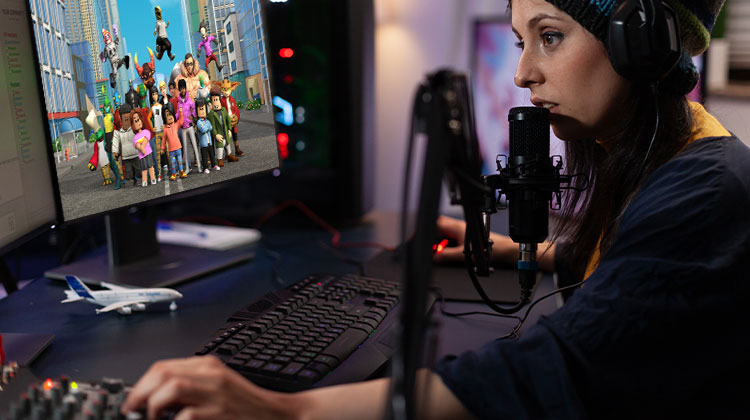
Are you a teenager and still have a childish voice? The microphone you use in Roblox isn’t the right choice for you. But don’t fret, you can use a voice changer to disguise your actual voice.
Today, we’ll reveal the best voice changer for Roblox that supports desktop and mobile. If you’re looking to trick somebody or hide your real voice, these Roblox voice changers can help you reach your goal quickly.
Best Voice Changer for Roblox
1. Voicemod
Voicemod is a feature-packed, powerful Roblox voice changer designed to transform the way you change your voice across platforms such as Roblox, Valorant, Discord, and Zoom. Offering over 100 high-quality filters that facilitate real-time voice trolling and role-playing with characters, it is the ultimate voice alteration tool!
Although Voicemod is accessible on many devices, its complete functionality is currently exclusive to Windows PCs. Its mobile application (iOS and Android) is limited to recording and playback of soundboard voice effects instead of real-time voice modulation.
Pros:
- Easy-to-use interface
- 100+ customizable high-quality voice effects
- Perfect for gaming, streaming, pranks, and role-play
Cons:
- Real-time voice change only on Windows
- Mobile & Mac users have limited functions
- Free version offers limited, rotating effects
- Advanced features need a subscription
Also read: 8 Best Ghostface Voice Changer for Desktop and Phone
2. MorphVOX Pro
MorphVOX Pro is a fantastic voice changer specifically designed for streamers and gamers. It delivers high-quality, live voice switching with extensive customizable options. It is compatible with the Roblox voice-chat application on your PC.
It comes with a variety of vocal presets and the ability to reduce noise, shift pitch, and background sound effects, and is frequently used in roleplay games such as VRChat, Roblox, and GTA V.
Pros:
- Real-time, high-quality voice changing
- Wide range of presets with custom editing
- Built-in noise filters and sound effects
- Works well with Roblox, Discord, and Zoom
Cons:
- Paid software after a free trial
- Interface is less beginner-friendly than Voicemod
- Setup can be tricky for new users
3. Clownfish Voice Changer
Clownfish Voice Changer is a basic system-wide voice changer for Windows, which alters your voice across apps that use voice effects, such as Roblox, Discord, Zoom, and many others. After installation, this voice changer for Roblox runs in the background and applies the voice effects to any microphone inputs.
Clownfish may not offer as many fancy features, but its lightweight design and reliability make it the ideal solution for anyone wanting basic voice effects that don’t require customization
Pros:
- Works across all platforms like Roblox, Discord, etc.
- Includes popular effects: male, female, robot, alien, baby
- Lightweight, fast, and completely free
- Easy to set up with low system use
Cons:
- Fewer filters than tools like Voicemod
- Basic and outdated interface
- No advanced options like soundboard or AI voices
4. AV Voice Changer
AV Voice Changer is a sophisticated voice editing software that works as a real-time voice changer for Roblox and an audio editor. It lets users make highly personalized voices and process audio in real-time. It is compatible with any Roblox game when it is set up with the virtual drivers.
While it’s not the most modern design, it provides unbeatable voice control for more advanced users.
Pros:
- Real-time voice changing with detailed pitch and timbre control
- Full audio editor for recorded files
- Custom voice profiles and batch processing
- Compatible with Roblox, Skype, Discord, and more
Cons:
- Outdated interface and steeper learning curve
- Manual setup needed for Roblox
- Paid software – trial version has limited features
Also read: Best VPN for Roblox: 5 Top Picks for Fast & Safe Gaming
5. NCH Voxal Voice Changer
Voxal is a light but robust real-time voice changer for Roblox that supports both live input and pre-recorded voice modification. It is compatible with both Windows and macOS. and it works smoothly with popular games like Minecraft, Discord, and Roblox.
The simplicity makes it an ideal alternative to Roblox voice changer tools.
Pros:
- Real-time voice changing for games and calls
- Works with any mic-based app in the background
- Supports Windows and macOS
- Free version available for basic home use
Cons:
- Outdated, less intuitive interface
- Limited built-in voice effects
- Free version lacks advanced customization and commercial rights
How to Use a Voice Changer on Roblox
- Install a Voice Changer: Download tools like Voicemod, Clownfish, or MorphVox.
- Set It Up: Open the app, pick a voice effect, and let it run in the background.
- Configure in Roblox: Go to Settings → Voice, and select the virtual microphone created by the voice changer.
- Join Voice Chat: Enter a Roblox game with voice chat and start talking — your new voice will play!
Final word
Suppose you’ve ever wondered how other people get the voices they use to make them sound exactly like this. The Roblox voice changer users are likely using is from the above list. Install it now and quickly transform the voice of your choice into something entertaining or creepy.
FAQs: Voice Changer for Roblox
Is there a free voice changer for Roblox?
Yes, tools like Clownfish and Voicemod Free versions offer free voice effects you can use directly in Roblox chats.
Is using a voice changer allowed on Roblox?
Yes, it’s allowed as long as it’s used for fun and doesn’t violate Roblox’s community guidelines (e.g., bullying or impersonation).
Can I use a voice changer in Roblox voice chat?
Yes! You can use a voice changer in Roblox by selecting its virtual microphone as your input device in Roblox voice settings.
Are AI voice changers safe to use with Roblox?
Yes, trusted tools from official sources are safe. Avoid downloading cracked versions or unknown apps to protect your account.






Leave a comment