






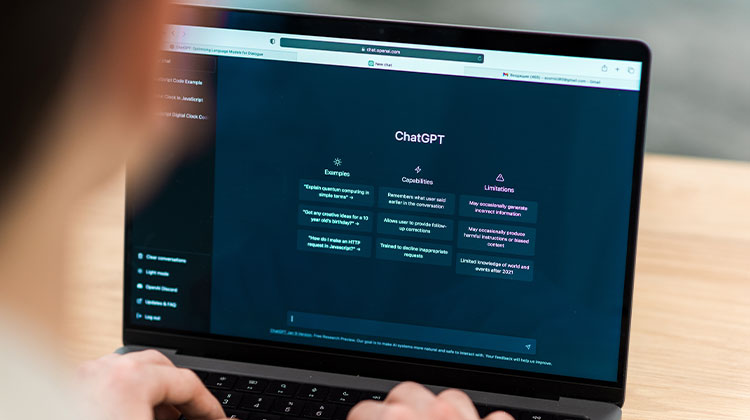
Are you wondering, “Can ChatGPT Transcribe Audio?” Well, you aren’t alone. As AI models like ChatGPT become increasingly sophisticated and popular among consumers, users seek ways to automate mundane daily tasks like turning audio files into text documents using AI models like ChatGPT as automation solutions.
Transcribing audio can save time, increase productivity, and make material more easily accessible – but do you know if ChatGPT really is the best tool for transcribing audio?
Can ChatGPT Actually Transcribe Audio?
The quick answer is: Yes. But there are some essential clarifications.
ChatGPT is primarily a text-based language model created to interpret and generate human-like texts based on written commands. As a fundamental model, ChatGPT cannot directly “listen” to audio files or translate speech. But OpenAI has developed ways to enhance ChatGPT’s capabilities via the integration of other tools.
ChatGPT’s Transcription Abilities
So, can ChatGPT transcribe audio? Yes! ChatGPT includes a specific transcription function that OpenAI has also created, dubbed Whisper API. The procedure is fairly easy:
- Open ChatGPT.
- Upload your audio file.
- ChatGPT will go via its Whisper API speech recognition algorithm.
- This process processes the speech and then produces an output of text.
- You can save your text output in various file formats.
- Audio file formats currently supported include MP3, MPEG, M4A, WAV, WEBM, and MPGA, and support various output formats as well.
ChatGPT currently supports over 50 languages, such as Hindi, Greek, Arabic, Polish, Urdu, and Swahili, for example.
Also read: DeepSeek Image Generator: Everything You Need to Know
Accuracy and Performance of ChatGPT Transcription
ChatGPT can convert audio into text and is remarkably precise, but the speech recognition may falter depending on audio quality. However, this is the case for any transcription service.
The processing is fairly fast. They compare favorably with other transcription services in the time required to analyze audio files and create text outputs.
ChatGPT Transcription Limitations
- File Size Limit: Only supports up to 25MB (~15–20 mins). Not ideal for long recordings without splitting or compressing files.
- Technical Knowledge: The API requires coding skills to manage models and formats, unlike the easy mobile app.
- Missing Features: No speaker detection, timestamps, or editing tools for refining transcripts.
Conclsuion
In the end, if your inquiry asks, “Can ChatGPT transcribe audio? ” The answer is technically a yes. It’s a fantastic tool that can be used for basic tasks. But for professionals seeking to maximize their time and ensure quality CRM data and gain strategic insight through interactions, ChatGPT quickly overcomes its shortcomings. Future productivity lies not in isolated tools, but rather in integrated platforms that can automate all aspects of a conversation from recording to smart analysis.
FAQs: Can ChatGPT transcribe audio
Can ChatGPT transcribe audio files?
Yes. ChatGPT can transcribe audio files using OpenAI’s Whisper speech-to-text model, which supports multiple languages.
What audio formats does ChatGPT support?
ChatGPT supports MP3, MP4, WAV, and M4A formats for transcription.
Can I edit the transcript inside ChatGPT?
You can manually edit the transcription text, but there’s no built-in editing interface for syncing text with audio.
Is it safe to upload audio to ChatGPT?
Yes. OpenAI follows strict data privacy and security standards. However, you should avoid uploading confidential or sensitive recordings.








Leave a comment