






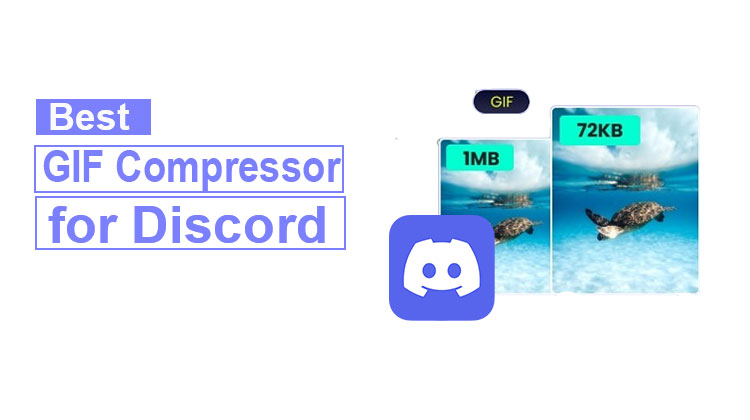
It is necessary to compress your GIF larger than 8MB before uploading to Discord. This guide provides the best GIF compressor for Discord to reduce a GIF’s size without losing quality.
Discord lets you upload GIFs and photographs (PNG, JPG, etc.) into a text channel. The maximum file size for free users is 8MB. If you’re on a Discord Nitro plan, you can upload files up to 50MB.
If you receive a message stating that you have reached the Max file size of 8.00MB, be aware of this when uploading GIFs or images to Discord. As of now, it is recommended to use an efficient GIF compressor for Discord. We’re here to help you grow stronger mentally and emotionally. Here are seven GIF compressors for Discord for your information.
To help your Discord run continuously, make sure you keep images and other embedded media files under 8MB. Try these file compressors to reduce the size of your GIF or image for Discord.
Why Do You Need a GIF Compressor for Discord?
Large GIFs often exceed Discord’s upload limits, causing failed uploads and slower loading times. Compressing GIFs helps you:
- Meet Discord’s file size requirements
- Upload GIFs faster
- Preserve animation quality
- Save storage space
- Improve loading performance on desktop and mobile devices
Let’s explore the best Discord GIF compressor tools available.
Also read: How to Compress Videos on iPhone: 5 Best Video Compressor Apps
Best GIF Compressor for Discord
1. Ezgif
Ezgif is a free online GIF maker and editor. It can also reduce and improve GIF, JPG, and PNG files. It’s also a great GIF compressor for Discord.
By default, Ezgif uses the lossy GIF encoder to reduce the file. This means it will reduce the GIF size by between 30% -50 %. Additionally, it can make the GIF smaller in Discord by reducing the number of colors in every frame, eliminating frames, and adjusting transparency.
In addition, you can use Ezgif to crop, resize, cut loops, reverse, rotate GIFs to alter speed, and more.
Pros
- Completely free to use
- No account required
- Powerful GIF editing features
- Supports frame removal and color reduction
- Easy drag-and-drop interface
Cons
- Basic user interface
- Large files may process slowly
- Limited batch processing options
Best For: Users looking for a free and reliable GIF compressor for Discord.
2. FreeConvert
FreeConvert is the best online GIF compressor for Discord. It allows you to upload a GIF file to your computer, Dropbox, Google Drive, or even via URL.
To assist you in reducing Discord GIF file size, this website offers a variety of customizable settings, including compression levels, color removal, and removing duplicate pixel colors.
If you’re not sure how to change these settings, you can use the default settings and then start GIF compression. This could reduce the Discord GIF file size by up to 60%.
Pros
- Multiple upload options
- Advanced compression settings
- User-friendly interface
- Supports large files
Cons
- Daily limits for free users
- Some advanced features require premium access
Best For: Users who want customizable GIF compression without installing software.
3. GIF Compressor
GIF Compressor is another method to compress GIFs for Discord. This online tool lets you upload and compress GIFs at a time. When you’ve compressed them, you’ll be able to download a ZIP archive.
This site is not just a GIF optimizer for Discord, but also a GIF to MP4 converter, a GIF to PNG converter, and a PNG-to-GIF converter.
Pros
- Batch GIF compression
- Simple workflow
- Fast processing speed
- Supports GIF format conversions
Cons
- Fewer editing features than competitors
- Interface feels outdated
Best For: Users who need quick bulk GIF compression for Discord.
4. Kapwing
Kapwing’s GIF compressor for Discord can help you reduce the GIF size by changing the compression level and resolution. Simply slide the slider to reduce the size of the Discord GIF.
You can also use Kapwing to compress videos to email and crop videos. You can also create GIF-based collages and compress videos for Discord and more.
Pros
- Modern interface
- Easy-to-use compression controls
- Includes video and GIF editing tools
- Cloud-based workflow
Cons
- Watermarks on some free exports
- Requires an account for certain features
Best For: Content creators and social media managers.
5. Xconvert
Xconvert is a one-stop solution for converting, resizing, and compressing videos, images, and audio files. It can also function as a GIF compressor for Discord.
To reduce the size of your GIF for Discord, XConvert lets you edit quality, compress size, change the width and height, and more.
It’s also free and doesn’t mark your GIF.
Pros
- Free to use
- No watermark added
- Adjustable compression settings
- Fast processing
Cons
- Limited editing capabilities
- Interface may feel technical for beginners
Best For: Users seeking detailed control over GIF compression settings.
6. Online Converter
Online Converter can also be an excellent GIF compression tool for Discord. To create smaller GIF files, Online Converter offers various image quality options and color options to choose from.
You can reduce the GIF size by using the image and choosing smaller colors. Online Converter can be employed to compress videos and images for Discord.
Pros
- No registration required
- Simple interface
- Fast compression process
- Works directly in the browser
Cons
- Fewer customization options
- Older website design
Best For: Users who need a quick and straightforward GIF compressor for Discord.
Also read: Download Twitch Clips Easily: Best Tools & Methods in 2025
7. VEED.io
It’s primarily an online video editor; however, it is also a GIF compressor for Discord. It lets you control the compression level to create smaller files and save your file as an MP4 video instead of a GIF file.
If you’re looking to reduce the size of your GIF but retain it in its original format, check out other Discord GIF compressors.
Pros
- Professional editing tools
- Easy-to-use interface
- Supports GIF-to-video conversion
- Cloud-based processing
Cons
- Free plan limitations
- Some exports may include watermarks
Best For: Creators who regularly work with both videos and GIFs.
Compare the Best GIF Compressors for Discord
| Tool | Free Version | Batch Compression | Advanced Settings | Best For |
|---|---|---|---|---|
| Ezgif | ✅ Yes | ⚠️ Limited | ✅ Yes | Overall Best |
| FreeConvert | ✅ Yes | ❌ No | ✅ Yes | Custom Compression |
| GIF Compressor | ✅ Yes | ✅ Yes | ⚠️ Basic | Bulk Compression |
| Kapwing | ✅ Yes | ❌ No | ✅ Yes | Content Creators |
| XConvert | ✅ Yes | ❌ No | ✅ Yes | Advanced Users |
| Online Converter | ✅ Yes | ❌ No | ⚠️ Basic | Quick Compression |
| VEED.io | ✅ Yes | ❌ No | ✅ Yes | Video Creators |
Final Verdict
Uploading large GIFs to Discord can be frustrating when you exceed the file size limit. Fortunately, the seven GIF compressors allow you to reduce GIF size without quality loss.
When you’re sharing game highlights memes, reaction GIFs, or custom animations, using the right GIF compressor for Discord ensures smoother uploads and an improved user experience.
FAQs: GIF Compressors for Discord
What is the best GIF compressor for Discord?
The best GIF compressor for Discord is Ezgif. It offers free GIF compression, resizing, color reduction, and frame optimization tools that help reduce GIF file sizes without noticeably affecting quality. Other popular alternatives include FreeConvert, XConvert, Kapwing, and VEED.io.
How do I compress a GIF for Discord without losing quality?
To compress a GIF for Discord without losing quality, use a GIF optimization tool that reduces unnecessary colors, removes duplicate frames, and applies smart compression algorithms. Tools like Ezgif, FreeConvert, and XConvert can reduce GIF size while maintaining smooth animations and image clarity.
What is the Discord GIF upload size limit?
Discord allows free users to upload files up to 8MB. Discord Nitro subscribers can upload larger files depending on their subscription plan. If your GIF exceeds the upload limit, you'll need to compress it before sharing it on Discord.
Can Discord automatically compress GIFs?
Discord may optimize certain uploaded files, but it does not always compress GIFs enough to meet upload limits. Compressing GIFs before uploading gives you more control over file size and image quality.








Leave a comment