






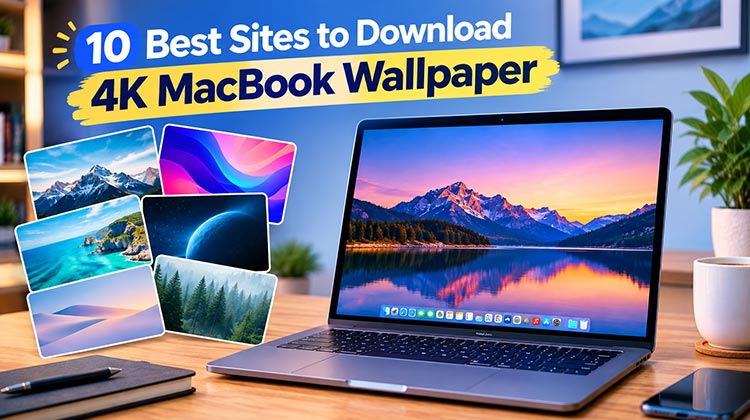
A new wallpaper is a simple way to make your MacBook feel fresh again. You can choose from nature photos, colorful designs, gaming art, space images, or clean minimalist backgrounds.
The good news is that you don’t need to pay for every high-quality background. Many websites offer free wallpapers in HD and 4K resolutions. In this guide, we’ve listed 10 of the best 4K MacBook wallpaper sites and explained what each one is good for.
10 Best Sites to Download 4K MacBook Wallpaper in 2026
Here are 10 sites worth checking if you’re looking for a 4K MacBook wallpaper.
1. Unsplash
Unsplash is a great choice if you like real photography. Its library includes mountains, beaches, forests, cities, buildings, and other beautiful scenes. These images can make excellent desktop backgrounds because they look natural and clean.
The site is not made only for MacBook wallpapers, so check the image resolution before downloading. Still, it’s one of the easiest places to find a stylish 4K MacBook wallpaper.
Best for: Photography, nature, travel, and minimalist backgrounds.
Pros:
- High-quality photography
- Large variety of subjects
- Many free images
Cons:
- Not specifically focused on Mac wallpapers
- You may need to check image dimensions
Also read: How to Change Wallpaper on Mac: A Simple Guide for a Fresh Look
2. AppleWalls
AppleWalls is made with Apple users in mind, so it is a useful place to find wallpapers that match the Apple look. You can find macOS-style artwork, gradients, colorful designs, and Apple-inspired backgrounds.
If you want a 4K wallpaper for MacBook that feels like it belongs on an Apple desktop, this site is worth checking.
Best for: Apple and macOS-inspired wallpapers.
Pros:
- Apple-focused collection
- High-resolution options
- Easy to browse
Cons:
- More limited than general wallpaper sites
- Some designs may not suit every style
3. Wallpapers.com
Wallpapers.com has a very large collection covering many different subjects. You can find technology, cars, animals, gaming, space, nature, sports, and abstract designs.
This makes it useful when you don’t have a specific style in mind. You can simply browse different categories until you find something you like.
For the best results, check the available resolution before choosing your 4K MacBook wallpaper.
Best for: Variety and different wallpaper categories.
Pros:
- Large collection
- Many categories
- Easy to search
Cons:
- Large library can feel overwhelming
- Image quality can vary
4. Pexels
Pexels is mainly a free stock-photo website, but its high-quality images also work well as desktop backgrounds. You can search for keywords such as mountains, ocean, city, forest, space, or architecture.
The simple search system makes it easy to find a background based on your favorite subject. If you want a realistic wallpaper instead of digital artwork, Pexels is a good option.
Before you download MacBook wallpaper, check the original dimensions so the image stays sharp on your screen.
Best for: Realistic photography.
Pros:
- High-quality photos
- Simple search
- Many free images
Cons:
- Not designed specifically for wallpapers
- Resolution varies by image
5. Wallhaven
Wallhaven is a good option for people who want something more creative. Its library includes digital art, anime, fantasy, gaming, abstract designs, and illustrations.
One of its useful features is its filtering system. You can search by resolution, aspect ratio, color, and other options. This can make finding a suitable 4K MacBook wallpaper much easier.
Best for: Digital art, anime, fantasy, and gaming.
Pros:
- Excellent variety of artwork
- Useful resolution filters
- Many creative designs
Cons:
- Less focused on photography
- Some content may not appeal to everyone
6. Wallpaper Abyss
Wallpaper Abyss has wallpapers based on many popular themes, including games, movies, TV shows, anime, technology, fantasy, and nature.
It is especially useful if you want your MacBook background to show one of your hobbies or favorite fictional worlds. Instead of searching through random images, you can go directly to a category that interests you.
Best for: Gaming, movies, TV, fantasy, and pop culture.
Pros:
- Huge collection
- Many themed categories
- Easy topic-based searching
Cons:
- Large selection can take time to browse
- Quality can vary between wallpapers
7. WallpaperSafari
WallpaperSafari is useful when you simply want to browse and discover different wallpaper styles. It has categories for nature, animals, space, abstract art, colorful backgrounds, and more.
The site can be helpful if you don’t know exactly what you want. You can look through several styles and save the one that fits your desktop.
When you download 4K MacBook wallpaper, always check the full resolution because some previews may look better than the original file.
Best for: Browsing different styles.
Pros:
- Many categories
- Easy to explore
- Wide range of designs
Cons:
- Image quality isn’t always consistent
- Some images may require cropping
8. WallpapersCraft
WallpapersCraft focuses heavily on screen sizes and resolutions. This makes it useful when you want to find an image that fits your MacBook display without doing too much cropping.
You can find nature, cities, technology, abstract art, and other common wallpaper styles. Its resolution-based browsing also makes it easier to look specifically for high-quality backgrounds.
If your main goal is a sharp 4K MacBook wallpaper, this is one site worth exploring.
Best for: High-resolution wallpaper searches.
Pros:
- Resolution-based browsing
- Many categories
- High-resolution options
Cons:
- Some designs may be less unique
- Collection can feel repetitive in certain categories
9. iPhoneWalls
iPhoneWalls mainly focuses on Apple-device wallpapers, including gradients, simple artwork, and modern designs. While many backgrounds are made for iPhones, some can also look good on a MacBook.
This site is better suited to people who like clean Apple-style visuals rather than detailed gaming or fantasy artwork.
Always check the dimensions before using an image. A wallpaper made for a phone may not fit a MacBook screen correctly.
Best for: Apple-inspired and minimalist designs.
Pros:
- Clean visual style
- Apple-focused designs
- Simple backgrounds
Cons:
- Many wallpapers target other Apple devices
- Not every image is suitable for MacBook displays
Also read: Why Is My MacBook So Slow? 10 Tips to Speed Up MacBook
10. Simple Desktops
Simple Desktops is a great choice if you don’t like busy wallpapers. Instead of huge photos or detailed artwork, the site focuses on simple illustrations and clean backgrounds.
These wallpapers can be especially useful for students and people who use their MacBook for work. A simple background keeps desktop icons easy to see and doesn’t make the screen feel crowded.
If you want an HD MacBook wallpaper with a clean appearance, this site is worth a look.
Best for: Minimalist and distraction-free desktops.
Pros:
- Clean designs
- Less distracting
- Easy to browse
Cons:
- Limited if you want detailed artwork
- Smaller selection than large wallpaper sites
Final Thoughts
Finding a good 4K MacBook wallpaper doesn’t have to be complicated. Some people will prefer a quiet landscape from Unsplash, while others might spend an hour browsing digital artwork on Wallhaven.
The sites above give you plenty of styles to choose from. Take a look around, check the resolution before downloading, and go with something that you’ll enjoy seeing every day.
FAQs: 4K MacBook Wallpaper
Where can I download 4K MacBook wallpaper?
You can find high-quality 4K MacBook wallpaper on sites like Unsplash, Pexels, Wallhaven, and AppleWalls.
Are 4K MacBook wallpapers free?
Yes, many websites offer free wallpapers. Always check the site's usage or licensing terms before using an image commercially.
What type of wallpaper looks best on a MacBook?
It comes down to personal preference. Minimal designs, landscapes, abstract artwork, and dark wallpapers are all popular choices.
How do I change wallpaper on a Mac?
Go to System Settings > Wallpaper, then choose Add Photo and select your downloaded image.








Leave a comment