






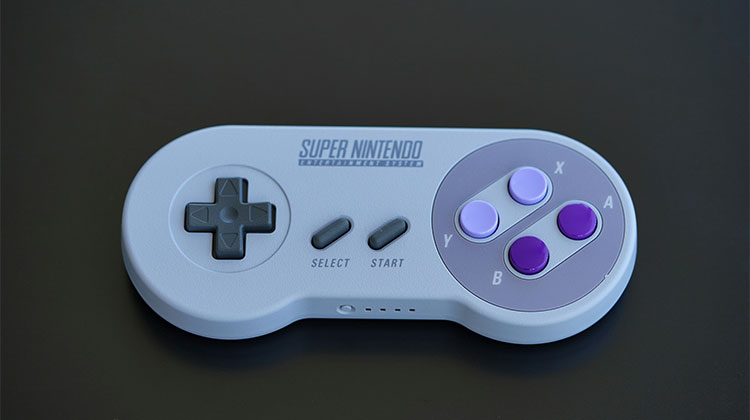
Looking for the best SNES emulator to play classic Super Nintendo games on a modern device? The right choice depends on what you value most: simple SNES emulation, multi-system support, accuracy, Android compatibility, or a polished Mac interface.
We compared the key differences between SNES9x, RetroArch, Higan, ClassicBoy Gold, OpenEmu, and ZSNES to explain what each emulator offers, which platforms it supports, and which may be the best SNES emulator for you.
Editor’s Choice: SNES9x
SNES9x is our Editor’s Choice for dedicated SNES emulation. Its main advantage is focus: instead of requiring users to learn a large multi-system frontend, it provides a relatively straightforward way to run SNES games with features such as save states, controller support, fullscreen options, and video customization.
For users who want a broader retro-gaming setup, RetroArch offers more systems and customization. Mac users may prefer OpenEmu for its library-focused interface.
What Is an SNES Emulator?
An SNES emulator is software that recreates the Super Nintendo hardware on another device. It allows compatible game software to run without the original console.
Emulators and game ROMs are separate issues. Copyright rules surrounding ROM copying, downloading, and distribution vary by jurisdiction, so users should understand their local laws and use legally obtained game software.
Also read: Best GBA Emulator for Android: Top 10 Apps Compared
6 Best SNES Emulators for PC, Mac & Android
1. SNES9x
SNES9x is a long-established emulator focused primarily on the Super Nintendo. SNES9x emulator provides a straightforward experience without the complexity of a full multi-system frontend. Its relatively low hardware requirements also make it practical for users with older computers who want essential emulation features without excessive configuration.
Key Features
- Save states
- Controller support
- Fullscreen and video scaling
- Audio configuration
- Lightweight performance
Pros
- Simple to use
- Dedicated SNES experience
- Low hardware requirements
Cons
- Not designed as a multi-system frontend
Platforms: Windows, macOS, Linux and other supported platforms.
2. RetroArch
RetroArch takes a different approach by acting as a frontend for multiple emulation cores. Instead of being limited to SNES, it can manage numerous classic systems from one interface. For SNES gaming, users can select compatible cores and customize controls, video settings, shaders, saves, and other aspects of the experience.
Key Features
- Multiple emulator cores
- Save states
- Controller remapping
- Rewind on supported cores
- Shaders and video customization
Pros
- Multi-system support
- Extensive customization
- Flexible controller configuration
Cons
- More complicated setup
- Core management can confuse beginners
Platforms: Windows, macOS, Linux, Android and more.
3. Higan
Higan is associated with accuracy-focused emulation and has historically supported several classic consoles, including the SNES. It is aimed more toward enthusiasts interested in reproducing original hardware behavior than users simply looking for the easiest setup. Its history also includes the earlier bsnes project, making it an important name in SNES emulation.
Key Features
- Accuracy-focused emulation
- Multiple system support
- Save functionality
- Audio and video configuration
Pros
- Strong focus on accuracy
- Useful for enthusiasts
Cons
- Can require more configuration
- Less beginner-oriented
Platforms: Primarily desktop platforms.
4. ClassicBoy Gold
For people searching for the best SNES emulator for Android, ClassicBoy Gold is one option worth considering because it takes a multi-system approach. Instead of focusing exclusively on SNES, it supports several classic platforms and provides mobile-friendly controls, including touchscreen input and external controller support.
Key Features
- Touchscreen controls
- External controller support
- Save functionality
- Multi-system support
Pros
- Convenient Android option
- Supports multiple systems
- Mobile-friendly controls
Cons
- Not dedicated to SNES
- Experience varies by device
Platforms: Android.
5. OpenEmu
OpenEmu is designed around the macOS experience and focuses heavily on organization. For users searching for the best SNES emulator for Mac, OpenEmu stands out with its centralized library for supported systems and games, clean interface, and straightforward controller configuration. Instead of managing several separate emulator applications, Mac users can organize their retro games in one convenient library without dealing with a highly technical setup.
Key Features
- Centralized game library
- Controller configuration
- Save states
- Multiple system support
- Artwork and metadata
Pros
- Clean interface
- Excellent game organization
- Mac-focused experience
Cons
- Primarily for macOS
- Less suitable for Windows or Android
Platforms: macOS.
Also read: Best N64 Emulator for Android and PC: 5 Options to Try in 2026
6. ZSNES
ZSNES is one of the earliest widely known SNES emulators and played an important role in console emulation. However, it is now a legacy project rather than a modern recommendation. For users find the best SNES emulator for PC, ZSNES is mainly worth mentioning for its historical importance, while newer and actively maintained alternatives may provide a more suitable experience for modern PCs.
Key Features
- Basic SNES emulation
- Save states
- Lightweight design
Pros
- Historically significant
- Simple interface
Cons
- Very outdated
- Limited compared with modern alternatives
- Not actively developed
Platforms: Legacy desktop platforms.
Best SNES Emulator Comparison
| SNES Emulator | Supported Platforms | Multi-System Support | Key Features | Best For |
|---|---|---|---|---|
| SNES9x | Windows, macOS, Linux | No | Save states, controller support, video scaling, audio settings | Simple SNES gaming on PC |
| RetroArch | Windows, macOS, Linux, Android & more | Yes | Emulator cores, save states, shaders, controller remapping | Multi-system gaming |
| Higan | Desktop platforms | Yes | Accuracy-focused emulation, save functionality, audio/video configuration | Emulation enthusiasts |
| ClassicBoy Gold | Android | Yes | Touchscreen controls, external controller support, save functionality | Android retro gaming |
| OpenEmu | macOS | Yes | Game library, controller configuration, save states, artwork and metadata | Mac users |
| ZSNES | Legacy desktop platforms | Primarily SNES | Basic emulation, save states, lightweight design | Emulation history enthusiasts |
Which SNES Emulator Should You Choose?
Choose based on your needs rather than simply picking a name from a list of best SNES emulators.
- Want a straightforward dedicated SNES emulator? Choose SNES9x.
- Want multiple consoles in one application? Consider RetroArch.
- Prioritize accuracy and emulation research? Look at Higan.
- Need a multi-system emulator for Android? Consider ClassicBoy Gold.
- Use a Mac and want an organized game library? Try OpenEmu.
- Interested in the history of SNES emulation? ZSNES remains notable, but it is legacy software.
Conclusion
The best SNES emulator depends on your platform and the experience you want. SNES9x offers a focused approach for dedicated SNES gaming, while RetroArch provides extensive multi-system flexibility. Higan targets accuracy-focused users, ClassicBoy Gold brings multi-system emulation to Android, and OpenEmu emphasizes organization on Mac.
FAQs: Best SNES Emulators
Is SNES9x a good SNES emulator?
Yes. SNES9x is known for its straightforward approach, relatively low hardware requirements, controller support, save states, and video and audio configuration options.
Can I play SNES games on a PC without the original console?
Yes. An SNES emulator can recreate the console environment on a compatible PC. You still need game software that you are legally permitted to use.
Do SNES emulators support save states?
Yes. Save-state functionality is available in many modern SNES emulators, including SNES9x, RetroArch, Higan, ClassicBoy Gold, and OpenEmu.
What is the best SNES emulator for PC?
SNES9x, RetroArch, and Higan are best SNES emulators for PC. SNES9x is simple and lightweight, RetroArch offers multi-system support, while Higan focuses more on emulation accuracy.








Leave a comment