






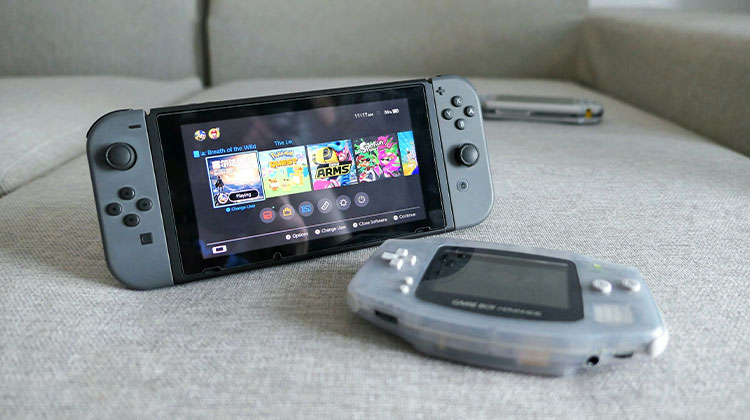
The Nintendo 64 was an unparalleled system with timeless classics such as The Legend of Zelda: Ocarina of Time, Goldeneye 007, Perfect Dark, and Pokémon Stadium. Unfortunately, these games can be very challenging to get your hands on. Thanks to emulators, you can play classic N64 games on any Android device. Here is our review of some of the best N64 emulators for Android devices.
There are so many choices out there, but finding the best N64 emulator for your Android device can be challenging. Some emulators focus on simplicity, while others provide advanced graphics settings, controller support, save states, and compatibility options.
5 Best N64 Emulators for Android in 2026
1. Mupen64Plus FZ
Mupen64Plus FZ is one of the best Nintendo 64 emulators for Android. It offers numerous configuration options, including different graphics settings and profiles that may help individual games run better.
Its many options can be very intimidating for beginners. Some games may even require you to experiment with various profiles or settings before reaching optimal performance.
Key Features
- Multiple graphics profiles
- Controller support
- Save and load states
- Wide range of configuration options
- Good compatibility with many N64 games
Pros
- Strong overall compatibility
- Lots of customization
- Suitable for experienced users
Cons
- Configuration can be complicated
- Beginners may need time to understand the settings
Best for: Android users who want detailed control over N64 emulation.
Also read: Windows Emulator for Mac: Best Tools Reviewed 2025
2. ClassicBoy Pro
ClassicBoy Pro is designed for use with more than just Nintendo 64 games. It can accommodate several classic gaming systems, making it useful as one Android application to support them all.
Its features include save states and controller customization; additionally, the N64 experience can also be tailored to meet individual user control preferences.
Key Features
- Multi-system support
- Save and load states
- Controller customization
- Gesture controls
- Support for several retro platforms
Pros
- More than an N64 emulator
- Useful for retro gaming collections
- Convenient control options
Cons
- Some features may require the paid version
- Multi-system menus can feel busy
Best for: Users who want an N64 emulator alongside support for other classic consoles.
3. Lemuroid
Lemuroid is a free, open-source-style multi-system emulator frontend designed to make retro gaming easier on Android. Instead of concentrating only on Nintendo 64, it supports a variety of older gaming platforms.
For beginners, Lemuroid can be appealing because it aims to simplify the process of managing different systems and games. It also includes features such as controller support, save functionality, fast-forwarding, and multiplayer game support.
Key Features
- Multi-system support
- Gamepad compatibility
- Save functionality
- Fast-forward support
- Local multiplayer features
- Simple interface
Pros
- Beginner-friendly
- Free to use
- Supports many systems
- Useful automatic features
Cons
- Some users may need time to understand its setup
- Performance can vary depending on the device and game
Best for: Beginners who want a simple multi-console retro gaming setup.
4. RetroArch
RetroArch is the best N64 Emulator for Android users with extensive control over their emulation setup. Rather than functioning as a single dedicated N64 emulator, RetroArch uses emulator cores to support different gaming systems.
This makes the software very flexible, but its versatility may make the software challenging for newcomers. Once setup is complete, users have access to features like save states, controller remapping, cheats, and automated content scanning.
Key Features
- Multi-system support
- Emulator cores
- Controller remapping
- Save states
- Cheat support
- Open-source software
Pros
- Highly customizable
- Supports many platforms
- Powerful configuration options
Free
- Cons
- Steeper learning curve
- Initial setup can take time
Best for: Advanced users who want one highly customizable retro gaming platform.
5. Super64Plus
Super64Plus is a simpler Android option for playing Nintendo 64 games. It provides basic emulation features without requiring users to configure as many advanced settings as some alternatives.
The emulator supports on-screen controls and hardware controllers, along with save functionality and some graphics-related options.
However, software updates and long-term support should be considered when choosing the best N64 emulator.
Key Features
- On-screen controls
- Hardware controller support
- Save functionality
- Graphics options
- Simple setup
Pros
- Easy to understand
- Basic N64 features
- Controller support
Cons
- Fewer advanced options
- Not as actively maintained as some alternatives
Best for: Users looking for a straightforward Android N64 emulator.
Also read: Best GBA Emulator for Android: Top 10 Apps Compared
How to Choose the Best N64 Emulator
The Best N64 Emulator depends on what you expect from your Android device.
If you want maximum customization, Mupen64Plus FZ or RetroArch may be better choices. If you want a simple interface, Lemuroid can be easier to approach. ClassicBoy Pro makes sense if you want to emulate several retro systems, while Super64Plus is aimed at basic N64 gaming.
Your phone’s hardware plays an essential part, too. Older or less powerful Android devices may require reduced graphics settings for smoother performance.
What Features Should You Look For?
Before choosing the best N64 emulator, consider these features:
Game Compatibility
No emulator performs identically with every N64 game. Check whether the titles you want to play work well with your chosen emulator.
Controller Support
Touchscreen controls can work, but a compatible Bluetooth or USB controller can provide a more console-like experience.
Save States
Save states allow you to save your progress at almost any point instead of relying only on the game’s original save system.
Graphics Settings
Options such as resolution, rendering settings, and graphics profiles can affect both image quality and performance.
Ease of Use
Beginners should opt for an emulator with an intuitive user interface over choosing one solely based on its settings list.
Final Verdict: Choosing the Best N64 Emulator
There isn’t one Best N64 Emulator for every Android user. Mupen64Plus FZ is a strong option for users who want customization, ClassicBoy Pro is useful for multi-system gaming, Lemuroid focuses on simplicity, RetroArch offers extensive control, and Super64Plus provides a more basic experience.
For beginners, Lemuroid or ClassicBoy Pro may be easier starting points. More experienced users who want deeper configuration can consider Mupen64Plus FZ or RetroArch.
FAQs: Best N64 Emulator
Can I play N64 games on Android?
Yes. Android devices can run Nintendo 64 games through compatible emulators. Performance depends on your phone's hardware, emulator settings, and the specific game.
What is the best N64 emulator for Android?
Mupen64Plus FZ is one of the strongest choices for Android users because it offers good compatibility, graphics settings, controller support, and save-state features.
Can I use an N64 emulator without a controller?
Yes. Many Android N64 emulators provide on-screen virtual controls. However, a compatible physical controller may offer better comfort and control.
Does N64 emulation drain Android battery?
It can. Emulation uses CPU and GPU resources, so demanding graphics settings can increase power consumption. Lowering resolution or other enhancements may reduce the load.









Leave a comment