






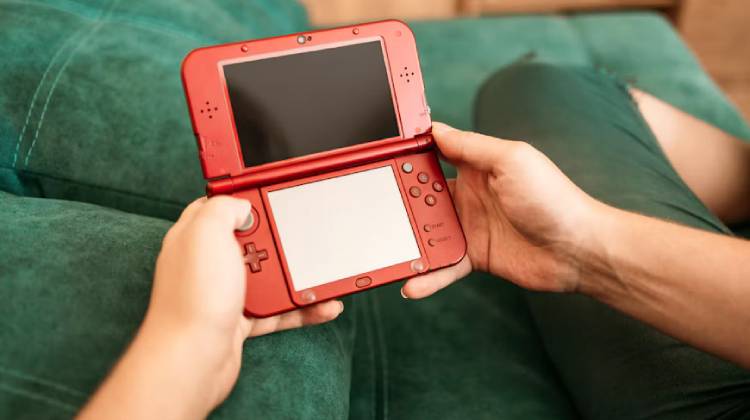
Nintendo 3DS games offer an incredible gaming experience with unique gameplay, memorable characters, and impressive graphics. However, finding a working way to enjoy these classic titles on modern devices can be challenging. This is where emulators come in. They allow users to experience Nintendo 3DS games on compatible Android phones, Windows PCs, and other supported platforms.
If you are searching for the best 3DS emulator, this guide covers 10 popular options, their features, compatibility, and supported platforms. Whether you want to play games on your smartphone or enjoy a bigger screen on your computer, you will find an option worth exploring.
10 Best 3DS Emulators to Try in 2026
1. Azahar Emulator
Azahar is one of the most popular modern options for Nintendo 3DS emulation. It continues the development of Citra and Lime3DS, offering improvements in compatibility, performance, and usability. If you are searching for the best 3DS emulator, Azahar is an excellent starting point because it supports Android, Windows, macOS, and Linux.
The emulator includes customizable graphics settings, controller support, and save-state functionality. It is particularly useful for people looking for a 3DS emulator for Android or desktop computers. Its open-source development also makes it an interesting choice for users who prefer transparent software.
Pros:
- Supports Android and desktop platforms.
- Free and open-source software.
- Offers customizable graphics settings.
- Supports controllers and save states.
Cons:
- Requires reasonably powerful hardware.
- Some games may experience graphical glitches.
- Initial configuration can take time.
Also read: 6 Best SNES Emulators for PC, Mac & Android
2. Citra Emulator
Citra is one of the most popular names in Nintendo 3DS emulation history. It helped gamers experience Nintendo 3DS games on Windows, Linux, macOS, and Android devices. Its high-resolution rendering, customizable controls, and impressive compatibility made it a widely recognized option and a former best 3DS emulator choice.
Although official Citra development ended in 2024, its legacy builds remain relevant to emulator enthusiasts. This 3DS game emulator is particularly interesting for gamers who already have a working installation and want to understand the history of modern 3DS emulation.
Pros:
- Established emulator with a large community.
- Supports multiple desktop platforms.
- Offers high-resolution rendering.
- Includes customizable controls and save states.
Cons:
- Official development has ended.
- No official future security updates.
- Newer projects may offer better compatibility.
3. Lime3DS Emulator
Lime3DS was developed as a continuation of the Citra project after its original development stopped. It provided an alternative for gamers who wanted to continue playing Nintendo 3DS games on compatible devices. Its features included customizable controls, graphics settings, and support for Android and desktop platforms.
For users searching for a Nintendo 3DS emulator, Lime3DS remains an important project in the history of 3DS emulation. It was once considered a best 3DS emulator alternative for users who wanted to continue using Citra-based software. However, its development has been superseded by Azahar.
Pros:
- Based on the established Citra codebase.
- Supports Android and desktop releases.
- Offers customizable controls.
- Useful legacy compatibility option.
Cons:
- Development has been superseded.
- No longer the recommended active project.
- Some games may have compatibility issues.
4. Panda3DS Emulator
Panda3DS is an open-source Nintendo 3DS emulator designed to improve compatibility and performance across supported platforms. It is an interesting option for users who enjoy experimenting with developing emulation technology. The project provides desktop and Android builds, along with graphics and controller configuration options.
If you are exploring the best 3DS emulator alternatives, Panda3DS deserves attention because of its open-source development and experimental improvements. However, it is still a developing project, so performance and compatibility can vary depending on the game and device.
Pros:
- Free and open-source project.
- Provides Android and desktop builds.
- Offers customizable graphics settings.
- Includes compatibility improvements.
Cons:
- Not all games are supported.
- Some features remain experimental.
- Performance varies between devices.
5. Mikage Emulator
Mikage is an experimental Nintendo 3DS emulation project focused on accuracy and performance. It attracted attention because of its technical approach to reproducing the original console’s hardware and software behavior. The project is particularly interesting for people who follow emulator development and research.
Unlike more accessible options, Mikage is not a straightforward recommendation for everyday gaming. Before choosing the best 3DS emulator for your needs, check Mikage’s current availability, development status, and compatibility. It is more relevant to emulation enthusiasts than beginners looking for a simple installation.
Pros:
- Focuses on accurate emulation.
- Interesting technical architecture.
- Designed around performance improvements.
- Relevant to emulator development research.
Cons:
- Limited public availability.
- Not a mainstream gaming option.
- Compatibility and usability may be limited.
6. RetroArch
RetroArch is a popular multi-system emulation platform that allows users to manage different emulator cores through a single interface. It is not a standalone Nintendo 3DS emulator but provides a unified environment for supported emulation systems.
For gamers who enjoy multiple gaming platforms, RetroArch offers controller customization, save features, and a flexible interface. It can be worth exploring when comparing the best 3DS emulator options, although Nintendo 3DS support depends on the availability and maintenance of a compatible core.
Pros:
- Supports multiple gaming systems.
- Available on several operating systems.
- Offers controller customization.
- Provides a unified gaming interface.
Cons:
- Setup can be confusing for beginners.
- 3DS core availability is limited.
- Compatibility depends on the selected core.
7. 3dmoo Emulator
3dmoo is an older experimental project associated with early Nintendo 3DS emulation development. It represents an early attempt to reproduce parts of the Nintendo 3DS environment through software. Its historical development makes it relevant to people interested in the evolution of console emulation.
However, 3dmoo is not recommended for modern gaming because it lacks the features and compatibility of newer projects. Anyone researching the best 3DS emulator should consider modern alternatives such as Azahar or Panda3DS instead.
Pros:
- Open-source historical project.
- Interesting for emulator research.
- Contributed to early 3DS emulation experimentation.
- Useful for understanding emulation development.
Cons:
- No modern active development.
- Limited game compatibility.
- Not suitable for everyday gaming.
8. TronDS Emulator
TronDS is an older Nintendo 3DS emulator project designed primarily for Windows computers. It represents an early attempt to reproduce the Nintendo 3DS environment on PC hardware. Its historical development makes it an interesting subject for people researching the history of emulation software.
However, TronDS is not a practical option for playing modern commercial Nintendo 3DS games. If you are looking for the best 3DS emulator for PC, consider Azahar instead because it offers a more modern development ecosystem and better prospects for compatibility.
Pros:
- Windows-focused emulator project.
- Historically relevant to 3DS emulation.
- Useful for studying early development.
- Provides insight into experimental emulation.
Cons:
- Development has ended.
- Limited compatibility with commercial games.
- Not recommended for modern gaming.
9. Corgi3DS Emulator
Corgi3DS is a name associated with experimental Nintendo 3DS emulation discussions, but reliable documentation of a maintained public release is limited. Users should be careful when searching for installation files or websites claiming to provide a fully functional version.
If your goal is to play Nintendo 3DS games on modern hardware, established projects such as Azahar and Panda3DS are better starting points. Before choosing what you consider the best 3DS emulator, verify the original developer, source repository, release history, and compatibility information.
Pros:
- Potential interest for emulation enthusiasts.
- Relevant to experimental project research.
- Can be investigated through development archives.
- Encourages exploration of emulation technology.
Cons:
- Maintained public release is difficult to verify.
- Reliable compatibility information is limited.
- Not recommended for everyday gaming.
Also read: Best N64 Emulator for Android and PC: 5 Options to Try in 2026
10. DuoS Emulator
DuoS is mentioned in discussions of Nintendo handheld emulation and has been described as a simple Windows option. Details about its development and compatibility are limited. Claims about multiplayer, quick saves, or advanced customization should be checked against the version available. Research carefully before installing it as a Nintendo 3DS emulator.
Pros:
- Associated with simple emulation.
- Basic interface.
- May suit users who prefer straightforward software.
Cons:
- Current compatibility is uncertain.
- Development information is limited.
- Advanced features and support are unclear.
Conclusion
This is our list of the best 3DS emulator options that you can use on your PC to enjoy Nintendo 3DS games. You no longer need to purchase a dedicated console to experience compatible games on your computer. Simply choose an emulator that suits your requirements and enjoy your favourite Nintendo titles. Remember that every emulator has its own features, advantages, and limitations, so compare your options carefully before choosing the best 3DS emulator.
FAQs: Best 3DS Emulator
Which is the best 3DS emulator for Android?
Azahar is a strong choice for Android users. It allows compatible smartphones to run Nintendo 3DS games with customizable controls and graphics settings.
What is the best 3DS emulator for PC?
Azahar is a recommended option for Windows, Linux, and macOS users. It provides desktop support, graphics configuration, and compatibility improvements.
Are 3DS emulators free to download?
Many popular 3DS emulators, including Azahar and Panda3DS, are free and open-source. Always download them from their official websites or repositories.
What are the system requirements for a 3DS emulator?
System requirements vary by emulator and game. Generally, a modern processor, sufficient RAM, compatible graphics hardware, and updated operating system help provide smoother performance.







Leave a comment