




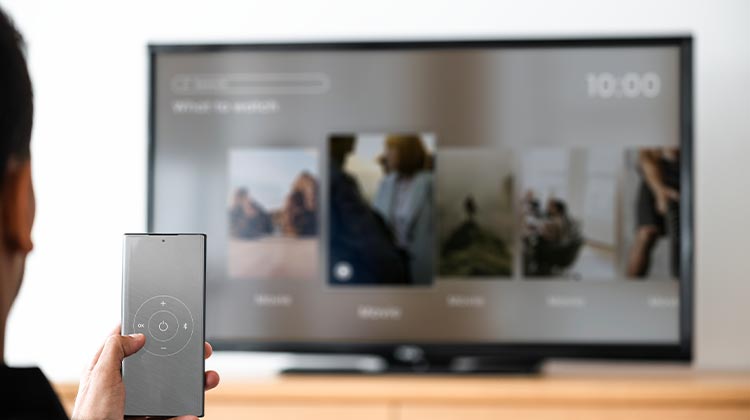
In this blog, we’ll explore the best Android screen mirroring methods and apps available today. It doesn’t matter if it’s to share presentations, stream videos, display photos, or play mobile games, mirror Android to TV. These tools make screen mirroring easy and efficient.
In this article, we’ll explore the 7 best Android screen mirroring apps in 2026, highlighting their key features, advantages, and ideal use cases.
Best Android Screen Mirroring Apps Comparison Table
| App | Best For | Platform Support | Remote Control | Wireless Mirroring | Free Version | Rating |
|---|---|---|---|---|---|---|
| iMyFone MirrorTo | Gaming & Presentations | Windows | Yes | Yes | Limited | 4.7/5 |
| ApowerMirror | Professional Use | Windows, Mac | Yes | Yes | Limited | 4.6/5 |
| Castto | Smart TV Casting | Android, Smart TVs | No | Yes | Yes | 4.5/5 |
| AirDroid Cast | Remote Meetings | Windows, Mac, Web, TV | Yes | Yes | Limited | 4.8/5 |
| Mirroring360 | Education & Business | Windows, Mac | No | Yes | Trial Only | 4.4/5 |
| Vysor | Developers & Testing | Windows, Mac, Linux | Yes | Yes | Limited | 4.3/5 |
| Scrcpy | Free Android Control | Windows, Mac, Linux | Yes | Yes | Yes | 4.9/5 |
Best Android Screen Mirroring App
1. iMyFone MirrorTo
iMyFone mirrorTo is an Android screen mirroring tool that lets you mirror Android screen to PC. It is often used to present gaming, a presentation, or share content that requires a larger display.
Key Features
- Mirror Android screen to PC
- Keyboard and mouse control
- Screen recording support
- High-definition display quality
- Gaming mode with low latency
Pros
- Easy to set up and use
- Suitable for gaming and live streaming
- Supports device control from PC
- Stable screen mirroring performance
Cons
- Advanced features require a paid plan
- Limited functionality in the free version
- Primarily focused on PC mirroring
Also read: Screen Mirroring Not Working? How to Fix It in 5 Minutes
2. ApowerMirror
ApowerMirror is a powerful Android screen mirroring and control software. It allows you to mirror your Android screen to a PC, and then manage the mobile device with the keyboard and mouse on your computer. It also provides an annotation feature and screen recording features.
Key Features
- Wireless and USB screen mirroring
- Android device control from PC
- Screen recording and screenshots
- Real-time annotation tools
- Multiple device connections
Pros
- Rich feature set
- Supports both Android and iOS
- Ideal for presentations and teaching
- Flexible connection options
Cons
- Premium subscription can be expensive
- Occasional lag on slower networks
- Some features are restricted in the free version
3. Castto
Castto is an Android screen mirroring app designed for screen mirroring to TVs or other streaming devices. It makes it easier to share your Android screen to larger screens.
Key Features
- Cast Android screen to Smart TVs
- Supports DLNA and Miracast devices
- Quick wireless connection
- User-friendly interface
- HD screen casting
Pros
- Simple and lightweight app
- Easy TV connectivity
- No complicated setup process
- Good for media streaming
Cons
- Limited advanced features
- Depends on TV compatibility
- Not suitable for device control
4. Airdroid Cast
AirDroid Cast is an Android screen mirroring and control tool that allows users to share their Android device’s screen to a larger screen and take direct control of their mobile device from a computer. It’s ideal for remote meetings and presentations.
Key Features
- Cross-platform screen mirroring
- Remote screen sharing
- Audio transmission support
- Wireless and USB connections
- Multi-device screen casting
Pros
- Works across multiple platforms
- Excellent for remote meetings
- Supports audio and screen sharing
- Reliable performance
Cons
- Premium features require payment
- Initial setup may take time
- Best features require an account
5. Mirroring360
Mirroring360 is an Android screen mirroring and casting app that allows users to mirror their Android screen on a TV, PC, or other compatible devices, via wireless or wired connections. It is commonly employed for collaboration and presentations in a variety of settings.
Key Features
- Wireless screen mirroring
- HD display support
- Presentation tools
- Multi-device compatibility
- Classroom and business integration
Pros
- Great for education and business use
- Supports multiple devices
- Easy presentation sharing
- Stable wireless connection
Cons
- Not ideal for gaming
- Premium license required
- Interface feels outdated compared to competitors
6. Vysor
Vysor is an Android screen mirroring and control app. It allows you to mirror your Android screen to your computer and control it with your keyboard and mouse. It’s typically used for app testing and for demonstrations.
Key Features
- Mirror Android screen to PC
- Full keyboard and mouse control
- Easy USB connection
- Screenshot support
- Cross-platform compatibility
Pros
- Excellent for developers
- Simple installation process
- Device control from computer
- Works on Windows, Mac, and Linux
Cons
- Free version has limitations
- Higher quality mirroring requires a paid plan
- Can experience lag over wireless connections
Also read: Best Android Emulator for PC & Mac (2025 Edition)
7. Scrcpy
Scrcpy is free and open-source Android screen mirroring software that lets users mirror and control Android devices from computers. It is renowned for its ease of use and lightweight design, making it a popular choice for tech and developer enthusiasts.
Key Features
- Free and open-source
- Low-latency screen mirroring
- Keyboard and mouse control
- USB and wireless connectivity
- No app installation required on Android
Pros
- Completely free
- Fast and lightweight
- No advertisements
- Excellent performance for developers
Cons
- Command-line setup can be challenging for beginners
- Limited graphical interface
- Requires Android debugging configuration
How to Choose the Best Android Screen Mirroring App
When selecting an Android screen mirroring app, consider the following factors:
- Compatibility: Ensure it works with your TV, PC, or other target devices.
- Connection Type: Look for wireless and USB options.
- Performance: Low latency is crucial for gaming and presentations.
- Security: Important for business and remote work environments.
- Additional Features: Screen recording, remote control, and audio support can enhance usability.
Conclusion
Android screen mirroring applications have advanced significantly, providing smoother connections, higher quality, and more features than before. If you’re looking for an easy method to stream content to your TV, or a professional tool for presentations or remote collaboration, Seven apps offer excellent options to meet your needs.
FAQs: Android Screen Mirroring
What is Android Screen Mirroring?
Android screen mirroring is a technology that allows you to display your Android device's screen on a larger screen, such as a PC, laptop, Smart TV, or projector, in real time.
Which is the best Android screen mirroring app?
The best Android screen mirroring app depends on your needs. AirDroid Cast and ApowerMirror are great for general users, while Scrcpy is a popular free option for developers.
Can I mirror my Android screen without Wi-Fi?
Yes, many Android screen mirroring tools support USB connections, allowing you to mirror your Android screen without a Wi-Fi network.
What is the difference between screen mirroring and screen sharing?
Screen mirroring displays your Android screen on another device in real time, while screen sharing is typically used to share your screen with other users during meetings, presentations, or remote support sessions.








Leave a comment