






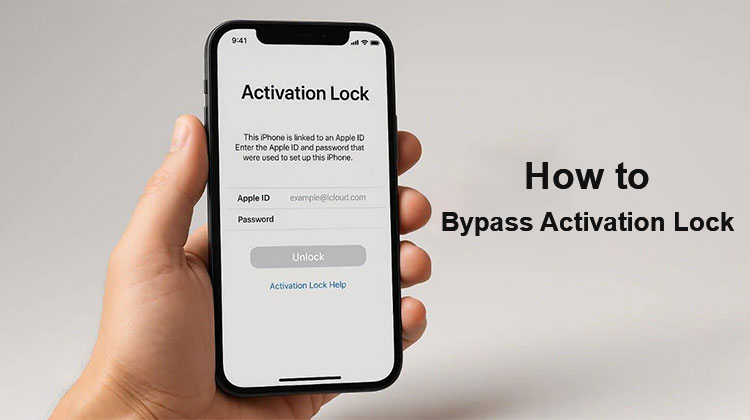
I’m guessing that many second-hand iPhone users are having issues with iCloud Activation Lock. (Also, it will show “iPhone Locked To Owner” after the iOS 15 update. Typically, you must keep track of the Apple ID and password. However… It’s not a good idea for users who have used the device. If so, is there a way to unlock an iCloud-locked iPhone, iPad, or iPod touch without a password? Yes, it is possible. This guide will show you how to bypass Activation Lock without a password.
The methods we’ll share with you below are the most efficient ways to bypass Activation Lock and unlock it. Let’s get started now.
Can an iCloud Activation Lock Be Removed?
Yes, but whether the iCloud Activation Lock can be removed in your specific situation. iPhone Activation Lock is a feature of Find My iPhone. When you turn on Find My iPhone on your iDevice, the Apple ID and its password will always be required if others attempt to turn off Find My iPhone, erase your data, or reactivate your iDevice. This means that iCloud Activation Lock is designed to protect the information stored on your iPhone, iPad, or iPod from being viewed by others when it’s misused.
If you have the right Apple ID and password, removing it is simple. If not, your options become less obtainable. Here are some scenarios that use the iCloud Activation Lock removal tool.
Common Situations Where Activation Lock Appears
- Purchased a second-hand iPad or iPhone with Activation Lock enabled.
- If you have lost the password to your Apple ID and cannot reset security questions.
- The iPhone/iPad was inherited and has been tied to its previous owner.
iCloud account issues prevent users from accessing their devices. - Fortunately, whether you’ve got either a username or a password for your Apple ID, you can get there using the following method.
Also read: How to Bypass Screen Time Limits and Passcode: 6 Best Methods
How to Bypass Activation Lock on iPhone/iPad
Here are several methods to bypass activation lock without the password. If so, continue reading. In this article, we’ll show a step-by-step guide on how to bypass activation lock.
How to Bypass Activation Lock Using iCloud/Password
If you can obtain all the information you need about the seller who bought a second-hand iPhone or iPad, then using iCloud to bypass activation locks is the most efficient solution. Since the previous owner can provide you with your username and password, here are the steps to bypass iCloud.
Step 1. Visit iCloud.com and sign in using the Apple ID username and password of the device you have locked. Click on the Find iPhone.
Step 2. Check All Devices after you open iCloud “Find My iPhone’
Step 3. Choose the model and name that you want to bypass to erase iPhone and erase iPad > Remove your Account.
After the steps are completed, the iPhone or iPad will be removed from Apple ID, and the Activation Lock will be re-enabled.
How to Bypass Activation Lock via DNS
DNS can also be used to bypass activation lock on iOS devices. Be aware that using DNS to bypass activation lock could be complex and may not always succeed. In any case, here’s how to bypass activation lock by using DNS.
Step 1. Start your iDevice and select your country and language. Then, enter your new DNS Server in the format:
- USA/North America: 104.154.51.7
- Europe: 104.155.28.90
- Asia: 104.155.220.58
- In the world outside of it: 78.109.17.60
Step 2. Tap back and connect to the WiFi connection > Done> Activation help. After you log in, you will receive a confirmation that you’ve been successfully connected to my server.
Step 3. Tap menu > View available applications and choose the one that gets details on the previous owner.
How to Bypass Activation Lock via Apple Business Manager
For certain controlled iPhones and iPads, employees can sign in with their personal Apple ID and enable the Find My feature when using the device. But, employers could be stuck on the iCloud activation lock if an employee quits without removing their Apple ID and disabling Find My. In this situation, businesses that use Apple Business Manager (ABM) can access tools to disable Activation Lock on supervised devices.
Steps to Request Activation Lock Removal:
Step 1. Log in to Apple Business Manager and navigate to the Devices section.
Step 2. Use the Search function to locate the device using its serial number, and then verify the Activation Lock status.
Step 3. Click the Ellipsis (***) on the device to perform additional actions.
Step 4. Select the option to turn off Activation Lock when the option is on.
Step 5. Check that the Activation Lock is turned off on the gadget.
How MDM Helps Manage Activation Lock
As macOS devices are increasingly popular in companies, it’s important to make sure Activation Lock is disabled before handing out computers to workers. Mobile Device Manager (MDM) solutions can help streamline this process.
- For MacBooks, the device is supervised by Apple Business Manager or Apple School Manager to deactivate Activation Lock using MDM.
- Educational institutions can use Apple School Manager, which functions similarly to ABM for managing devices.
How to Remove Activation Lock via Apple Support
Apple Support provides several solutions to remove Activation Lock, depending on the circumstances and device status :
- If you have your Apple login and password, you can follow Apple’s official instructions to unblock the lock.
- If you’ve forgotten your Apple ID password, you can retrieve it using Apple’s recovery method.
- If you have evidence of purchase, you may send an Activation Lock Support request. The document must contain the device’s serial number, IMEI, or MEID.
Note that the device must be erased to complete the procedure.
Also read: Best iPhone Unlocker 2025: Safest Ways to Unlock Your iPhone
Tips to Avoid Activation Lock Issues
Before selling or giving away a device:
- Back up your data.
- Sign out of your Apple Account.
- Turn off Find My.
- Erase all content and settings.
- Confirm the device is removed from your account.
Before purchasing a used Apple device:
- Verify that the device reaches the setup screen without requesting another person’s Apple Account.
- Request proof of purchase when possible.
- Buy from reputable sellers.
How to Bypass Activation Lock: Final Thoughts
We discuss four ways to bypass activation lock on iPads or iPhones. We’ll show you how to bypass activation lock by using DNS servers and the iCloud website.
FAQs: How to Bypass Activation Lock
Can I remove Activation Lock on a second-hand iPhone?
Yes, but the previous owner must remove the device from their Apple Account before you can fully activate it. If possible, contact the seller and ask them to remove the device from their account.
Does a factory reset bypass Activation Lock?
No. Activation Lock remains enabled even after a factory reset. During setup, the device will still require the Apple Account credentials associated with it.
What should I do if I forgot my Apple ID password?
You can reset your password using Apple's account recovery tools. Once your password has been reset, sign in with the updated credentials to activate your device.
How to bypass Activation Lock legally?
You can legally remove Activation Lock by signing in with the associated Apple Account, asking the previous owner to remove the device from their account, or contacting Apple Support with proof of ownership.









Leave a comment