






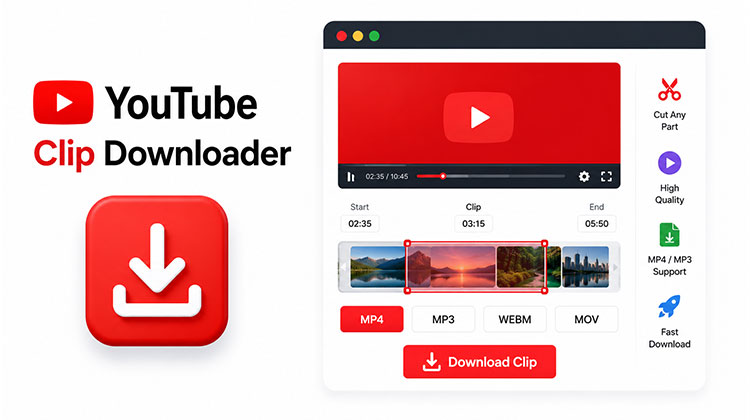
Video content has become an essential part of learning, entertainment, and marketing. Many users search for a reliable YouTube Clip Downloader to save short clips for offline viewing, educational purposes, or content management. Choosing the right downloader can help you save time, maintain video quality, and enjoy a smoother downloading experience.
In this article, we’ll explore the 5 best YouTube Clip Downloader tools available in 2026, highlighting their features, advantages, and ideal use cases.
How We Tested These YouTube Clip Downloader Tools
To ensure a fair comparison, we tested each tool using the same criteria:
- Ability to trim and download specific video segments
- Ease of selecting start and end timestamps
- Processing and export speed
- Supported video and audio formats
- User interface and overall experience
- Compatibility across desktop and mobile browsers
- Additional features such as audio extraction, sharing, or social media optimization
Our goal was to identify tools that make clipping YouTube videos as simple and efficient as possible.
Also read: Download Twitch Clips Easily: Best Tools & Methods in 2025
Quick Comparison of the Best YouTube Clip Downloaders
| Tool | Best For | Video Download | Audio Download | Clip Trimming | Shareable Links | Mobile Friendly |
|---|---|---|---|---|---|---|
| YT Video Cutter | All-around clipping and downloading | ✅ | ✅ | ✅ | ❌ | ✅ |
| SliceTube | Fast clip downloads | ✅ | ✅ | ✅ | ❌ | ✅ |
| YTCutter | Quick clip creation | ✅ | Limited | ✅ | ❌ | ✅ |
| YTCropper | Sharing and embedding clips | ❌ | ❌ | ✅ | ✅ | ✅ |
| VidsTrim | Content creators & social media | ✅ | ✅ | ✅ | ❌ | ✅ |
5 Best YouTube Clip Downloader Tools
Here are five popular YouTube clip downloader tools worth considering.
1. YT Video Cutter
YT Video Cutter is an online tool designed specifically to trim and download part of a YouTube video. Users can paste a YouTube URL, select start and end times, choose an output format, and download the desired clip. The platform supports MP4 and several audio formats and also offers multi-clip creation.
Pros
- Easy-to-use interface
- Supports video and audio downloads
- Multiple export format options
- No software installation required
- Useful for creating multiple clips from a single video
Cons
- Processing speed can vary depending on video length
- Advanced editing features are limited
- Requires a stable internet connection
2. SliceTube
SliceTube focuses on simplicity and speed. The platform provides a clean interface that allows users to trim YouTube videos and download customized clips in MP4 or MP3 format. It promotes a privacy-first experience without requiring sign-ups.
Pros
- Clean and modern interface
- Fast clip generation
- Supports both MP4 and MP3 exports
- Beginner-friendly workflow
- No account required
Cons
- Fewer advanced customization options
- Feature set may be limited for professional editors
- Dependent on browser performance
3. YTCutter
YTCutter is a dedicated YouTube clipping tool that enables users to extract short segments from longer videos. It is particularly useful when you need highlights, short educational clips, or social media content without downloading the entire video.
Pros
- Quick clipping process
- Easy timestamp selection
- Lightweight web-based tool
- No downloads or installations needed
Cons
- Limited editing capabilities
- Fewer export options compared to some competitors
- Basic interface design
4. YTCropper
YTCropper has been around for years and is known for creating custom-length YouTube clips. Unlike many download-focused tools, it also allows users to generate shareable links and embed cropped video segments. The platform reports millions of videos processed through its service.
Pros
- Simple clip creation process
- Shareable clip links
- Embedding support
- Works well for educational and reference content
- Established platform with a long history
Cons
- Interface feels dated compared to newer tools
- Primarily focused on clipping and sharing
- Limited export customization
5. VidsTrim
VidsTrim combines video trimming, audio extraction, and social media-friendly cropping tools. Users can trim clips, export MP4 or MP3 files, and even convert clips into vertical formats suitable for YouTube Shorts, TikTok, and Reels.
Pros
- Supports video and audio exports
- Social media-friendly features
- Vertical video conversion options
- No registration required
- Suitable for Shorts, Reels, and TikTok content
Cons
- Additional features may be unnecessary for casual users
- Processing times can vary
- Internet-based workflow only
Also read: Top 10 YouTube Shorts Downloader
Which YouTube Clip Downloader Is Best?
- Best overall clip cutter: SliceTube
- Best for multiple formats: YT Video Cutter
- Best for shareable clips: YTCropper
- Best for social media creators: VidsTrim
- Best for quick trimming: YTCutter
Final Thoughts
A dedicated YouTube Clip Downloader lets you save only the portion of a video you actually need, saving time and storage space. Whether you’re creating educational content, social media clips, highlights, or presentations, tools like YT Video Cutter, SliceTube, YTCutter, YTCropper, and VidsTrim offer convenient browser-based solutions without requiring complex video-editing software.
FAQs: YouTube Clip Downloader
How does a YouTube Clip Downloader work?
Most YouTube Clip Downloaders work by letting users paste a YouTube video URL, select the start and end timestamps, and then export the chosen segment as a video or audio file.
Can I download only part of a YouTube video?
Yes. YouTube clip downloaders are designed to extract specific portions of a video, allowing you to save only the section you need.
Are YouTube Clip Downloaders free to use?
Many YouTube Clip Downloaders offer free clip creation and downloading features. Some platforms may provide premium options for additional formats, faster processing, or advanced editing tools.
What formats do YouTube Clip Downloaders support?
Most tools support popular formats such as MP4 for video downloads and MP3 for audio downloads. Some may also offer additional formats depending on the platform.








Leave a comment