





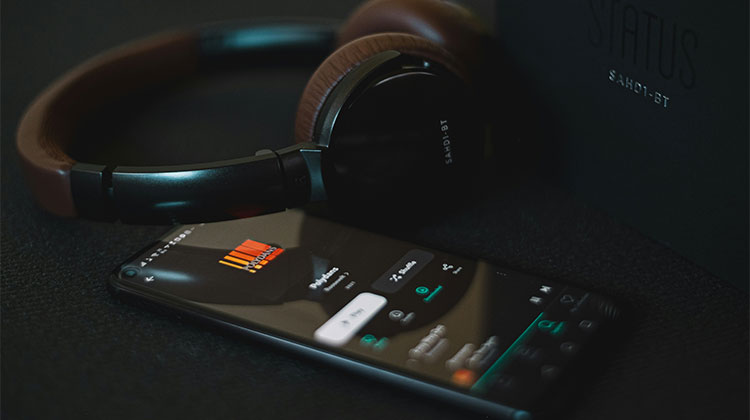
Everyone loves music. It brings you back to your childhood and forgets your troubles, and changes your mood from the most miserable to the greatest in a matter of minutes.
Music can be played at a very low cost using various music player apps. There are a variety of music players with millions of songs in different genres, so you can listen to the music you like depending on your mood.
The Best music player for Android is a little more finicky. Some obvious music players don’t work on Android, and we can’t figure out why. So, some people seek out a good way to enjoy music. It is easier to make it by using the best music apps for Android. However, local media support is still somewhat sporadic and inconsistent. We can help to search for the best music player for Android devices.
Best Music Player for Android in 2026 – Top Apps Compared
1. AIMP
AIMP is the best music player for Android for offline music. It’s a local music player for files stored on your device. It can play all popular and well-known file types such as MP3, APE, OGG, AAC, FLAC, MP4 M4A, MP4, and MPC. The UI Android Auto is fairly standard. The UI on your phone is user-friendly and has a decent layout.
Other features include a 29-band equalizer, playback speed controls (for audiobooks and podcasts), and volume normalization. There’s a long list of additional features, too. The app is free and does not require ads or in-app purchases.
Pros
- Supports almost all audio formats
- Excellent offline music playback
- 29-band equalizer for advanced sound control
- Lightweight and smooth performance
- Completely free with no ads
Cons
- Interface looks slightly outdated
- No built-in music streaming support
- Beginners may find advanced settings confusing
Also read: Make Money Listening to Music: 5 Websites That Pay You
2. Tidal
Tidal is the best music player for Android because of its high sound quality. It lets you download 70 million+ songs and 250,000 videos. All without advertisements.
Pros
- Outstanding Hi-Fi and lossless audio quality
- Large music and video library
- Ad-free listening experience
- Offline downloads available
- Great for audiophiles
Cons
- More expensive than competitors
- Free version is limited in some regions
- Requires strong internet for Hi-Res streaming
3. Spotify
Spotify is the top reated music player on Android. It provides access to millions of songs and podcasts that can be downloaded for offline listening.
Spotify provides a free version and a Premium, i.e., paid version (ad-free).
Pros
- Massive collection of songs and podcasts
- Excellent music recommendations
- Easy-to-use interface
- Offline playback with Premium
- Works across multiple devices
Cons
- Free version contains ads
- Audio quality lower than Tidal
- Some songs may not be available in certain regions
4. Musicolet
Musicolet has earned a name as the best music player for Android. It also includes Android Auto support, making it the perfect app for this listing. It’s free of advertisements or Internet permissions, has most of the standard music player functions, and some nice additional features.
The user interface is simple but effective. It also comes with things like an equalizer, headphone control, and home widgets for the screen.
Pros
- Completely offline music player
- No ads or internet permissions
- Lightweight and battery efficient
- Multiple queue support
- Excellent privacy-focused app
Cons
- No online music streaming
- Basic interface design
- Limited cloud integration
5. YouTube Music
As an official Google product, YouTube Music can’t be forgotten in this list of the best Android music players. YouTube Music is a free music app for Android. Additionally, you can upload tracks to YouTube Music for playback, and download the songs in case you are driving somewhere without mobile service.
Pros
- Huge collection of songs and videos
- Smart recommendations based on listening habits
- Easy integration with Google services
- Offline download support
- Access to rare live performances and remixes
Cons
- Ads in free version
- Requires Premium for background playback
- Audio quality not as strong as Tidal
6. Amazon Music
Amazon Music is a popular music streaming app, most likely because many users can access it! To begin, you can access it for free with ads. Prime members can use the service for free with ads, but it only works in shuffle mode and has limited access to offline listening. If you’re looking for the complete set, Amazon Music Unlimited costs $11.99 per month; Prime members can avail it for $10.99 per month.
Pros
- Large music library
- Included benefits for Prime members
- Alexa voice support
- Offline listening available
- Good playlist recommendations
Cons
- Interface can feel cluttered
- Limited features in the free version
- Music discovery is weaker than Spotify
7. Pulsar
Pulsar is a good option for an offline music player for Android. The application isn’t anything extraordinary. It has a simple interface, with good controls, and it plays music. Some of the features (aside from Android support) include Chromecast support and an equalizer, ReplayGain, and gapless playback. the playback speed control, and a home screen widget.
Pros
- Clean and modern interface
- Lightweight and fast
- Chromecast support
- Gapless playback support
- Easy library organization
Cons
- Fewer advanced features
- Some features locked behind premium version
- Limited customization options
8. Poweramp
Poweramp is among the most popular and best music player apps for Android. It comes with many features, a great interface, and lots of customisation. It does work with Android Auto, although it was among the first music players to implement it.
The Android UI is pretty normal, offering easy access to playlists, the player, and the library. You can also request Google Assistant to play songs from Poweramp, and it usually does. Poweramp is an excellent all-rounder.
Pros
- Excellent sound quality
- Powerful equalizer and audio controls
- Hi-Res audio support
- Highly customizable interface
- Smooth Android Auto integration
Cons
- Paid app after trial period
- Can feel complex for beginners
- Premium features require setup knowledge
9. VLC for Android
VLC for Android is similar to the traditional VLC media player, which can play all types of media files. You can watch films with subtitles. display the history of your searches, and so much more.
Pros
- Supports nearly every media format
- Completely free and open-source
- No ads
- Video and subtitle support
- Lightweight and reliable
Cons
- Music interface feels basic
- Not designed specifically for music lovers
- Limited music customization features
Also read: How to Get Apple Music for Free: 12 Working Methods (2025)
10. Omnia Music Player
Omnia is the best music player for Android. It offers powerful sound support without ads and an appealing user interface.
Omnia is receiving rave reviews from its customers. The 10-band equalizer is an excellent feature, and the top-quality audio system adds a cherry on top.
Pros
- Attractive modern interface
- High-quality audio engine
- No advertisements
- Smooth performance
- Powerful equalizer support
Cons
- Some advanced features require premium version
- Smaller user community compared to Spotify or Poweramp
- Limited streaming capabilities
Best Music Player for Android – Quick Comparison
| Music Player | Best For | Key Features | Free/Paid | Downloads |
|---|---|---|---|---|
| AIMP | Offline Music Playback | 29-band equalizer, multiple audio format support, lightweight app | Free | 10M+ |
| Tidal | Hi-Res Audio Quality | Lossless audio, offline downloads, ad-free streaming | Paid | 10M+ |
| Spotify | Music Streaming | Podcasts, personalized playlists, offline mode | Free & Paid | 1B+ |
| Musicolet | Offline & Privacy-Focused Listening | No ads, no internet permission, multiple queues | Free | 5M+ |
| YouTube Music | Music Videos & Streaming | Smart recommendations, offline downloads, YouTube integration | Free & Paid | 5B+ |
| Amazon Music | Prime Users | Alexa integration, curated playlists, offline listening | Free & Paid | 100M+ |
| Pulsar Music Player | Lightweight Music Playback | Chromecast support, gapless playback, modern UI | Free & Paid | 5M+ |
| Poweramp | Advanced Audio Controls | Hi-Res audio, advanced equalizer, custom themes | Paid | 50M+ |
| VLC for Android | All Media Formats | Audio & video support, subtitles, open-source | Free | 100M+ |
| Omnia Music Player | Stylish Offline Player | 10-band equalizer, ad-free experience, smooth UI | Free & Paid | 1M+ |
Our Verdict on the Best Music Player for Android
In this article, we explore the best music player for Android, compare their features, and provide detailed reviews of each.
It is now clear that Spotify and Tidal are the best music player for Android. Tidal offers excellent sound quality, but it’s expensive, and that’s why it ranks second. The majority of them offer a free trial, which is beneficial when you are looking to see whether the app is suitable for your needs or not.
FAQs: Best Music Player for Android
Which is the best music player for Android?
The best music player for Android depends on your needs. Spotify is great for streaming, while Poweramp and Musicolet are excellent for offline playback and sound customization.
Is Spotify better than YouTube Music?
Spotify is better for playlists and music recommendations, while YouTube Music is ideal for music videos, remixes, and rare tracks available on YouTube.
What features should I look for in the best music player for Android?
You should look for features like offline playback, equalizer support, audio quality, playlist management, Android Auto compatibility, and a user-friendly interface.
Can I customize themes in Android music player apps?
Yes, apps like Poweramp, BlackPlayer, and Omnia allow users to customize themes, colors, and layouts.







Leave a comment