






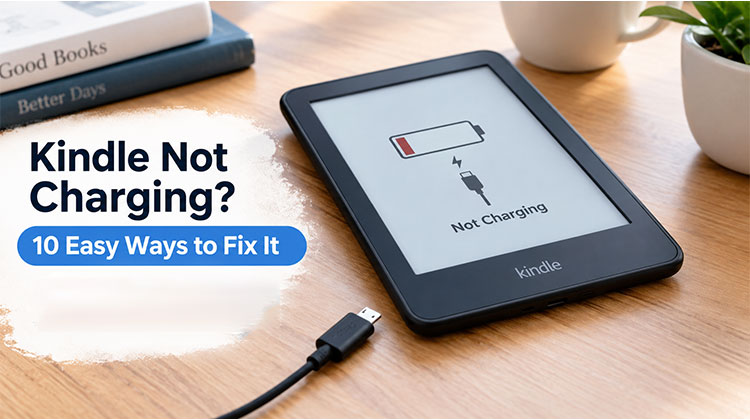
Kindle is popular for its glare-free display, lightweight design, and long-lasting battery, making reading comfortable for hours. However, like any electronic device, it can develop charging problems over time. In this guide, we’ll explain the common reasons for a Kindle not charging and share easy ways to get your device charging properly again.
Why Is My Kindle Not Charging?
If your Kindle won’t charge, the cause could be a problem with the cable, power adapter, charging port, battery, or device software.
Common causes include:
- Damaged or faulty charging cable
- Broken or weak power adapter
- Dust or dirt in the charging port
- A completely drained battery
- A temporary software problem
- A damaged charging port
- An old or weak battery
- Not enough power from a computer USB port
Finding the right cause can make it easier to fix a Kindle charging problem.
Also read: Chromebook Not Charging? 10 Easy Fixes to Power It Up Again
10 Ways to Fix Kindle Not Charging Issue
1. Check the Charging Cable
The charging cable is one of the first things to check. Sometimes a cable looks fine but has damage inside.
If your Kindle not charging, try a different compatible cable. If the Kindle starts charging, the old cable may be the problem.
Use a good-quality cable that works with your Kindle model.
2. Try a Different Power Adapter
A faulty power adapter can also cause charging problems. Try connecting your Kindle to another reliable wall adapter and power outlet.
If your Kindle not charging with one adapter, testing another adapter can help you find out whether the charger is causing the problem.
Do not use damaged cables or adapters.
3. Clean the Charging Port
Dust, lint, and dirt can build up inside the charging port. This can stop the cable from making a good connection.
If your Kindle not charging after you change the cable and adapter, check the charging port carefully.
Turn off the Kindle and gently remove any visible dirt. Never use sharp metal objects because they can damage the port.
4. Leave It Connected for a While
A Kindle with a completely drained battery may take some time to show that it is charging.
If your Kindle not charging, connect it to a reliable charger and leave it plugged in for at least 30 minutes. Then check the screen again.
A very low battery may need extra time before the Kindle responds.
5. Restart Your Kindle
Sometimes a small software problem can affect charging.
If your Kindle not charging, try restarting the device while it is connected to a charger. A restart can fix temporary software problems and may bring charging back to normal.
If the Kindle works normally after restarting, the issue may have been temporary.
6. Use a Wall Outlet
If you usually charge your Kindle through a laptop or desktop computer, try a wall outlet instead.
A computer USB port may provide less power than a suitable wall adapter. If your Kindle not charging from a computer, using a wall charger can help you check whether the USB port is the problem.
7. Look for Physical Damage
Check the Kindle and its charging port for visible damage.
A loose charging port, a cable that keeps disconnecting, or damage from a drop can cause charging problems. If your Kindle not charging after a recent drop or accident, hardware damage may be the reason.
Avoid opening or repairing the Kindle yourself unless you have the right technical skills.
8. Test Another Cable
Even if your current cable works with another device, it may not work properly with your Kindle.
When your Kindle not charging, test another compatible cable. If the Kindle starts charging, you have probably found the cause.
Keeping a spare cable can also make future troubleshooting easier.
9. Check the Battery
Kindle batteries become weaker as they get older. If your Kindle is several years old and loses power quickly, the battery may be worn out.
If your Kindle not charging and you have already tested different cables and chargers, the battery could be the problem.
An old or damaged battery may need professional service or replacement. If the Kindle becomes unusually hot while charging, unplug it and get professional help.
Also read: Power Saving Mode on Android: Tips to Save Battery Life
10. Contact Amazon Support
If none of the steps above fix the problem, your Kindle may have a hardware issue.
If your Kindle isn’t charging after using new cables, adapters, outlets, and basic troubleshooting steps, contact Amazon Support. They can help you understand whether your device requires repair or replacement.
How to Prevent Charging Problems
After fixing the issue, follow these simple tips to protect your Kindle:
- Keep the charging port clean.
- Use a reliable charging cable and adapter.
- Do not bend or tightly wrap the cable.
- Keep the Kindle away from extreme heat and cold.
- Keep the device away from water and moisture.
- Do not pull the cable out roughly.
- Replace damaged charging accessories.
Good habits can help prevent Kindle charging problems and keep your battery and charging port working longer.
Wrap Up
If your Kindle not charging, first identify the reasons behind this issue. Try the methods above. If you have any different or better solutions, leave a comment to benefit more people.
FAQs: Kindle Not Charging
Why is my Kindle showing the charging icon but not increasing the battery percentage?
This can happen when the charging cable or adapter is providing insufficient power, or when the battery is very low or worn out. Try another compatible cable and wall adapter and leave the Kindle connected for a while.
Why is my Kindle charging so slowly?
Slow charging can be caused by a weak power source, damaged cable, dirty charging port, battery wear, or using a low-power USB port. Try a reliable wall adapter and compatible cable.
How long does a Kindle take to start charging?
If the battery is completely drained, the Kindle may take several minutes before showing a charging indicator. Leave it connected to a reliable charger for at least 30 minutes before checking again.
What should I do if my Kindle gets hot while charging?
Unplug the Kindle if it becomes unusually hot while charging. Allow it to cool down and avoid using damaged charging accessories. If overheating continues, contact Amazon Support or seek professional service.
Should I replace my Kindle if it won't charge?
Not necessarily. A faulty cable or adapter may be the problem. If different chargers and cables don't work and the Kindle has physical damage or an aging battery, professional service may be a better option before replacing the device.







Leave a comment