



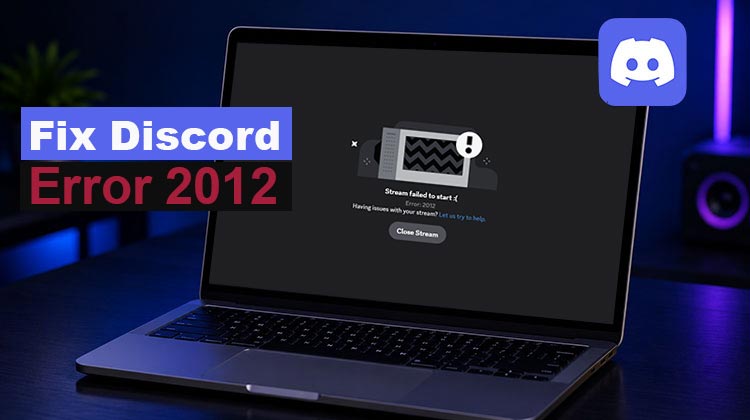
If Discord displays Error 2012 when you attempt to view a streaming, screen sharing, or camera feed, then the issue is typically related to the video start connection from the viewer’s side. Discord’s own guide describes Error 2012 as Video Viewer Timeout, meaning Discord did not complete the connection to the video stream.
Most of the time, Discord stream error 2012 is a simple fix. Discord suggests turning on hardware acceleration, checking your network connection, and then completely restarting the application. This guide will walk you through the most effective solutions in the correct order.
What Is Discord Error 2012?
Discord Error 2012 means Video Viewer Timeout. The error appears when you try to stream a video, but Discord is unable to establish the initial successful connection to a video server. This isn’t an issue with login or a general launch error. It’s a stream viewing error.
That is why the issue is usually encountered when you open a screen share, view Go Live, or try to access someone’s camera feed.
Common Causes of Discord Error 2012
Discord is displaying this error if the viewer side isn’t able to access the streaming video correctly. According to Discord’s troubleshooting manual, the primary reasons are hardware acceleration settings or network issues. And app-side connection issues. Discord also recommends looking over the graphics drivers for any video-related issues within that same class.
Main causes include:
- Hardware acceleration disabled
- Unstable or slow internet connection
- Network interruptions or packet loss
- Temporary Discord streaming server issues
- VPN or proxy interference
- Outdated graphics drivers
- Browser-specific issues (Discord Web only)
Identifying the cause makes troubleshooting much easier.
Also read: Discord Overlay Not Working in 2026? Here’s the Ultimate Fix Guide
How to Fix Discord Error 2012
Follow the steps below, one at a time. Begin with the easiest ones first, then move on to the advanced ones if the Discord Error 2012 persists.
1. Enable Hardware Acceleration in Discord
This is Discord’s most important official fix for Discord Error 2012. Discord claims that viewer timeout issues will improve if hardware acceleration is enabled in the Video settings.
First, check this:
- Open Discord Settings
- Go to Voice & Video
- Find Hardware Acceleration
- Turn It On
- Restart Discord
- Then, you can test the stream once more.
2. Restart Discord Completely
Discord’s guidelines advise you to completely close and then reopen the app when the issue persists. It’s not enough to reduce it. Close it completely, and then restart it. Restarting the entire process can end any stuck video sessions and force Discord to establish a new connection to the streaming.
3. Check Your Internet Connection
Discord also lists checking your network connection as a fundamental solution for Error 2012. If your internet connection becomes unstable, weak, or your wifi plan ends, the viewer timeout may occur before the stream is open.
Follow these steps:
- Refresh Another Website
- Test Another Stream
- Change from WiFi to Mobile Data
- Change from Mobile Data to Wi-Fi
- Restart Your Router
- Try Again
If the stream functions better on a different network, your connection may be the reason.
4. Update Your Graphics Drivers
If hardware acceleration is already enabled but Discord Error 2012 persists, outdated graphics drivers could be contributing to video playback issues. Updating them will improve compatibility and stability when viewing streams.
- Press Windows + X → Open Device Manager.
- Click Display adapters.
- Right-click your graphics card → Update driver.
- Choose Search automatically for drivers.
- Restart your PC and try Discord again.
You can also update drivers using official sites of NVIDIA, AMD, or Intel.
5. Try Discord in the Browser or Desktop App
Testing Discord on another client can help determine whether an issue lies within one desktop app or browser specifically, rather than with your account itself or stream. If the stream failed to start error 2012 only manifests on one particular app, that indicates an underlying cause rather than your Discord account or your stream itself.
Check this out:
- If Desktop Fails but Browser Works, the App Is More Likely the Problem
- If Browser Fails but Desktop Works, the Browser Setup Is More Likely the Problem
- If Both Fail, Network, Stream, or Discord Service Issues Are More Likely
6. Ask the Streamer to Restart the Stream
Because Error 2012 Discord can be a viewer timeout, the issue isn’t always yours. Sometimes, the stream doesn’t start properly for viewers.
If the error occurs on a single stream, then ask the streamer:
- Stop the Stream
- Start It Again
- Rejoin the Voice Channel if Needed
- This can allow you to refresh the video and fix the timeout issue.
7. Check if Discord Is Having a Stream Problem
If several streams stop working simultaneously and other users report the same issue, Discord itself may be having server issues. Discord’s guidelines also instruct customers to reach out for support if the issue persists after the initial fixes are in place, making this an ideal time to determine whether the issue is bigger than the configuration you’ve set.
This is especially true when:
- Several Streams Fail the Same Way
- The Error Started Suddenly
- Friends See the Same Problem
- Browser and Desktop Both Fail
8. Test Another Network
If you’ve already restarted Discord and enabled hardware acceleration, then a new network test is the most effective next step. This will let you know if the issue is related to your current network, ISP, or local Wi-Fi.
Some good options include:
- Mobile Hotspot
- Another Wi-Fi Network
- A Different Router
If the error does not appear there, then your normal network path could be the cause.
Also read: Discord Update Failed? 6 Easy Fixes to Get It Working Again
9. Check Browser-Side Problems
If You’re Using Discord in a Web Browser, your browser settings can influence the connection. Try a quick cleanup path:
- Close Extra Tabs
- Disable Heavy Extensions
- Clear Browser Cache
- Restart the Browser
- Test Again
This is helpful in situations where the issue is limited only to Discord web.
10. Restart Your PC
A complete restart can eliminate temporary GPU, app, and network state issues. It’s easy, but it is more effective than we think, especially after driver updates or repeated Discord restarts.
After the restart pc, you can restart Discord again and try that same channel.
11. Try Discord PTB or Canary
If the stable application keeps failing and you’d like to try a different testing path, then Discord PTB or Canary can see if the problem is due to a specific client version. It’s not the primary solution, but it can be an additional step to consider in cases that are difficult to resolve.
Make sure to use this only after you have completed the other fixes.
How to Prevent Discord Error 2012
These simple practices can decrease the chance of the Discord error 2012 occurring again:
- Keep Hardware Acceleration Enabled
- Keep Graphics Drivers Updated
- Use a Stable Internet Connection
- Restart Discord if Streams Start Acting Strange
- Avoid Overloading Your System During Streaming
- Test Another Network if Stream Errors Begin Suddenly
Final Thoughts
Discord Error 2012 is a video viewer timeout. Simply put, Discord cannot complete the first connection to the video stream that you’re trying to stream. The most effective solutions are ones Discord suggests: turning the hardware accelerator on, then restarting Discord completely, and verifying your network.
FAQs: Discord Error 2012
Why am I getting Discord Error 2012 when watching a stream?
This usually happens because Discord cannot establish the first video connection. Common reasons include unstable internet, disabled hardware acceleration, network issues, or temporary Discord streaming problems.
Is Discord Error 2012 a problem with my internet?
It can be. A weak connection, high ping, or packet loss can prevent Discord from loading a video stream and trigger the timeout error.
Why does Discord Error 2012 happen only on one stream?
If the error happens with only one person's stream, the issue may be on the streamer's side. Ask them to restart the stream or reconnect to the voice channel.
How long does Discord Error 2012 last?
It depends on the cause. Temporary Discord issues may disappear quickly, while network or app-related problems require troubleshooting.







Leave a comment