






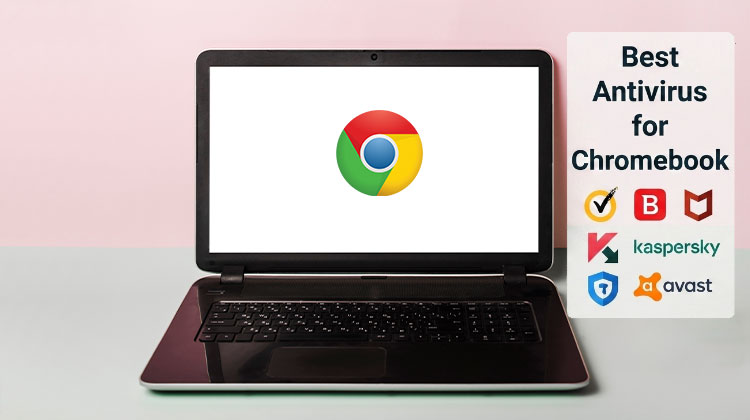
Chromebooks are known for their simple interface, automatic updates, and built-in security features. However, users can still encounter phishing websites, malicious downloads, unsafe Android apps, and other online threats. Choosing the right antivirus for Chromebook can provide an additional layer of protection, particularly for people who frequently download files or install Android applications.
ChromeOS already includes several security mechanisms, including sandboxing, automatic updates, Safe Browsing, and Google Play Protect for supported Android apps. This means you do not necessarily need traditional antivirus software in the same way a Windows PC user might. Still, additional security tools can provide useful features such as malware scanning, web protection, privacy monitoring, and security alerts.
In this guide, we look at 10 options worth considering when searching for antivirus for Chromebook in 2026.
What Is the Best Antivirus for Chromebook?
The best Chromebook antivirus depends on what you want to protect and how you use your device. Some users may only need ChromeOS’s built-in security, while others may benefit from additional malware scanning, web protection, or Android app security.
Here are 10 security options to consider:
- Bitdefender Mobile Security
- Malwarebytes
- Norton Mobile Security
- ESET Mobile Security
- Avira
- AVG AntiVirus
- Avast Mobile Security
- TotalAV
- Kaspersky
- ScanGuard
1. Bitdefender Mobile Security
Bitdefender is one of the strongest choices for users looking for antivirus for Chromebook with additional protection for Android applications and online activity.
Its security features include malware scanning, web protection, and tools designed to identify potentially dangerous applications. Its straightforward interface also makes it suitable for users who do not want a complicated security suite.
Pros
- Strong malware and app protection
- Effective web protection
- Easy-to-use interface
- Lightweight compared with many security suites
- Useful privacy and security features
Cons
- Many advanced features require a subscription
- VPN functionality may be limited on lower-tier plans
- Some features are more relevant to Android than ChromeOS
Best for
Users who want comprehensive additional protection.
Bitdefender is a particularly interesting option if your Chromebook supports Android apps and you regularly install applications from Google Play.
Also read: Why Is My Chromebook So Slow Compared to Before? 9 Easy Solutions
2. Malwarebytes
Malwarebytes is a popular name in malware protection and is worth considering when looking for antivirus for Chromebook that focuses on simplicity.
Rather than overwhelming users with numerous utilities, Malwarebytes emphasizes identifying malicious software and potentially unwanted applications. Its straightforward approach can appeal to Chromebook owners who primarily want an additional security check.
Pros
- Simple and user-friendly
- Strong focus on malware detection
- Useful for checking potentially unwanted apps
- Lightweight approach
- Good choice for users who don’t want a complicated security suite
Cons
- Some features require a premium subscription
- Less feature-rich than broader security suites
- Its additional protection may overlap with ChromeOS’s built-in security
Best for
Users who want simple malware protection without unnecessary complexity.
3. Norton Mobile Security
Norton is another established option for people researching antivirus for Chromebooks, especially users who are concerned about malicious websites and phishing.
Web protection can be particularly useful when using a Chromebook for online banking, shopping, email, or other activities involving sensitive information.
Pros
- Strong web and phishing protection
- Established cybersecurity brand
- Useful security alerts
- Wi-Fi security features
- Good choice for online banking and shopping
Cons
- Premium features require a subscription
- Some features are primarily designed for Android
- May offer more features than a typical Chromebook user needs
Best for
Users who prioritize web and phishing protection.
Norton is worth considering if your main concern is staying safer while browsing rather than simply running occasional malware scans.
4. ESET Mobile Security
ESET has a long history in cybersecurity and offers security tools for Android devices that can be relevant to compatible Chromebooks.
For users comparing antivirus for Chromebook, ESET is worth considering because its approach focuses heavily on malware detection and security rather than simply bundling numerous unrelated features.
Pros
- Strong focus on malware protection
- Lightweight and efficient
- Scheduled scanning
- Anti-phishing protection
- Clean interface
Cons
- Some features require payment
- Android-focused features may have limited relevance on ChromeOS
- Not every feature is available on every supported device
Best for
Security-conscious users who prefer a focused security solution.
5. Avira
Avira provides another option for Chromebook users looking for additional Android security and privacy features.
Its free options can make it appealing to people who want to explore best antivirus software without immediately committing to a subscription.
Pros
- Free option available
- Malware protection
- Privacy-focused tools
- User-friendly interface
- Additional security features
Cons
- Advanced features require a paid plan
- Some tools provide limited additional value on ChromeOS
- Free version may include feature restrictions
Best for
Users looking for a combination of security and privacy tools.
6. AVG AntiVirus
AVG is a familiar consumer-security brand and provides another potential solution for users searching for antivirus for Chromebook.
Its Android security tools can scan applications and provide additional security functions through an accessible interface.
Pros
- Easy for beginners to use
- Free version available
- Malware scanning
- Privacy and security tools
- Familiar security brand
Cons
- Premium features require a subscription
- Some features are designed mainly for Android
- Can duplicate security functions already available through ChromeOS
Best for
Beginners who want an easy-to-use security application.
7. Avast Mobile Security
Avast offers a feature-rich Android security application that may be useful on compatible Chromebooks.
When evaluating antivirus for Chromebook, however, it is important to focus on the features that actually add protection to ChromeOS rather than choosing an application simply because it includes many tools.
Pros
- Feature-rich security application
- Malware scanning
- Web protection
- Privacy tools
- Free and premium versions available
Cons
- Large number of features can feel unnecessary
- Premium features require payment
- Some functionality has limited relevance on ChromeOS
Best for
Users who want additional security and privacy features in one application.
8. TotalAV
TotalAV is another name that appears in antivirus comparisons and can be considered by Chromebook users looking for additional malware protection.
However, users should evaluate current independent testing and current product capabilities rather than relying on old detection-test results when selecting antivirus for Chromebook.
Pros
- User-friendly interface
- Malware scanning
- Additional privacy features
- Broader security toolkit
- Easy for beginners to navigate
Cons
- Many features require a subscription
- Current independent testing should be checked before choosing it
- Some features may duplicate ChromeOS security
Best for
Users who want a broader antivirus-style security package.
9. Kaspersky
Kaspersky has a long history in cybersecurity and offers Android security products that may work on compatible ChromeOS devices.
Its malware and web-security features can make it relevant for users researching antivirus for Chromebook, although availability and suitability can vary depending on location and organizational requirements.
Pros
- Long-established antivirus technology
- Malware protection
- Web protection
- Application security features
- Useful security alerts
Cons
- Availability can vary by country
- Some users may have vendor-trust or regulatory concerns
- Premium features may require a subscription
- Some features are primarily Android-focused
Best for
Users already familiar with Kaspersky’s security ecosystem.
Also read: Are Cracked VPNs Safe? 5 Alternatives for Secure Browsing
10. ScanGuard
ScanGuard combines antivirus functionality with additional security and privacy-oriented features.
It may appear in searches for antivirus for Chromebook, but it is not the first option I would recommend for most users. When choosing security software, independent testing, vendor reputation, current support, and actual ChromeOS compatibility should matter more than the number of advertised features.
Pros
- Malware protection features
- Includes additional security tools
- Privacy-focused functionality
- Straightforward interface
Cons
- Less established than leading antivirus brands
- Limited independent testing compared with major competitors
- Some features may provide little additional benefit on ChromeOS
- Not my first choice for most Chromebook users
Best for
Users specifically looking for an alternative security suite.
When Should You Install Antivirus for Chromebook?
A third-party security application may make more sense if you:
- Frequently download files from unfamiliar websites
- Install many Android applications
- Visit websites outside mainstream services
- Share your Chromebook with multiple users
- Want additional web or phishing protection
- Regularly handle sensitive information
- Want an additional malware-scanning tool
Even then, third-party software should complement ChromeOS’s built-in protections rather than replace them.
How to Choose the Best Antivirus for Chromebook
When comparing antivirus for Chromebook, don’t simply look at the number of features an application advertises.
Instead, consider:
1. ChromeOS compatibility
Check whether the application officially supports the ChromeOS configuration you are using and whether its important features actually function on your Chromebook.
2. Malware protection
Look for current, independent testing wherever possible. An old malware-detection score should not be treated as proof of current performance.
3. Web protection
Phishing and malicious websites are important threats for Chromebook users, so browser and web protection can be more useful than simply running periodic scans.
4. Android app protection
If you use Android apps, application scanning and security monitoring may provide additional value.
5. Performance
Chromebooks are often chosen for their speed and simplicity. Avoid security software that unnecessarily consumes resources or adds features you don’t need.
6. Price
Compare free and premium plans carefully. Some applications advertise free security but reserve their most useful features for paid subscriptions.
Final Verdict
Choosing antivirus for Chromebook is different from choosing antivirus for a Windows PC. ChromeOS already provides significant built-in protection, so installing additional security software is not automatically necessary.
FAQs: Antivirus for Chromebook
Do Chromebooks need antivirus software?
Most Chromebooks do not require traditional antivirus software because ChromeOS includes built-in security features such as sandboxing, automatic updates, Safe Browsing, and Google Play Protect. However, additional antivirus for Chromebook can provide another layer of protection.
Is there a free antivirus for Chromebook?
Yes. Some security providers offer free versions or free security features. However, before installing one, check what protection is actually included because ChromeOS already provides substantial built-in security.
Can a Chromebook get a virus?
Yes. While ChromeOS is designed with strong security protections, Chromebooks can still be exposed to phishing, malicious websites, unsafe downloads, malicious Android apps, and compromised accounts.
Does Chromebook have built-in virus protection?
Yes. ChromeOS includes multiple security layers, including automatic updates, sandboxing, verified boot, Safe Browsing, and Google Play Protect on supported devices.






Leave a comment