





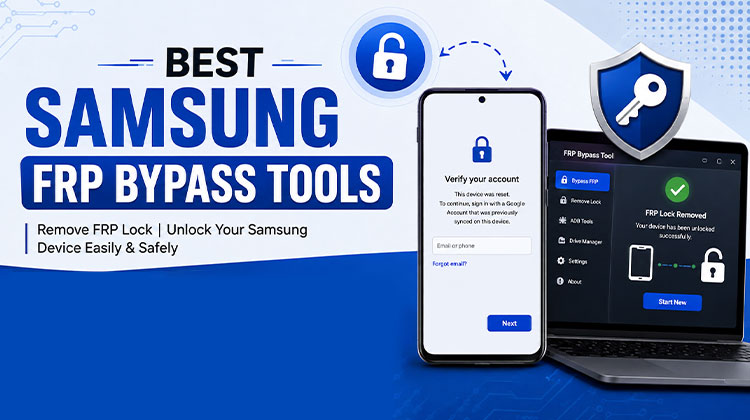
As one of the most popular smartphone brands worldwide, Samsung has always been dedicated to keeping its customers’ information secure. For instance, the Factory Reset Protection (FRP) feature on Samsung phones has pleased many customers. But you could face the challenge of getting stuck in the FRP lock.
In this post, we’ll provide the best Samsung FRP bypass tools and APKs. You can install any of these to bypass Google FRP lock on your Samsung phone easily.
What is a Samsung FRP Bypass Tool?
Samsung FRP Bypass tool refers to software applications that help users bypass the FRP lock on Samsung devices, even if they do not have the correct Google account details. Then, you can bypass the Google verification process and access your phone. There are various types of these programs that you can install on your PC or mobile phone. Next, we’ll discuss the top Samsung FRP Bypass Tools and their advantages and disadvantages.
Samsung FRP Bypass Tool Comparison Table
| Tool | Main Purpose | Platform | Samsung Support | Pricing |
|---|---|---|---|---|
| Tenorshare 4uKey for Android | Android screen lock & FRP-related unlocking | Windows / Mac | Selected models | Paid + trial |
| DroidKit | Android unlocking, system repair & device management | Windows / Mac | Selected models | Paid + trial |
| UnlockGo for Android | Android screen lock & FRP-related solutions | Windows / Mac | Selected models | Paid + trial |
| FonesGo Android Unlocker | Android screen-lock & FRP-related solutions | Windows / Mac | Selected models | Paid |
| UltFone Samsung FRP Bypass Tool | Samsung FRP-related servicing | Windows | Samsung-focused | Paid |
| WooTechy iDelock (Android) | Android screen lock & FRP-related unlocking | Windows / Mac | Selected models | Paid + trial |
| Dr.Fone – Screen Unlock (Android) | Android screen-lock removal & device management | Windows / Mac | Selected models | Paid + trial |
| MobiUnlock for Android | Android screen-lock & device unlocking | Windows | Selected models | Paid |
| UnlockJunky | Remote/online phone unlocking service | Online | Depends on device/service | Paid |
| Unlockit | Phone unlocking service | Online | Depends on device/service | Paid |
Top 10 Samsung FRP Bypass Tools ( Detailed Review)
If you’re looking for an effective Samsung FRP bypass tool, here are 10 options available
1. Tenorshare 4uKey for Android
Tenorshare 4uKey for Android is a desktop-based Android unlocking solution that supports selected Samsung devices and FRP-related recovery scenarios. It is designed with a relatively straightforward interface, making it accessible to users who need a Samsung FRP Bypass Tool. Supported models, Android versions, and features should be checked before purchase.
Pros
- Simple user interface
- Supports selected Samsung models
- Desktop-based solution
- Step-by-step workflow
Cons
- Some features require payment
- Compatibility varies by device
- Windows requirements may apply
Also read: How to Bypass Activation Lock on iPhone/iPad: 4 Best Methods
2. DroidKit
DroidKit is an Android device repair and unlocking suite from iMobie. It includes several tools for Android device management and recovery and is often considered when looking for a Samsung FRP Bypass Tool. Its broad feature set can be useful for Samsung users, although supported devices and available functions vary by Android version and model.
Pros
- Multiple Android repair features
- Supports various Samsung models
- Modern interface
- Useful device-management options
Cons
- Full features may require a paid plan
- Compatibility varies
- Some operations require a computer
3. UnlockGo for Android
UnlockGo for Android by iToolab is an Android unlocking utility designed to assist with several device-lock scenarios. It is frequently included in lists of Samsung FRP Bypass Tool options because it supports selected Samsung devices. The software provides a guided interface, but users should confirm their exact model and Android version before using the product.
Pros
- Easy-to-follow interface
- Supports selected Samsung devices
- Guided process
- Windows support
Cons
- Paid features
- Device compatibility differs
- Not every Android version is supported
4. FonesGo Android Unlocker
FonesGo Android Unlocker is a desktop utility that focuses on Android screen-lock and device-access solutions. It can be considered by users researching a Samsung FRP Bypass Tool for compatible Samsung phones. Its interface is designed for straightforward operation, while compatibility, supported Android versions, and available FRP-related functions should be confirmed beforehand.
Pros
- Straightforward interface
- Supports selected Samsung phones
- Multiple unlocking features
- Desktop-based workflow
Cons
- Some features require payment
- Compatibility is model-dependent
- Requires computer access
5. UltFone Samsung FRP Bypass Tool
UltFone Samsung FRP Bypass Tool is a Windows-based utility specifically marketed for Samsung FRP-related servicing. It is designed around supported Samsung models and Android versions and provides a guided workflow. Users researching a Samsung FRP Bypass Tool may find UltFone useful, but checking current compatibility is essential because Samsung firmware and security versions change.
Pros
- Samsung-focused solution
- Guided interface
- Supports selected Android versions
- Desktop-based operation
Cons
- Paid software
- Compatibility varies
- Windows may be required
6. WooTechy iDelock (Android)
WooTechy iDelock (Android) is an Android unlocking program offering tools for various device-lock situations. It supports selected Samsung phones and is commonly considered when researching the best Samsung FRP Bypass Tool. The software emphasizes a guided user experience, although users should verify supported Samsung models, Android versions, and current feature availability before starting.
Pros
- User-friendly interface
- Supports selected Samsung models
- Multiple Android unlocking features
- Guided workflow
Cons
- Full functionality may require payment
- Compatibility varies by model
- Computer required for desktop features
7. Dr.Fone – Screen Unlock (Android)
Dr.Fone – Screen Unlock (Android) is part of Wondershare’s device-management software suite and provides Android unlocking-related features. Samsung users may encounter it while researching a Samsung FRP Bypass Tool. Its established software ecosystem and broad Android support are advantages, but specific FRP capabilities depend on the device, Android version, and current software release.
Pros
- Established software suite
- Supports many Android devices
- Familiar interface
- Additional device-management features
Cons
- Paid features
- FRP support varies
- Some functions require a computer
8. MobiUnlock for Android
MobiUnlock for Android is a desktop-oriented Android unlocking solution that supports selected Samsung devices. It is often considered by users searching for a Samsung FRP Bypass Tool or Android lock-removal software. Its guided interface aims to simplify device servicing, but compatibility should be checked carefully because supported models and Android versions can change over time.
Pros
- Simple interface
- Supports selected Samsung devices
- Guided operation
- Desktop-based solution
Cons
- Paid software
- Model support varies
- Requires computer access
9. UnlockJunky
UnlockJunky is an online-oriented phone unlocking service that has been associated with Samsung and other Android devices. Users researching a Samsung FRP Bypass Tool may encounter the service among unlocking options. Availability and supported devices can change, so customers should check current service information, pricing, eligibility, and applicable requirements before submitting a device.
Pros
- Online-oriented service
- Samsung-related support
- Convenient for eligible devices
- No extensive software setup
Cons
- Service availability varies
- Pricing may apply
- Device eligibility must be confirmed
10. Unlockit
Unlockit is a device-unlocking service that may appear in searches related to Samsung phone unlocking and FRP solutions. It can be considered when comparing a Samsung FRP Bypass Tool with online services. Before using any third-party unlocking service, users should verify supported Samsung models, current pricing, privacy policies, and whether the service legitimately supports their particular device.
Pros
- Convenient online approach
- Easy-to-understand service model
- May support selected Samsung devices
- No complex installation for online services
Cons
- Availability can vary
- Fees may apply
- Device eligibility should be checked
Also read: Top 10 Android Password Manager Apps
What to Do If You’re Stuck on Samsung FRP
If your Samsung phone is showing Google’s verification screen after a factory reset, third-party software should not necessarily be your first choice.
Try these legitimate recovery options:
- Sign in with the Google account previously associated with the phone.
- Recover your Google account if you’ve forgotten the username or password.
- Check your Samsung account and other credentials associated with the device.
- Contact Samsung Support if you cannot complete verification.
- Visit an authorized Samsung service center and bring valid proof of purchase or ownership.
Avoid downloading unknown FRP APKs from random websites. Unverified APK files can contain malware, unwanted software, or modified code that may compromise your personal information.
Samsung FRP Tools: What Should You Check Before Using One?
Before choosing any third-party Android servicing tool, consider:
- Samsung model compatibility
- Android version
- Security patch level
- Firmware/region compatibility
- Windows or other system requirements
- Whether the feature is currently supported
- Pricing and refund policies
- Developer reputation
- Privacy and security practices
Most importantly, only use unlocking or recovery software on devices you own or are explicitly authorized to service.
Conclusion
In the article, we’ve introduced you to some of the best Samsung FRP Bypass tools and APKs. Because most free programs do not offer technical support, you might not be able to solve the issue in time if it happens during use. So, be sure to take your time when choosing the right Samsung FRP bypass tools. This article should help you bypass the FRP lock on Samsung devices.
FAQs: Samsung FRP Bypass Tool
Can I bypass Samsung FRP without a PC?
Some online services claim to help with certain devices, but many FRP recovery solutions require a Windows computer. Compatibility varies depending on the phone model and firmware.
Is it safe to use Samsung FRP bypass APKs?
Only download software from trusted developers. APKs from unknown websites may contain malware, spyware, or modified code that can compromise your device and personal data.
Do Samsung FRP Bypass tools work on every Android version?
No. Support varies depending on the Android version, Samsung firmware, and security patch level.
Are Samsung FRP bypass tools free?
Some tools offer a free trial, but most require a paid license for full features. Popular options include Tenorshare 4uKey for Android, DroidKit, UnlockGo for Android, and UltFone Samsung FRP Bypass Tool. Always check device compatibility before purchasing.







Leave a comment