






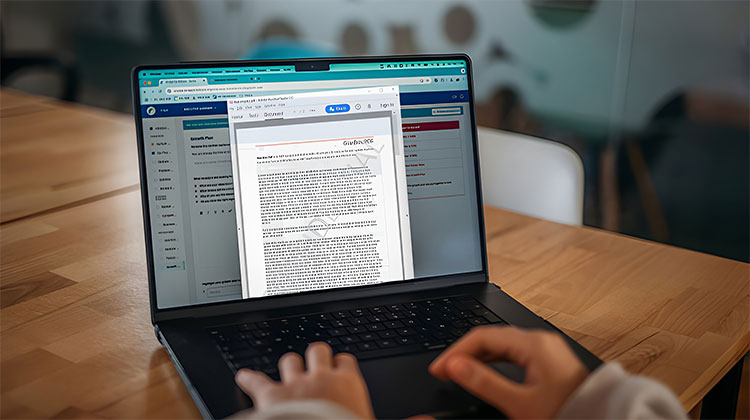
A PDF’s watermark can be frustrating, but removing it doesn’t necessarily require expensive PDF editing software. This article provides a list of free tools that can remove watermark from PDF file.
How to Remove Watermark from PDF: 5 Free Methods
1. Google Docs
The first option you may use to remove watermark from PDF is Google Docs. It’s a well-known tool, and if you’ve got a Google account, you’ll have instant access. For the best results, you’ll need to convert the PDF to the format DOCX. It is possible to do this with one of these programs that can assist with all types of PDF conversions.
Save the file on your device, and then open Google Docs. The folder-like icon appears in the upper right-hand corner.
Change to the Upload tab in the new tab, and then press the Browse button to upload your file.
Wait until Google Docs uploads your document. If the watermark hasn’t been removed automatically, then click it and press Delete using your computer.
Click File > Download> PDF document to redownload the original document to your device.
Also read: 10 Best HEIC to PDF Converter | Fast & Easy Conversion
2. Canva
If you don’t want to be forced to convert your PDF into DOCX, then you can use a different tool, like Canva.
TO use Canva to remove the watermark from your PDF, you’ll need to sign up for a free account. After you have logged into your account, you can click Projects on the left-hand side of the screen.
Drag and drop your PDF into the Recent designs section to upload your document. Then, you can click the Add New -> upload button to the right.
Once the PDF is transferred, click on the watermark, then hit the trashcan icon to remove the file from view.
Then you can download the clean PDF file by clicking Share and Download and then selecting the PDF option.
3. LightPDF
Another excellent online PDF watermark remover tool that allows users to remove watermarks from PDFs for free is LightPDF. It is an AI-powered tool.
The tool will upload your file. Hit the ” Remove Watermark link to proceed. You’ll need to sign up for an account before downloading the results. It’s not expensive, and you can use your Google credentials, too.
Then, finally, click to download PDF File to get a clean document.
4. WatermarkRemover.io
WatermarkRemover is a simple watermark remover tool that can help you remove watermark from PDF online.
Go to the WatermarkRemover site and click the Upload PDF button to upload your PDF file. You can also copy and paste a URL.
The tool will process the document. A clean copy will appear underneath, and you can click on the download button to save it to your device.
You can also change to the old version and the watermark-free version. Additionally, WatermarkRemover.io has an Android application so you can remove watermark from PDF on your smartphone.
Also read: Remove Watermark from Video: 5 Best Video Watermark Remover
5. Microsoft Word
Unexpectedly, Microsoft Word can also help you remove watermarks from PDF files. This is a fantastic solution for many people, as Windows users are likely to have the program installed on their devices. But, you’ll need to convert the PDF into DocX first, as we did with our Google Docs method.
When you’ve got the file open. Then, click to enable editing in the upper right.
Then click the “watermark” inside the document. Word should now permit you to edit the document. Make sure to erase. You can do this by pressing the Delete key on your computer keyboard.
Once you’re done, then press Ctrl+S to save the clean document.
If you want to save the document, you can save it as a PDF from Word.
Ending Notes
We’ve provided five different methods to remove the watermark from PDF. You can choose the method you want. We’d also like to inform you that a certain method might not work for the PDF file, so you should try another method. If you want to use it online, you can use LightPDF or WatermarkRemover, because Google Docs and Microsoft Word may disturb or spoil the PDF format after converting the original format to a Doc format.
FAQs: Remove Watermark From PDF
How can I remove watermark from PDF for free?
You can remove watermark from PDF for free using tools like Google Docs, Canva, LightPDF, WatermarkRemover.io, and Microsoft Word. Most of these tools offer free basic editing features.
What is the easiest way to remove watermark from PDF?
The easiest method is using online tools such as WatermarkRemover.io or LightPDF because they automatically detect and remove watermarks with minimal effort.
How do I remove watermark from PDF on mobile?
You can use online tools through your mobile browser or install apps like WatermarkRemover.io on Android devices to remove watermarks directly from your smartphone.
Are online PDF watermark remover tools safe to use?
Most trusted tools are safe, but you should avoid uploading sensitive or confidential documents to unknown websites. Always use reputable platforms.










Leave a comment