






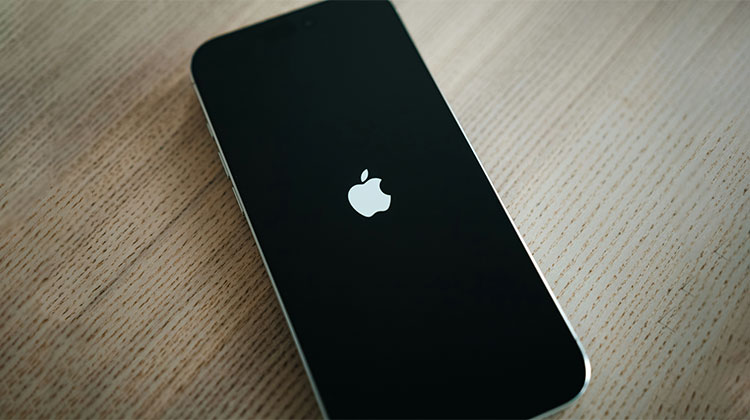
If your iPhone keeps restarting, and you have no idea what to do. It’s working well every day, but suddenly the iPhone keeps restarting over and over again due to many reasons. This article was written to help you and provide the best options when your iPhone keeps turning on and off.
Why Does My iPhone Keep Restarting?
You might be wondering, ‘Why does my iPhone keep restarting? Let’s first look at the signs that the iPhone keeps restarting, which could be classified into two types:
- iPhones keep restarting intermittently. You can use your iPhone without issue for a long time, but you suddenly face the iPhone keeps restarting issue.
- iPhones get stuck in a restart loop. If your iPhone is restarted over and over again, and it is completely unusable. The Apple logo keeps popping up and disappearing from the screen.
There are many reasons for iPhone keeps rebooting. Before we solve this issue, we should look into what causes the iPhone to keep restarting again and again.
- Software bugs or glitches
- Outdated iOS version
- Faulty or incompatible apps
- Low storage space
- Battery health issues
- Failed iOS update
- Hardware damage or water exposure
Also read: iPhone Won’t Turn On? 6 Tested Solutions Without Data Loss
How to fix the iPhone keeps Restarting Issue
If you now know the reason why your iPhone keeps restarting itself, find out how to fix the problem. You should back up your iPhone first before doing any troubleshooting.
1. Force Restart Your iPhone
It’s one of the most basic ways to restart an iPhone to fix an issue. To resolve the iPhone keeps restarting issue, Force restart the iPhone by pressing the Home and Power buttons simultaneously for 10 seconds.
2. Check for Problematic Apps
It’s not common for an app to trigger an iPhone to restart; the scenario is different for a jailbroken iPhone. If you downloaded a malicious application, and then your iPhone began restarting constantly, uninstall the application and see if the issue is resolved.
Go to Settings and Privacy > Analytics > Analytics Data, where you can check for iPhone problem apps. You will see several entries in this listing. You can quickly browse through the repeated apps. If you discover one that you like, uninstalling it could fix your iPhone restart loop issue.
3. Remove and Reinsert the SIM Card
The iPhone’s tendency to get stuck in a restart loop could be due to the iPhone’s connection to a wireless carrier. Your SIM card connects your iPhone to the wireless provider; therefore, taking out the SIM could fix the problem of an iPhone that is constantly running.
Simply remove your SIM card from the iPhone and then plug it back in. The iPhone will then be connected to your service provider.
4. Check Your Charger and Battery
If your iPhone keeps restarting after charging, you may switch to a different charger and cable. It could be that the wrong cable or charger isn’t charging your iPhone normally. This is why the device keeps shutting off and then coming back on. Additionally, if it appears that the battery is at fault, then you might want to replace it or fix it with a different one. If your iOS device is under warranty, you can take the iPhone charger, cable, or even the iPhone to an Apple customer service, and the employees will investigate and resolve the issue.
5. Reset All Settings
Resetting all settings on your iPhone will resolve some software issues. Go to iPhone Settings > General > Reset> Reset All Settings to reset the iPhone back to its factory defaults. It won’t erase any files or app data, or any other data.
Also read: iPhone Stuck on Verifying Update: 6 Best Working Methods
6. Factory Reset Your iPhone
If your iPhone is experiencing a malware attack or an incorrect update, the problem can be easily resolved by setting your phone to factory settings and erasing all of the iPhone’s data. To accomplish this, go to Settings, then tap General > Reset > Erase All Content and Settings.
Summing Up
Now you understand why your iPhone keeps restarting and how to fix iPhone 16/15/14, which keeps restarting. It is an issue with iOS 17.18 and 19 when going through this blog. Troubleshoot and fix your issue with these solutions.
FAQs About iPhone Keeps Restarting
Why does my iPhone keep restarting after an iOS update?
An interrupted or failed iOS update can corrupt system files, causing your iPhone to restart repeatedly or get stuck in a boot loop.
Should I remove my SIM card if my iPhone keeps restarting?
Removing and reinserting the SIM card can help if the issue is related to network or carrier settings.
How do I know if my iPhone restarting issue is hardware-related?
If restarts continue after software troubleshooting, or if your device has physical or water damage, the problem may be hardware-related and require professional repair.
What should I do if my iPhone keeps restarting and won't turn on?
Try Recovery Mode, update or restore iOS, and contact Apple Support if the issue persists.








Leave a comment